How to send binary data with cURL
Binary request bodies need to reach the server unchanged when an API accepts firmware images, archives, certificates, or any other payload where line endings and null bytes matter. cURL can send those exact bytes in the HTTP body instead of rewriting them into browser-style form data.
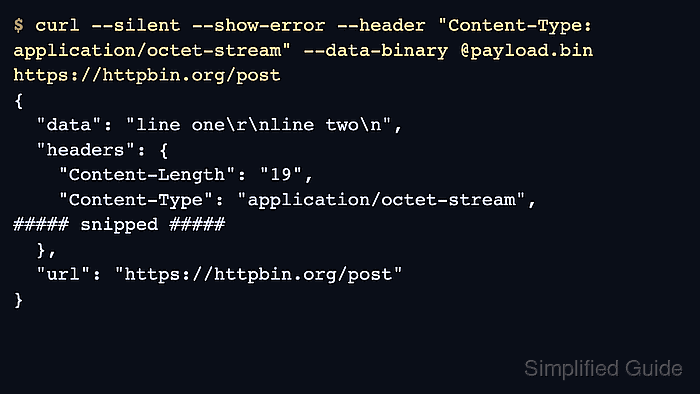
In cURL, --data-binary posts the body exactly as supplied. @file reads bytes from a local file, @- reads from standard input, and the option preserves carriage returns and newlines that --data strips when it reads from a file. The request still follows curl's normal data-sending path, so it defaults to POST unless another method is set explicitly.
Two details affect real uploads. --data-binary still uses application/x-www-form-urlencoded unless a Content-Type header overrides it, and repeating the option appends another body fragment with & between pieces. Use one payload source, choose the method the endpoint expects, and confirm the status code plus uploaded byte count before trusting the response.
Steps to send binary data with cURL:
- Create a small payload for a repeatable test, or choose the real local file that the endpoint expects.
$ printf 'line one\r\nline two\n' > payload.bin
The sample file is 19 bytes and includes both a carriage return plus newline and a final newline, which makes byte-preserving behavior visible in the echoed response.
- Send the payload as one raw request body with --data-binary and an explicit binary content type.
$ curl --silent --show-error \
  --header "Content-Type: application/octet-stream" \
  --data-binary @payload.bin \
  https://httpbin.org/post
{
  "args": {},
  "data": "line one\r\nline two\n",
  "files": {},
  "form": {},
  "headers": {
    "Accept": "*/*",
    "Content-Length": "19",
    "Content-Type": "application/octet-stream",
##### snipped #####
  },
##### snipped #####
  "url": "https://httpbin.org/post"
}
Replace payload.bin with the local file to send. The echoed \r\n and trailing \n show that the request body reached the server unchanged.
- Switch the request to PUT when the endpoint stores or replaces one object at the target URL.
$ curl --silent --show-error \
  --request PUT \
  --header "Content-Type: application/octet-stream" \
  --data-binary @payload.bin \
  https://httpbin.org/anything
{
  "data": "line one\r\nline two\n",
  "headers": {
    "Content-Length": "19",
    "Content-Type": "application/octet-stream",
##### snipped #####
  },
  "method": "PUT",
##### snipped #####
  "url": "https://httpbin.org/anything"
}
The body option stays the same. Only the HTTP method changes. Related: How to specify the HTTP method in cURL
- Read the bytes from standard input with @- when another command or redirected file produces the body.
$ curl --silent --show-error \
  --header "Content-Type: application/octet-stream" \
  --data-binary @- \
  https://httpbin.org/post < payload.bin
{
  "args": {},
  "data": "line one\r\nline two\n",
  "files": {},
  "form": {},
  "headers": {
    "Content-Length": "19",
    "Content-Type": "application/octet-stream",
##### snipped #####
  },
##### snipped #####
  "url": "https://httpbin.org/post"
}
@- tells cURL to read the request body from standard input instead of opening a named file.
- Record the HTTP status and uploaded byte count before reusing the command against a production endpoint.
$ curl --silent --show-error \
  --header "Content-Type: application/octet-stream" \
  --data-binary @payload.bin \
  --output upload-response.json \
  --write-out "HTTP %{http_code}; uploaded %{size_upload} bytes\n" \
  https://httpbin.org/post
HTTP 200; uploaded 19 bytes
A matching uploaded byte count plus a 2xx status is the first proof that the endpoint received the whole body. Related: How to capture response metrics with cURL write-out
Related: How to fail on HTTP errors with cURL - Avoid --data @payload.bin or a second --data-binary when the endpoint expects one exact byte stream.
--data strips carriage returns, newlines, and null bytes when it reads from a file, and a repeated --data-binary appends another body fragment with & between pieces. Keep one --data-binary source and set Content-Type explicitly when the server expects raw bytes.