How to store curl credentials in a netrc file
Putting username:password directly in recurring curl commands leaves secrets behind in shell history, copied tickets, and sometimes process listings. A private .netrc file keeps the password out of the command itself, which is cleaner for repeated API checks, scheduled transfers, and small automation jobs.
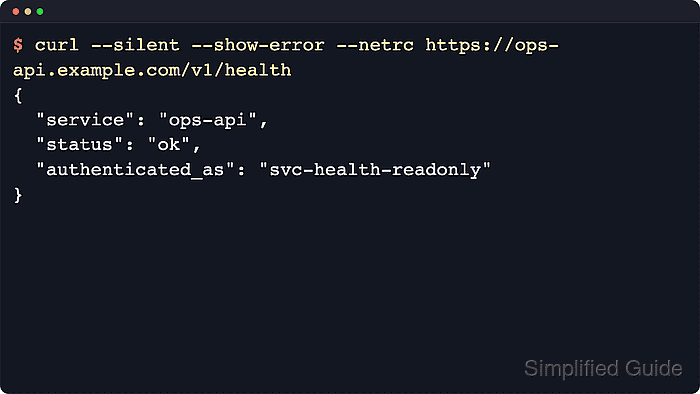
When --netrc is enabled, curl reads the matching machine entry for the request host and uses the stored login and password values for that transfer. This keeps the command short while moving the credential into one file that is easier to rotate or replace.
The examples below use ~/.netrc, which is the default location on Unix-like systems. On Windows, curl checks .netrc and _netrc in the home directory. On every platform the file stays plain text, so local file permissions matter more than the syntax, and any default entry should come after all named machine blocks and include a full credential pair.
Related: How to use HTTP Basic authentication in cURL
Related: How to use SFTP with cURL
Steps to store curl credentials in a netrc file:
- Create ~/.netrc and add one machine block for the protected host.
$ cat <<'EOF' > ~/.netrc
machine ops-api.example.com
  login svc-health-readonly
  password REDACTED_BASIC_AUTH_PASSWORD
EOF
The machine name must match the request host. Do not include the scheme, path, or port. If the same file stores a fallback default entry, keep it after all named hosts and do not leave it empty.
- Restrict the file so only the account owner can read and write it.
$ chmod 600 ~/.netrc
$ ls -l ~/.netrc
-rw------- 1 user user 97 Jun  6 01:58 /home/user/.netrc
curl does not reject a group-readable or world-readable netrc file on its own, so permission hardening is still required.
- Send the request with --netrc so curl loads the matching credential block automatically.
$ curl --silent --show-error --netrc https://ops-api.example.com/v1/health
{
  "service": "ops-api",
  "status": "ok",
  "authenticated_as": "svc-health-readonly"
}
The lookup is based on the request host, so the machine token must match ops-api.example.com. Use --netrc-file when automation should read a dedicated secret file instead of the default home-directory file. Recent curl builds also honor the NETRC environment variable when --netrc-file is not set.
- Add --fail and --write-out when the command needs a clear success signal in scripts or scheduled checks.
$ curl --silent --show-error --fail --netrc --write-out "\nHTTP %{http_code}\n" https://ops-api.example.com/v1/health
{
  "service": "ops-api",
  "status": "ok",
  "authenticated_as": "svc-health-readonly"
}

HTTP 200
The extra status line makes an authentication success easier to distinguish from DNS, TLS, or application failures in automation logs.
--netrc-optional is the safer variant when a missing file or missing host entry should not stop the request.
- Inspect a verbose trace when the server still returns 401 Unauthorized or the wrong account.
$ curl --verbose --silent --netrc https://ops-api.example.com/v1/health
* Host ops-api.example.com:443 was resolved.
##### snipped #####
* Server auth using Basic with user 'svc-health-readonly'
> GET /v1/health HTTP/2
> Host: ops-api.example.com
> Authorization: Basic ***REDACTED_BASE64_CREDENTIALS***
> User-Agent: curl/8.18.0
> Accept: */*
##### snipped #####
< HTTP/2 200
< content-type: application/json
##### snipped #####
{
  "service": "ops-api",
  "status": "ok",
  "authenticated_as": "svc-health-readonly"
}
Verbose output exposes the encoded Authorization header, so keep traces local and redact or discard them before sharing.
If --user is still on the command line, it overrides the netrc credentials and can hide changes made in the file.
Related: View request headers in cURL