When an older transfer job moves off plain FTP, cURL can keep the same basic upload and download workflow over SFTP without switching tools. That is useful for partner feeds, scheduled exports, and one-off file pulls that already depend on curl in scripts or automation.
With SFTP, the URL path is absolute by default, and the special /~/ prefix targets the remote account's home directory. cURL can list a directory with --list-only, send a file with --upload-file, and save a download locally with --output or --remote-name.
Authentication usually comes from an SSH key passed with --key, while the server identity still needs to match a trusted host key. Some curl builds ship without SSH support, so if the Protocols: line from curl --version does not include sftp, every SFTP command on this page fails with unsupported protocol until a curl build with SFTP support is used.
Steps to use SFTP with cURL:
- Check whether the local curl build supports SFTP before using an sftp:// URL.
$ curl --version
curl 8.18.0 (aarch64-unknown-linux-gnu) libcurl/8.18.0 OpenSSL/3.5.5 zlib/1.3.1 brotli/1.2.0 zstd/1.5.7 libidn2/2.3.8 libpsl/0.21.2 libssh2/1.11.1 nghttp2/1.68.0
Release-Date: 2026-01-07, security patched: 8.18.0-1ubuntu2.1
Protocols: dict file ftp ftps gopher gophers http https imap imaps ipfs ipns ldap ldaps mqtt pop3 pop3s rtmp rtsp scp sftp smb smbs smtp smtps telnet tftp ws wss
Features: alt-svc AsynchDNS brotli GSS-API HSTS HTTP2 HTTPS-proxy IDN IPv6 Kerberos Largefile libz NTLM PSL SPNEGO SSL threadsafe TLS-SRP UnixSockets zstd
If the Protocols line does not contain sftp, use a curl build with SSH support before continuing.
- List the remote target directory before transferring anything so the path is confirmed first.
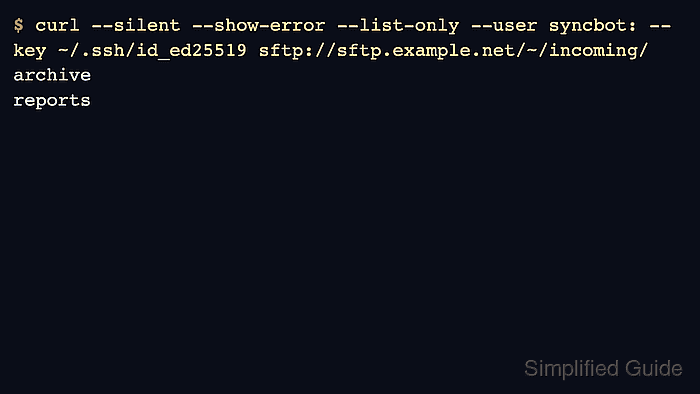
$ curl --silent --show-error --list-only --user syncbot: --key ~/.ssh/id_ed25519 sftp://sftp.example.net/~/incoming/
archive
reports
In SFTP URLs, /~/incoming/ means the incoming directory under the remote account's home directory. Some servers also return . and .. in a name-only listing.
The examples assume the server's SSH host key is already trusted by curl. For unattended jobs, pin the host key with --hostpubsha256 <base64-sha256-host-key> instead of using --insecure.
- Upload the local file to the same SFTP directory with the remote name that should exist on the server.
$ curl --user syncbot: --key ~/.ssh/id_ed25519 --upload-file ./daily-export-2026-04.csv sftp://sftp.example.net/~/incoming/daily-export-2026-04.csv
  % Total    % Received % Xferd  Average Speed   Time    Time     Time  Current
                                 Dload  Upload   Total   Spent    Left  Speed
100    22    0     0  100    22      0    531 --:--:-- --:--:-- --:--:--   531
Replace ./daily-export-2026-04.csv with the local file that already exists on the system. If the destination directory does not exist yet, add --ftp-create-dirs.
- List the directory again and confirm that the uploaded filename now appears on the server.
$ curl --silent --show-error --list-only --user syncbot: --key ~/.ssh/id_ed25519 sftp://sftp.example.net/~/incoming/
archive
daily-export-2026-04.csv
reports
If the filename is missing, recheck the path first. SFTP paths are absolute unless /~/ is used deliberately.
- Download the same remote file into a separate local filename so the first retrieval does not overwrite the source copy.
$ curl --user syncbot: --key ~/.ssh/id_ed25519 --output ./daily-export-2026-04.download.csv sftp://sftp.example.net/~/incoming/daily-export-2026-04.csv
  % Total    % Received % Xferd  Average Speed   Time    Time     Time  Current
                                 Dload  Upload   Total   Spent    Left  Speed
100    22  100    22    0     0    474      0 --:--:-- --:--:-- --:--:--   474
--output overwrites an existing local file with the same name.
- Inspect the downloaded file before handing the transfer off to the next job.
$ cat ./daily-export-2026-04.download.csv
job,status
nightly,ok
A quick content check catches wrong remote paths earlier than a later import, restore, or batch failure.

Mohd Shakir Zakaria is a cloud architect with deep roots in software development and open-source advocacy. Certified in AWS, Red Hat, VMware, ITIL, and Linux, he specializes in designing and managing robust cloud and on-premises infrastructures.


