How to start and stop a Checkmk site
Starting and stopping a Checkmk site controls the monitoring services that belong to one OMD site without touching every site on the server. Use it before site maintenance, after creating a new site, or when a short restart is needed after site-level changes.
The omd command can run as root with the site name, but the site-user shell targets the correct site and uses the Checkmk version assigned to that site. For routine operations, switch into the site environment and run omd start, omd stop, omd restart, and omd status from the OMD[site] prompt.
Stopping a site interrupts its web UI, monitoring core, notifications, checks, receivers, and scheduled jobs. Schedule the interruption when that site can be offline, confirm the intended state with omd status, and test the site URL after a start or restart.
Related: How to create a Checkmk monitoring site
Related: How to back up a Checkmk site
Related: How to update a Checkmk site
Steps to start and stop a Checkmk site with OMD:
- Switch to the Checkmk site environment.
$ sudo omd su mysite
OMD[mysite]:~$
Replace mysite with the site ID from the URL path, such as https://monitoring.example.net/mysite/. As root, the equivalent commands include sudo omd start mysite, sudo omd stop mysite, sudo omd restart mysite, and sudo omd status mysite.
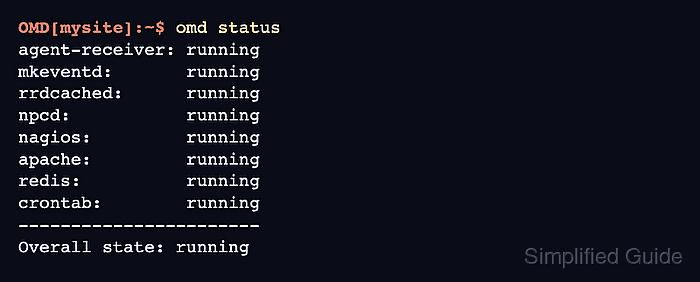
- Check the current site status.
OMD[mysite]:~$ omd status
agent-receiver: running
mkeventd:       running
rrdcached:      running
npcd:           running
nagios:         running
apache:         running
redis:          running
crontab:        running
-----------------------
Overall state: running
Stop the site only when monitoring, notifications, agent receivers, and the web UI for this site can be unavailable.
- Stop the site for maintenance.
OMD[mysite]:~$ omd stop
Removing Crontab...OK
Stopping redis...OK
Stopping apache...OK
Stopping nagios...OK
Stopping npcd...OK
Stopping rrdcached...OK
Stopping mkeventd...OK
Stopping agent-receiver...OK
- Confirm that the site is stopped.
OMD[mysite]:~$ omd status
agent-receiver: stopped
mkeventd:       stopped
rrdcached:      stopped
npcd:           stopped
nagios:         stopped
apache:         stopped
redis:          stopped
crontab:        stopped
-----------------------
Overall state: stopped
If one component remains running, wait briefly and repeat omd status before changing files, copying the site, or starting a restore.
- Start the site after maintenance.
OMD[mysite]:~$ omd start
Creating temporary filesystem /omd/sites/mysite/tmp...OK
Starting agent-receiver...OK
Starting mkeventd...OK
Starting rrdcached...OK
Starting npcd...OK
Starting nagios...OK
Starting apache...OK
Starting redis...OK
Initializing Crontab...OK
- Verify that all site services are running.
OMD[mysite]:~$ omd status
agent-receiver: running
mkeventd:       running
rrdcached:      running
npcd:           running
nagios:         running
apache:         running
redis:          running
crontab:        running
-----------------------
Overall state: running
- Restart a running site when a short service cycle is enough.
OMD[mysite]:~$ omd restart
Stopping apache...OK
Stopping nagios...OK
Stopping npcd...OK
Stopping rrdcached...OK
Stopping mkeventd...OK
Stopping agent-receiver...OK
Starting agent-receiver...OK
Starting mkeventd...OK
Starting rrdcached...OK
Starting npcd...OK
Starting nagios...OK
Starting apache...OK
Starting redis...OK
Initializing Crontab...OK
Use omd stop and omd start separately when files must remain unchanged while the site is stopped.
- Leave the site shell.
OMD[mysite]:~$ exit
logout
- Request the site URL from a client that can reach the Checkmk server.
$ curl --head http://monitoring.example.net/mysite/
HTTP/1.1 302 Found
Location: /mysite/check_mk/login.py
A redirect to the Checkmk login path confirms that the site web route is responding. Replace monitoring.example.net and mysite with the hostname and site path used by operators.