A Checkmk site backup saves the monitoring site's configuration, historical data, local customizations, and version metadata into an archive that can be restored before a migration, update, or recovery test. Taking the archive from the site layer keeps the backup tied to the OMD site instead of relying on a raw copy of /omd/sites.
For a one-time archive, omd backup runs from the Checkmk site user and writes a gzip-compressed tar file. The Checkmk GUI under Setup → Maintenance → Backups is better for scheduled or encrypted backup jobs, but a one-time OMD archive is the direct pre-maintenance path.
Restore testing needs the same Checkmk version and edition that created the archive. Keep the archive outside the site directory, record the site version next to it, and move the file to protected storage before treating the backup as recovery evidence.
Related: How to restore a Checkmk site backup
Related: How to update a Checkmk site
Steps to back up a Checkmk site with OMD:
- Create a backup directory outside the Checkmk site tree.
$ sudo install -d -o mysite -g mysite -m 0750 /var/backups/checkmk
Replace mysite with the site ID. Do not place backup archives below /omd/sites/mysite, because later site backups would include older backup files.
- Switch to the Checkmk site user.
$ sudo su - mysite
OMD[mysite]:~$
- Record the site version for restore compatibility.
OMD[mysite]:~$ omd version
2.5.0p7.community
The restore host needs the same Checkmk version and edition before the archive can be restored cleanly.
Related: How to restore a Checkmk site backup - Create the site backup archive.
OMD[mysite]:~$ omd backup /var/backups/checkmk/mysite.tar.gz
omd backup can run while the site is running. For a smaller archive that excludes RRDs, log history, and Agent Bakery packages, use omd backup -N only when that reduced recovery scope is intentional.
- Check the archive file.
OMD[mysite]:~$ ls -lh /var/backups/checkmk/mysite.tar.gz
-rw-r----- 1 mysite mysite 1.8G Jun 21 09:12 /var/backups/checkmk/mysite.tar.gz
The site user and group own the archive when the site user creates it.
- Inspect the backup archive contents.
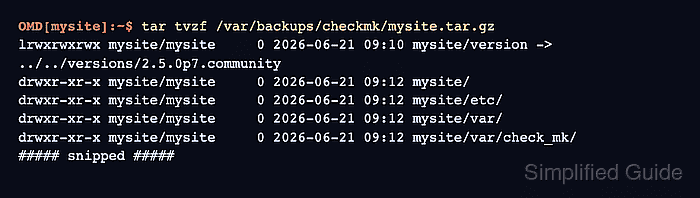
OMD[mysite]:~$ tar tvzf /var/backups/checkmk/mysite.tar.gz
lrwxrwxrwx mysite/mysite     0 2026-06-21 09:10 mysite/version -> ../../versions/2.5.0p7.community
drwxr-xr-x mysite/mysite     0 2026-06-21 09:12 mysite/
drwxr-xr-x mysite/mysite     0 2026-06-21 09:12 mysite/etc/
drwxr-xr-x mysite/mysite     0 2026-06-21 09:12 mysite/var/
drwxr-xr-x mysite/mysite     0 2026-06-21 09:12 mysite/var/check_mk/
##### snipped #####
The archive should contain the site directory name and a version symlink that matches the recorded site version.
- Copy the archive to protected storage.
OMD[mysite]:~$ scp /var/backups/checkmk/mysite.tar.gz backup-admin@backup01.example.net:/srv/backups/checkmk/
A backup left only on the Checkmk server can be lost with the server. Use storage with access controls and retention that match the site's recovery requirements.
- Verify the copied archive on protected storage.
OMD[mysite]:~$ ssh backup-admin@backup01.example.net "ls -lh /srv/backups/checkmk/mysite.tar.gz"
-rw-r----- 1 backup-admin backup-admin 1.8G Jun 21 09:14 /srv/backups/checkmk/mysite.tar.gz

Mohd Shakir Zakaria is a cloud architect with deep roots in software development and open-source advocacy. Certified in AWS, Red Hat, VMware, ITIL, and Linux, he specializes in designing and managing robust cloud and on-premises infrastructures.


