How to activate Checkmk pending changes
Activating pending changes in Checkmk moves saved Setup changes from the configuration environment into the running monitoring environment. Hosts, rules, services, users, and other configuration edits remain pending until activation generates a monitoring-core configuration and loads it.
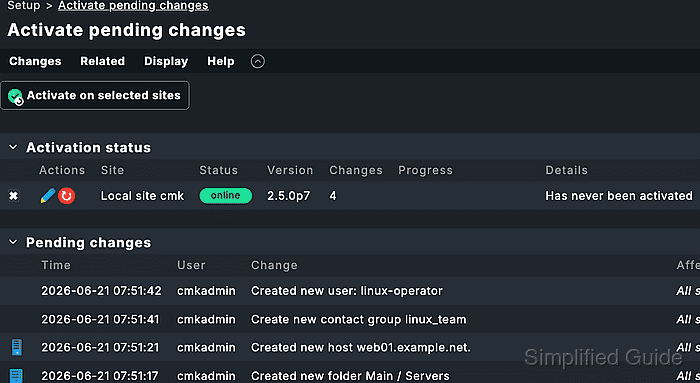
The Changes menu shows the count of unactivated changes and opens a slideout with the current bundle. The full Activate pending changes view gives more detail when several sites are involved, when a site reports an activation problem, or when another activation is already running.
Review the bundle before activating because Checkmk applies all selected pending changes together. Activated entries remain available later under Setup → General → Audit log, and the affected host, rule, service, or user should be checked in Monitor after activation completes.
Related: How to add a host in Checkmk
Related: How to create a Checkmk rule for selected hosts
Related: How to run Checkmk service discovery
Steps to activate Checkmk pending changes:
- Open the Checkmk site as a user with permission to activate changes.
- Click the Changes menu in the navigation bar.
- Review the pending-change summary in the slideout.
The number beside Changes counts saved Setup changes that are not active in monitoring yet.
- Open Activate pending changes when the slideout shows site warnings, several changed sites, or activation details that need review.
The full view can also be opened from Open full view or from the button that shows the pending, warning, and site counts.
- Select only the sites that should receive the change when the full view lists multiple sites.
Do not include a remote site if its pending bundle belongs to another operator or maintenance window.
- Click Activate pending changes in the slideout or Activate on selected sites in the full view.
- Wait for the activation success message and confirm the Changes count disappears.
A disappearing count means the pending list for the selected site is clear until the next Setup change is saved.
- Check the changed object in Monitor.
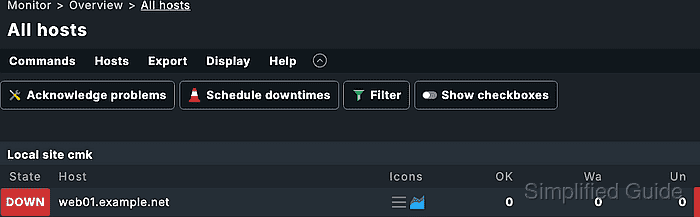
For a new host or service, open the host or service page and confirm the expected state appears after activation. For a rule or notification change, check an affected host or service where the rule should apply.
- Open Setup → General → Audit log when audit evidence is required.
The audit log keeps activated configuration entries after the pending-change list is cleared.
- Check the site core from the Checkmk site user before terminal-only activation.
OMD[mysite]:~$ omd config show CORE
CORE: cmc
Checkmk Community sites use nagios as the core. Commercial sites normally use cmc unless they were configured otherwise.
- Activate a CMC site from the site shell when GUI activation is not available.
OMD[mysite]:~$ cmk -O
Generating configuration for core...
Reloading monitoring core...OK
Use cmk -R instead on a Nagios core because cmk -O is intended for CMC reloads.