How to store a DNS provider token for Certbot
DNS API tokens turn Certbot DNS validation into an unattended certificate workflow, but the same token can also change records through the provider API. Store the credential in a root-owned file on the certificate host so Certbot can read it during issuance and renewal without exposing it in shell history or renewal configuration.
The Cloudflare DNS plugin is used as the concrete example because it uses a small INI credentials file and a provider-specific --dns-cloudflare-credentials option. Other Certbot DNS plugins use different credential keys and option names, so keep the storage pattern but copy the exact file format from the provider plugin documentation.
After a successful certificate request, Certbot records the credentials file path and reads that file again during renewal. A permission check proves the token is stored where only root can read it, while a staging dry run proves the token can update the DNS zone before any production certificate request is attempted.
Steps to store a DNS provider token for Certbot:
- Open a terminal on the host that runs Certbot renewals.
- Confirm the installed DNS plugin and credentials option for the provider.
$ certbot --help dns-cloudflare
##### snipped #####
dns-cloudflare:
  Obtain certificates using a DNS TXT record (if you are using Cloudflare
  for DNS).

  --dns-cloudflare-propagation-seconds DNS_CLOUDFLARE_PROPAGATION_SECONDS
                        The number of seconds to wait for DNS to propagate
                        before asking the ACME server to verify the DNS
                        record. (default: 10)
  --dns-cloudflare-credentials DNS_CLOUDFLARE_CREDENTIALS
                        Cloudflare credentials INI file. (default: None)
If the provider section is missing, install the Certbot DNS plugin that matches the authoritative DNS provider before storing the token.
- Create a root-only directory for DNS provider credentials.
$ sudo install -d -m 700 -o root -g root /etc/letsencrypt/secrets
Keeping provider tokens below /etc/letsencrypt/secrets keeps them near the Certbot configuration while separating them from public certificate material under /etc/letsencrypt/live.
- Create an empty Cloudflare credentials file with restrictive ownership.
$ sudo install -m 600 -o root -g root /dev/null /etc/letsencrypt/secrets/cloudflare.ini
- Add the restricted DNS API token to the credentials file.
$ sudoedit /etc/letsencrypt/secrets/cloudflare.ini
# Cloudflare API token used by Certbot
dns_cloudflare_api_token = <cloudflare-api-token>
Use a token scoped only to the DNS zones and Zone:DNS:Edit permission needed for certificate validation. Do not use a global account key unless the provider plugin has no safer token option.
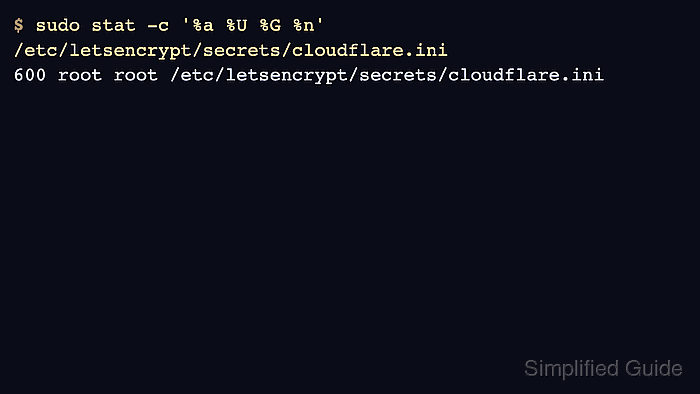
- Confirm that only root can traverse the credentials directory and read the token file.
$ sudo stat -c '%a %U %G %n' /etc/letsencrypt/secrets /etc/letsencrypt/secrets/cloudflare.ini
700 root root /etc/letsencrypt/secrets
600 root root /etc/letsencrypt/secrets/cloudflare.ini
Certbot warns about unsafe permissions when a DNS credentials file can be accessed by other users. Fix that state with sudo chmod 600 /etc/letsencrypt/secrets/cloudflare.ini before issuing or renewing certificates.
- Rehearse DNS validation with the stored credentials path.
$ sudo certbot certonly \
  --dns-cloudflare \
  --dns-cloudflare-credentials /etc/letsencrypt/secrets/cloudflare.ini \
  --dns-cloudflare-propagation-seconds 60 \
  --dry-run \
  --non-interactive \
  --agree-tos \
  --email admin@example.com \
  -d example.com
Saving debug log to /var/log/letsencrypt/letsencrypt.log
Simulating a certificate request for example.com
Waiting 60 seconds for DNS changes to propagate
The dry run was successful.
A dry run uses the staging ACME service and does not save a certificate. A production request that succeeds stores this credentials path in the renewal configuration, so the file must stay in place.
Related: How to use the Certbot staging environment - Retest renewal after rotating the provider token or moving the credentials file.
$ sudo certbot renew --cert-name example.com --dry-run
Saving debug log to /var/log/letsencrypt/letsencrypt.log
Processing /etc/letsencrypt/renewal/example.com.conf
Simulating renewal of an existing certificate for example.com

Congratulations, all simulated renewals succeeded:
  /etc/letsencrypt/live/example.com/fullchain.pem (success)
A dry-run renewal confirms that the saved renewal configuration can still load the credentials path and complete DNS validation against the staging ACME service.
Related: How to test Certbot certificate renewal