Repeated ACME attempts against the production certificate authority can spend rate-limit budget while a domain, webroot, DNS record, firewall rule, or authenticator plugin is still wrong. The staging environment lets Certbot rehearse the same challenge path against the test certificate authority before requesting a browser-trusted certificate.
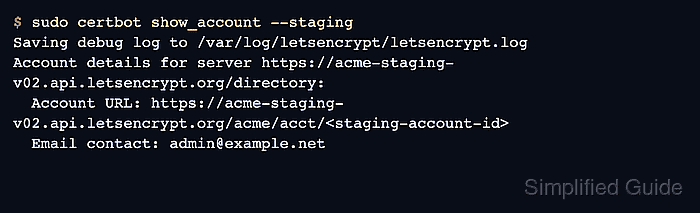
Use a dry-run certificate or renewal rehearsal first when the test does not need certificate files. Save a staging certificate only when the handoff depends on inspecting the generated lineage, file paths, or installer behavior.
Staging uses separate ACME accounts and untrusted test roots. Keep saved staging certificates under a separate certificate name, do not install them for public traffic, and remove staging flags or any global staging server setting before the production request.
Related: Troubleshoot Certbot rate limit errors
Related: Use a webroot challenge with Certbot
Related: Use a DNS challenge with Certbot
Steps to use the Certbot staging environment:
- Open a terminal on the server that normally runs Certbot.
- Choose the same authenticator, domain list, and challenge settings planned for production.
The examples use the webroot authenticator for HTTP-01. Keep the same webroot path, domain list, DNS records, firewall rules, and plugin options when moving from staging to production.
Tool: ACME HTTP 01 Readiness Validator - Register a staging account when the server has never used Let's Encrypt staging before.
$ sudo certbot register --test-cert --email admin@example.net --agree-tos --no-eff-email --non-interactive
Saving debug log to /var/log/letsencrypt/letsencrypt.log
Account registered.
Certbot can also create the staging account during the first staging request. Registering first makes the separate staging account visible before any domain challenge is attempted.
- Confirm Certbot is pointed at the staging account.
$ sudo certbot show_account --test-cert
Saving debug log to /var/log/letsencrypt/letsencrypt.log
Account details for server https://acme-staging-v02.api.letsencrypt.org/directory:
  Account URL: https://acme-staging-v02.api.letsencrypt.org/acme/acct/<staging-account-id>
  Email contact: admin@example.net
- Rehearse the certificate request without saving certificate files.
$ sudo certbot certonly --webroot --webroot-path /var/www/html --domain www.example.net --email admin@example.net --agree-tos --no-eff-email --non-interactive --dry-run
Saving debug log to /var/log/letsencrypt/letsencrypt.log
Simulating a certificate request for www.example.net
The dry run was successful.
--dry-run is the safest first staging check for certonly and renew because it uses the staging service without replacing files under /etc/letsencrypt/live/. It can temporarily adjust and reload web server configuration when web server plugins are involved.
Related: Test Certbot certificate renewal
- Save a staging certificate only when the test needs certificate files.
$ sudo certbot certonly --webroot --webroot-path /var/www/html --domain www.example.net --cert-name www.example.net-staging --duplicate --test-cert
Saving debug log to /var/log/letsencrypt/letsencrypt.log
Requesting a certificate for www.example.net

Successfully received certificate.
Certificate is saved at: /etc/letsencrypt/live/www.example.net-staging/fullchain.pem
Key is saved at:         /etc/letsencrypt/live/www.example.net-staging/privkey.pem
--duplicate and a separate --cert-name keep the staging lineage from colliding with an existing production certificate for the same domain. A staging certificate is intentionally untrusted by browsers and ordinary TLS clients.
- Check the saved staging certificate marker.
$ sudo certbot certificates --cert-name www.example.net-staging
Saving debug log to /var/log/letsencrypt/letsencrypt.log
Found the following certs:
  Certificate Name: www.example.net-staging
    Domains: www.example.net
    Expiry Date: 2026-09-16 12:00:00+00:00 (INVALID: TEST_CERT)
    Certificate Path: /etc/letsencrypt/live/www.example.net-staging/fullchain.pem
    Private Key Path: /etc/letsencrypt/live/www.example.net-staging/privkey.pem
The (INVALID: TEST_CERT) marker confirms that the saved lineage came from staging. It is proof of the test path, not a production TLS result.
- Delete the saved staging lineage after inspection.
$ sudo certbot delete --cert-name www.example.net-staging --non-interactive
Deleted all files relating to certificate www.example.net-staging.
This removes the local staging files only. It does not revoke or change any production certificate.
Related: Delete a Certbot certificate lineage - Request the production certificate after the staging test succeeds.
$ sudo certbot certonly --webroot --webroot-path /var/www/html --domain www.example.net --email admin@example.net --agree-tos --no-eff-email --non-interactive
Saving debug log to /var/log/letsencrypt/letsencrypt.log
Requesting a certificate for www.example.net

Successfully received certificate.
Certificate is saved at: /etc/letsencrypt/live/www.example.net/fullchain.pem
Key is saved at:         /etc/letsencrypt/live/www.example.net/privkey.pem
Remove --test-cert, --staging, and any staging --server value before this step. A global staging server setting in Certbot configuration can keep future commands pointed at the test certificate authority.
- Confirm the production certificate entry no longer has the staging marker.
$ sudo certbot certificates --cert-name www.example.net
Saving debug log to /var/log/letsencrypt/letsencrypt.log
Found the following certs:
  Certificate Name: www.example.net
    Domains: www.example.net
    Expiry Date: 2026-09-16 12:00:00+00:00 (VALID: 89 days)
    Certificate Path: /etc/letsencrypt/live/www.example.net/fullchain.pem
    Private Key Path: /etc/letsencrypt/live/www.example.net/privkey.pem

Mohd Shakir Zakaria is a cloud architect with deep roots in software development and open-source advocacy. Certified in AWS, Red Hat, VMware, ITIL, and Linux, he specializes in designing and managing robust cloud and on-premises infrastructures.


