How to configure a Certbot deploy hook
A Certbot certificate can renew successfully while the service that uses it keeps serving the old certificate until it reloads or copies the renewed files. Configure a deploy hook when a command must run only after Certbot has issued or renewed a certificate, not after every scheduled renewal check.
A deploy hook is different from a pre or post renewal hook. Certbot runs a deploy hook once for each successfully issued or renewed certificate, and the hook receives RENEWED_LINEAGE and RENEWED_DOMAINS so the script can act on the certificate lineage that changed.
Use a certificate-specific deploy hook when only one lineage needs the deployment action. Host-wide directory hooks belong under /etc/letsencrypt/renewal-hooks/deploy and fit servers where the same executable should run for every renewed certificate.
Related: List Certbot certificates
Related: Test Certbot certificate renewal
Related: Configure a Certbot renewal hook
Steps to configure a Certbot deploy hook:
- Open a terminal on the server that owns the Certbot certificate lineage.
- List the saved certificate names.
$ sudo certbot certificates

- - - - - - - - - - - - - - - - - - - - - - - - - - - - - - - - - - - - - - - -
Found the following certs:
  Certificate Name: www.example.com
    Serial Number: 4df2fdc2f8a5536a13c9f91455e8626af222c547
    Key Type: RSA
    Domains: www.example.com example.com
    Expiry Date: 2026-09-02 00:27:57+00:00 (VALID: 75 days)
    Certificate Path: /etc/letsencrypt/live/www.example.com/fullchain.pem
    Private Key Path: /etc/letsencrypt/live/www.example.com/privkey.pem
- - - - - - - - - - - - - - - - - - - - - - - - - - - - - - - - - - - - - - - -
Use the value after Certificate Name with --cert-name. If no certificate appears, configure the deploy hook on the host where the certificate was issued or create the certificate before adding the hook.
- Create the deploy script in a root-owned executable path.
$ sudoedit /usr/local/sbin/deploy-certbot-web.sh
#!/bin/sh
set -eu

domains=${RENEWED_DOMAINS:-unknown}
lineage=${RENEWED_LINEAGE:-unknown}

printf 'Deploy hook ran for %s from %s\n' "$domains" "$lineage"
systemctl reload nginx
Replace systemctl reload nginx with the reload, sync, or deployment command that must run after renewed certificate files are available. Keep the script non-interactive because automatic renewal may run from systemd or cron without a terminal.
- Make the deploy script executable.
$ sudo chmod 755 /usr/local/sbin/deploy-certbot-web.sh
- Test the script directly with sample deploy-hook variables.
$ sudo env RENEWED_DOMAINS="www.example.com example.com" \
  RENEWED_LINEAGE="/etc/letsencrypt/live/www.example.com" \
  /usr/local/sbin/deploy-certbot-web.sh
Deploy hook ran for www.example.com example.com from /etc/letsencrypt/live/www.example.com
Fix script, permission, service, or reload errors before attaching the script to Certbot. A hook error is printed by Certbot, but the hook failure is not the same signal as a failed certificate renewal.
- Attach the deploy hook to the selected certificate renewal configuration.
$ sudo certbot reconfigure \
  --cert-name www.example.com \
  --deploy-hook /usr/local/sbin/deploy-certbot-web.sh \
  --run-deploy-hooks
Current Certbot releases use certbot reconfigure to update one certificate's saved renewal options after a staging renewal test. --run-deploy-hooks makes that test run applicable deploy hooks if the dry run succeeds, and the hook uses the current active certificate files rather than the temporary staging certificate.
- Run a deploy-hook renewal test for the same certificate.
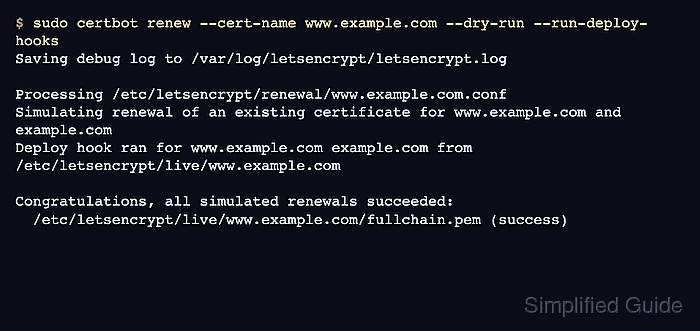
$ sudo certbot renew --cert-name www.example.com --dry-run --run-deploy-hooks
Saving debug log to /var/log/letsencrypt/letsencrypt.log

Processing /etc/letsencrypt/renewal/www.example.com.conf

Simulating renewal of an existing certificate for www.example.com and example.com
Deploy hook ran for www.example.com example.com from /etc/letsencrypt/live/www.example.com

Congratulations, all simulated renewals succeeded:
  /etc/letsencrypt/live/www.example.com/fullchain.pem (success)
During --dry-run, deploy hooks run only when --run-deploy-hooks is included. A host without a saved renewal configuration for the certificate cannot prove the hook with this command.
- Check that the automatic renewal schedule still has a future run.
$ systemctl list-timers --all '*certbot*'
NEXT                        LEFT     LAST                        PASSED  UNIT          ACTIVATES
Thu 2026-06-18 17:00:35 UTC 16h left Thu 2026-06-18 00:03:46 UTC 1min ago certbot.timer certbot.service

1 timers listed.
The deploy hook runs later when the packaged timer, cron job, or snap-managed schedule invokes certbot renew and the selected certificate actually renews.
Related: Check the Certbot renewal timer