How to rename a Certbot certificate lineage
Renaming a Certbot certificate lineage replaces an awkward local certificate name with a cleaner name that web server configuration and renewal checks can reference without ambiguity. Use this when duplicate issuance, a migration, or an earlier naming collision left the active certificate under the wrong Certificate Name.
Certbot does not rename an existing lineage in place. The controlled sequence is to request a new certificate under the desired certificate name, move every service reference to the new live path, prove renewal for the new lineage, and then delete the old lineage with certbot delete.
A webroot-based Nginx lineage can be renamed safely when the replacement certificate keeps the same validation method and domain set as the old certificate. Keep the same authenticator, domain list, account, hooks, and installer behavior that the old renewal configuration used; changing those details during a rename turns a naming cleanup into a certificate migration with a wider failure surface.
Related: List Certbot certificates
Related: Delete a Certbot certificate lineage
Related: Test Certbot certificate renewal
Steps to rename a Certbot certificate lineage:
- List the existing Certbot lineages and copy the old certificate name.
$ sudo certbot certificates
Saving debug log to /var/log/letsencrypt/letsencrypt.log

- - - - - - - - - - - - - - - - - - - - - - - - - - - - - - - - - - - - - - - -
Found the following certs:
  Certificate Name: www.example.com-0001
    Serial Number: 667d914dbdb8d8fb6dc19d3a7b28cc847a35b4fd
    Key Type: ECDSA
    Domains: www.example.com example.com
    Expiry Date: 2026-08-02 12:00:00+00:00 (VALID: 44 days)
    Certificate Path: /etc/letsencrypt/live/www.example.com-0001/fullchain.pem
    Private Key Path: /etc/letsencrypt/live/www.example.com-0001/privkey.pem
- - - - - - - - - - - - - - - - - - - - - - - - - - - - - - - - - - - - - - - -
The value after Certificate Name is the old lineage name. If the target name www.example.com already appears as another certificate name, keep it only if it is still used; otherwise delete or choose another target before creating the replacement.
Related: List Certbot certificates
- Review the old renewal configuration so the replacement uses the same validation method.
$ sudo cat /etc/letsencrypt/renewal/www.example.com-0001.conf
version = 5.6.0
archive_dir = /etc/letsencrypt/archive/www.example.com-0001
cert = /etc/letsencrypt/live/www.example.com-0001/cert.pem
privkey = /etc/letsencrypt/live/www.example.com-0001/privkey.pem
chain = /etc/letsencrypt/live/www.example.com-0001/chain.pem
fullchain = /etc/letsencrypt/live/www.example.com-0001/fullchain.pem

[renewalparams]
authenticator = webroot
webroot_path = /var/www/html,
server = https://acme-v02.api.letsencrypt.org/directory
key_type = ecdsa
##### snipped #####
Record the authenticator, installer, webroot or DNS plugin settings, key type, server, and hooks. Do not copy account IDs or private paths into tickets unless the maintenance process requires them.
- Back up the Certbot configuration tree before creating the replacement lineage.
$ sudo tar -C /etc -czf /root/letsencrypt-before-www-example-com-rename.tgz letsencrypt
The archive contains private keys and ACME account material. Store it with the same access controls as /etc/letsencrypt.
- Rehearse the replacement request against the staging service.
$ sudo certbot certonly --webroot -w /var/www/html --cert-name www.example.com --duplicate --dry-run -d www.example.com -d example.com
Saving debug log to /var/log/letsencrypt/letsencrypt.log
Simulating a certificate request for www.example.com and example.com

The dry run was successful.
--duplicate tells Certbot to allow a separate lineage with the same domains as the old certificate. --dry-run uses the Let's Encrypt staging service and does not replace the live certificate files.
Related: Use the Certbot staging environment
- Request the production certificate under the new lineage name.
$ sudo certbot certonly --webroot -w /var/www/html --cert-name www.example.com --duplicate -d www.example.com -d example.com
Saving debug log to /var/log/letsencrypt/letsencrypt.log
Requesting a certificate for www.example.com and example.com

Successfully received certificate.
Certificate is saved at: /etc/letsencrypt/live/www.example.com/fullchain.pem
Key is saved at:         /etc/letsencrypt/live/www.example.com/privkey.pem
This certificate expires on 2026-09-16.
This live request consumes production issuance budget. Run it only after the staging rehearsal succeeds and the domain list matches the old lineage.
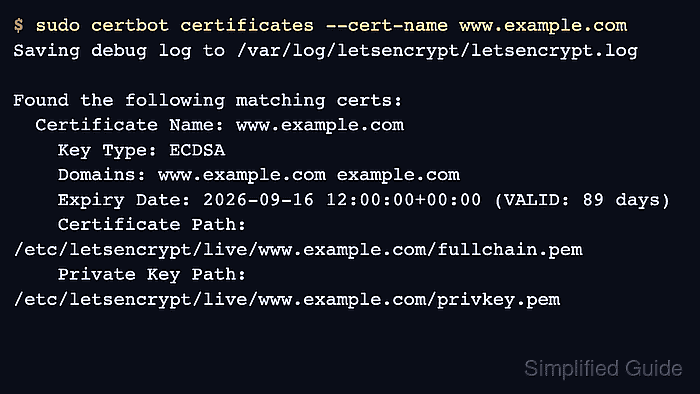
- Confirm that Certbot lists the new certificate name and live paths.
$ sudo certbot certificates --cert-name www.example.com Saving debug log to /var/log/letsencrypt/letsencrypt.log Found the following matching certs: Certificate Name: www.example.com Key Type: ECDSA Domains: www.example.com example.com Expiry Date: 2026-09-16 12:00:00+00:00 (VALID: 89 days) Certificate Path: /etc/letsencrypt/live/www.example.com/fullchain.pem Private Key Path: /etc/letsencrypt/live/www.example.com/privkey.pem - Replace the old certificate paths in the TLS virtual host.
ssl_certificate     /etc/letsencrypt/live/www.example.com/fullchain.pem;
ssl_certificate_key /etc/letsencrypt/live/www.example.com/privkey.pem;
If Certbot manages the web server installer configuration, run sudo certbot install --cert-name www.example.com instead of editing the virtual host by hand, then continue with the service configuration test.
- Test the changed Nginx configuration.
$ sudo nginx -t
nginx: the configuration file /etc/nginx/nginx.conf syntax is ok
nginx: configuration file /etc/nginx/nginx.conf test is successful
Use sudo apachectl configtest for Apache, or the equivalent validation command for the TLS service that reads the certificate files.
- Reload the TLS service so it opens the new certificate path.
$ sudo systemctl reload nginx
- Confirm that the web server configuration no longer references the old lineage path.
$ sudo grep -R "/etc/letsencrypt/live/www.example.com-0001" /etc/nginx
No output means the searched Nginx configuration no longer points at the old lineage. Search the actual configuration tree for the service that terminates TLS.
- Check the HTTPS listener after the reload.
$ curl -I https://www.example.com
HTTP/2 200
server: nginx/1.28.0
##### snipped #####
curl verifies hostname coverage and trust by default. A certificate mismatch or untrusted chain fails before the HTTP headers are shown.
Tool: SSL Certificate Chain Checker - Test renewal for the new lineage.
$ sudo certbot renew --cert-name www.example.com --dry-run
Saving debug log to /var/log/letsencrypt/letsencrypt.log
Processing /etc/letsencrypt/renewal/www.example.com.conf
Simulating renewal of an existing certificate for www.example.com and example.com

Congratulations, all simulated renewals succeeded:
  /etc/letsencrypt/live/www.example.com/fullchain.pem (success)
The dry run proves the new renewal configuration can complete with the saved authenticator settings. It does not delete or modify the old lineage.
Related: Test Certbot certificate renewal
- Delete the old lineage after the new certificate is installed, reloaded, and renewal-tested.
$ sudo certbot delete --cert-name www.example.com-0001 --non-interactive
Saving debug log to /var/log/letsencrypt/letsencrypt.log
Deleted all files relating to certificate www.example.com-0001.
Do not manually rename or remove directories under /etc/letsencrypt/live, /etc/letsencrypt/archive, or /etc/letsencrypt/renewal. Use certbot delete only after old path references are gone.
Related: Delete a Certbot certificate lineage
- List the lineages again and confirm the old name is absent.
$ sudo certbot certificates
Saving debug log to /var/log/letsencrypt/letsencrypt.log

- - - - - - - - - - - - - - - - - - - - - - - - - - - - - - - - - - - - - - - -
Found the following certs:
  Certificate Name: www.example.com
    Key Type: ECDSA
    Domains: www.example.com example.com
    Expiry Date: 2026-09-16 12:00:00+00:00 (VALID: 89 days)
    Certificate Path: /etc/letsencrypt/live/www.example.com/fullchain.pem
    Private Key Path: /etc/letsencrypt/live/www.example.com/privkey.pem
- - - - - - - - - - - - - - - - - - - - - - - - - - - - - - - - - - - - - - - -