How to migrate AWS CLI version 1 scripts to version 2
Scripts written for AWS CLI version 1 can fail quietly after a host starts resolving the AWS CLI version 2 binary. The command name stays aws, but version 2 changes defaults for paging, binary parameters, URL parameter loading, timestamps, endpoints, return codes, and several older command patterns.
The AWS CLI v1-to-v2 Migration Tool scans Bash scripts without running their AWS commands. It reports commands that are likely to behave differently in version 2 and can write a fixed copy for many findings, which makes it a safer first pass than testing the original script against production accounts.
Static scanning cannot see every runtime condition. Run the fixed script against a staging profile or a low-risk test resource before switching scheduled jobs, deployment hooks, or backup automation to version 2, and use upgrade debug mode from AWS CLI v1 when environment-specific behavior needs broader detection.
Related: How to check AWS CLI version
Related: Install AWS CLI version 1 using pip
Related: Install AWS CLI version 2 on Ubuntu
Related: How to set AWS CLI binary input format
Steps to migrate AWS CLI version 1 scripts to version 2:
- Work from a copy of the Bash script that still runs under AWS CLI v1.
- deploy-v1.sh
#!/bin/sh
set -eu
aws lambda invoke \
  --function-name process-event \
  --payload '{"source":"release-check"}' \
  response.json
Use a copy under version control or a change ticket. Do not edit the only production copy of a deployment, backup, or cleanup script while migration findings are still open.
- Confirm that the selected Python runtime can install the migration tool.
$ python3 --version
Python 3.14.4
The migration tool requires Python 3.9 or later.
- Create a temporary virtual environment for the migration tool.
$ python3 -m venv .venv
- Activate the virtual environment.
$ source .venv/bin/activate
(.venv)$
- Install the AWS CLI v1-to-v2 Migration Tool.
(.venv)$ python -m pip install aws-cli-migrate
Collecting aws-cli-migrate
##### snipped #####
Successfully installed aws-cli-migrate-1.0.0
The package installs the migrate-aws-cli command inside the active virtual environment.
- Run the migration tool in dry-run mode against the copied script.
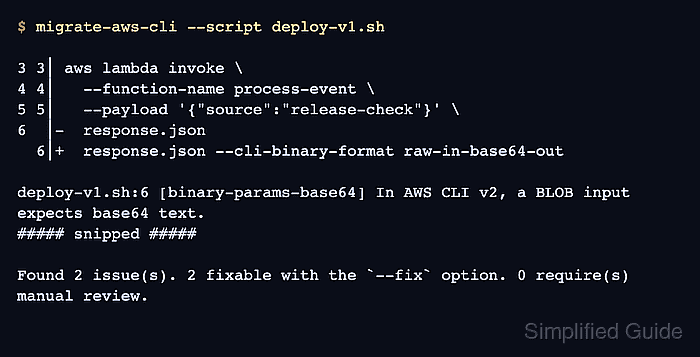
(.venv)$ migrate-aws-cli --script deploy-v1.sh

3 3│ aws lambda invoke \
4 4│   --function-name process-event \
5 5│   --payload '{"source":"release-check"}' \
6  │-  response.json
  6│+  response.json --cli-binary-format raw-in-base64-out

deploy-v1.sh:6 [binary-params-base64] In AWS CLI v2, an input parameter typed as binary large object (BLOB) expects the input to be base64-encoded. If using a BLOB-type input parameter, retain v1 behavior after upgrading to AWS CLI v2 by adding `--cli-binary-format raw-in-base64-out`.
##### snipped #####

Found 2 issue(s). 2 fixable with the `--fix` option. 0 require(s) manual review.
The dry run reports findings without modifying the script. A nonzero manual-review count must be handled before the script is treated as migrated.
- Write a fixed copy instead of editing the original script in place.
(.venv)$ migrate-aws-cli --script deploy-v1.sh --output deploy-v2.sh --fix
##### snipped #####
Found 2 issue(s). 2 fixed. 0 require(s) manual review.
Changes written to: deploy-v2.sh
The --output path keeps the v1 script available for comparison and rollback.
- Review the fixed script before running it.
(.venv)$ cat deploy-v2.sh
#!/bin/sh
set -eu
aws lambda invoke \
  --function-name process-event \
  --payload '{"source":"release-check"}' \
  response.json --cli-binary-format raw-in-base64-out --no-cli-pager
The example fixed copy keeps v1 binary-parameter behavior with --cli-binary-format raw-in-base64-out and prevents the version 2 pager from pausing scripted output.
Related: How to set AWS CLI binary input format
Related: How to disable the AWS CLI pager - Confirm that the shell or job runner resolves AWS CLI v2 before the migrated script is tested.
$ aws --version
aws-cli/2.35.4 Python/3.14.5 Linux/6.12.76 exe/aarch64.amzn.2023
The first token should start with aws-cli/2.. If it still starts with aws-cli/1., fix PATH or the job runner environment before testing the migrated script.
Related: How to check AWS CLI version - Run a local v2 configuration check with isolated config files.
$ AWS_CONFIG_FILE=/tmp/aws-empty/config \
  AWS_SHARED_CREDENTIALS_FILE=/tmp/aws-empty/credentials \
  AWS_PAGER= \
  aws configure list
NAME       : VALUE                    : TYPE             : LOCATION
profile    : <not set>                : None             : None
access_key : <not set>                : None             : None
secret_key : <not set>                : None             : None
region     : <not set>                : None             : None
This local check proves the version 2 binary can start without reading the host's real AWS config or credentials. Use task-local paths, container-local paths, or a staging profile for migration tests.
- Run the migrated script against a staging target or another low-risk resource.
$ AWS_PROFILE=migration-test ./deploy-v2.sh
{
    "StatusCode": 200,
    "ExecutedVersion": "$LATEST"
}
Lambda invocation runs function code. Replace the function name, account, Region, and profile with a non-production target until the fixed script has passed review.
- Deactivate the migration-tool environment when the script review is complete.
(.venv)$ deactivate
$