How to set AWS CLI read timeout
Long AWS CLI requests can fail after the connection is open if the service, proxy, or transfer path pauses too long before sending more response data. The read timeout controls that waiting period, so raising it helps slow but expected responses finish while lowering it makes stalled reads fail sooner.
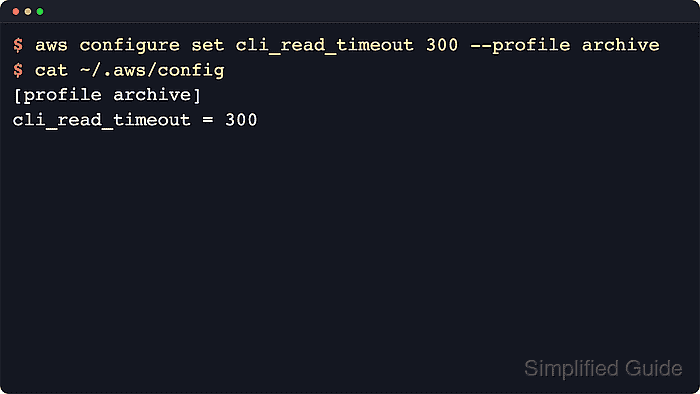
The saved profile setting is cli_read_timeout in the shared AWS CLI config file. aws configure set writes the value to the current profile section, and aws configure get reads only the value saved in that file instead of resolving shell variables or one-command overrides.
AWS documents 60 seconds as the default read timeout, and 0 makes the socket read wait indefinitely. Save a profile value only when repeated commands need the same behavior; use --cli-read-timeout for one command, and adjust the connect timeout instead when the failure happens before the TCP connection is established.
Related: How to set AWS CLI connect timeout
Related: How to configure multiple AWS CLI profiles
Steps to set AWS CLI read timeout:
- Check the saved read timeout in the current profile before changing it.
$ aws configure get cli_read_timeout
No output means no explicit profile value is saved in the shared config file. The AWS CLI then uses its documented default of 60 seconds unless a one-command override is supplied.
- Save a longer read timeout for the default profile when most commands on the workstation should wait longer for response data.
$ aws configure set cli_read_timeout 120
This writes cli_read_timeout = 120 under the [default] section in the active shared config file. If the config file does not exist yet, the AWS CLI creates it.
- Read the saved value back from the default profile.
$ aws configure get cli_read_timeout
120
aws configure get confirms the file-backed profile value without requiring credentials or an AWS API call.
- Save a different read timeout on a named profile when one account, transfer job, or proxy path needs its own limit.
$ aws configure set cli_read_timeout 300 --profile archive
The --profile flag writes the setting under [profile archive] and leaves the default profile unchanged.
Related: How to configure multiple AWS CLI profiles - Read back the named profile value before using that profile for slow transfers or API calls.
$ aws configure get cli_read_timeout --profile archive
300
- Inspect the shared config file when the exact profile section needs to be verified directly.
$ cat ~/.aws/config
[default]
cli_read_timeout = 120
[profile archive]
cli_read_timeout = 300
If AWS_CONFIG_FILE is set, inspect that path instead of ~/.aws/config. On Windows, inspect
%UserProfile%\.aws\config
instead.
- Override the saved value for one command when only that run needs a longer wait.
$ aws s3 sync s3://amzn-s3-demo-bucket/reports ./reports --profile archive --cli-read-timeout 900
The --cli-read-timeout option applies only to that command and takes precedence over the saved profile value. It does not rewrite the shared config file.
- Set the value to 0 only when an indefinite socket read is intentional and another watchdog limits the job.
$ aws configure set cli_read_timeout 0 --profile archive
A value of 0 removes the socket read timeout and can leave interactive shells or automation waiting on a stalled response.
- Read the named profile again when the indefinite setting must be confirmed before continuing.
$ aws configure get cli_read_timeout --profile archive
0