How to set a custom CA bundle in AWS CLI
Private certificate authorities, TLS-inspecting proxies, and internal HTTPS endpoints can make AWS CLI fail certificate validation even when the profile, Region, credentials, and service command are otherwise correct. Saving a custom CA bundle keeps certificate checks enabled while letting the CLI trust the certificate chain presented by that endpoint.
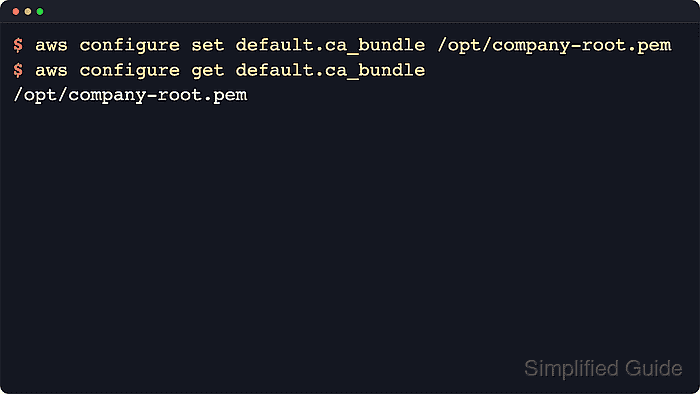
The saved profile setting is ca_bundle in the shared AWS CLI config file. The default file is ~/.aws/config on Linux and macOS and %USERPROFILE%\.aws\config on Windows, but AWS_CONFIG_FILE can redirect the CLI to another file for the current process. aws configure set writes the bundle path locally and does not call an AWS service.
Trust precedence matters when a saved profile appears to be ignored. AWS_CA_BUNDLE overrides the profile setting for the current shell, and the global --ca-bundle option overrides both for one command. The bundle file should be a readable PEM file with the private root and intermediate certificates the endpoint needs. Avoid --no-verify-ssl for normal use because it disables certificate validation instead of fixing the trust chain.
Related: use a custom endpoint in AWS CLI
Related: use environment variables in AWS CLI
Tool: SSL Certificate Chain Checker
Steps to set a custom CA bundle in AWS CLI:
- Confirm the custom bundle file is readable.
$ ls -l /etc/ssl/certs/company-root-ca.pem
-rw-r--r-- 1 root root 2378 Mar 29 09:42 /etc/ssl/certs/company-root-ca.pem
Use the real path to your organization-approved PEM bundle. The AWS CLI stores the path you provide; it does not build or repair the certificate chain for you.
- Save the bundle path on the default profile.
$ aws configure set ca_bundle /etc/ssl/certs/company-root-ca.pem --profile default
--profile default writes to [default] even when AWS_PROFILE is set in the current shell.
- Read the saved default profile value.
$ aws configure get ca_bundle --profile default
/etc/ssl/certs/company-root-ca.pem
aws configure get reads the config file value only. It does not show an AWS_CA_BUNDLE environment override.
- Save the same bundle on a named profile when only one account or environment should use the alternate trust chain.
$ aws configure set ca_bundle /etc/ssl/certs/company-root-ca.pem --profile engineering
This writes ca_bundle = /etc/ssl/certs/company-root-ca.pem under [profile engineering] and leaves [default] unchanged.
Related: How to configure multiple AWS CLI profiles - Read the named profile value.
$ aws configure get ca_bundle --profile engineering
/etc/ssl/certs/company-root-ca.pem
No output means that profile does not have a saved ca_bundle setting.
- Inspect the shared config file when a handoff or review needs the exact stored section.
$ cat ~/.aws/config
[default]
ca_bundle = /etc/ssl/certs/company-root-ca.pem

[profile engineering]
ca_bundle = /etc/ssl/certs/company-root-ca.pem
If AWS_CONFIG_FILE is set, inspect that file instead of ~/.aws/config. On Windows, inspect %USERPROFILE%\.aws\config unless the environment variable points elsewhere.
- Check whether the current shell is overriding the saved profile value.
$ printenv AWS_CA_BUNDLE
/etc/ssl/certs/temporary-test-ca.pem
If this prints a path, the environment variable wins until it is unset or the shell exits. No output means the CLI will use the saved ca_bundle value unless a command-line option overrides it.
- Use a one-command override only when testing a different certificate chain.
$ aws sts get-caller-identity --profile engineering --ca-bundle /tmp/test-root-ca.pem
The global --ca-bundle option overrides both the saved profile value and AWS_CA_BUNDLE for that one request.
- Run the AWS CLI command that previously failed.
$ aws sts get-caller-identity --profile engineering
{
    "UserId": "AIDAEXAMPLEUSERID",
    "Account": "123456789012",
    "Arn": "arn:aws:iam::123456789012:user/automation"
}
Success is normal service output instead of SSL: CERTIFICATE_VERIFY_FAILED, x509: certificate signed by unknown authority, or a similar trust error.
Related: How to check the current caller identity in AWS CLI