Routing one AWS CLI request to a local emulator, private gateway, or S3-compatible service can give the wrong result when the endpoint override leaks into later commands. The per-command --endpoint-url option keeps the alternate destination attached to one request instead of turning it into the shell or profile default.
AWS CLI v2 resolves endpoint settings from several places, including command-line options, environment variables, and the shared config file. An explicit --endpoint-url value has the highest endpoint precedence, while credentials, request signing, service arguments, and the selected Region still follow the normal command rules.
The override must include the URL scheme and host, and AWS allows an optional path component for endpoints behind staged proxies or gateway paths. A signed request still needs a valid Region value even when the target is private or local, and internal HTTPS endpoints should trust the issuing certificate authority with --ca-bundle or AWS_CA_BUNDLE instead of disabling certificate verification.
Related: set a custom CA bundle
Related: use environment variables in AWS CLI
Steps to use a custom endpoint URL in AWS CLI:
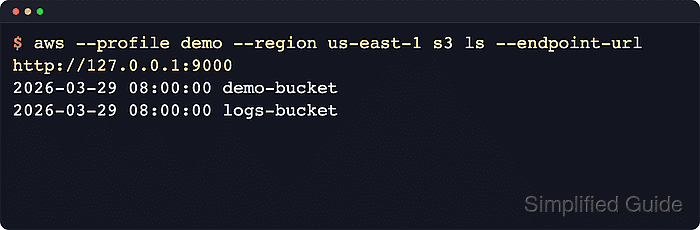
- Run the target AWS CLI command with --endpoint-url and the full URL that should receive the request.
$ aws --region us-east-1 s3 ls --endpoint-url http://127.0.0.1:9000
2026-06-12 14:25:00 demo-bucket
2026-06-12 14:25:00 logs-bucket
The option changes the destination URL for this command only. Credentials, signing, and Amazon S3 request behavior still apply to the selected service and Region.
Tool: URL Parser - Repeat the same command with --debug when the effective endpoint must be confirmed before troubleshooting credentials, signing, or service behavior.
$ aws --region us-east-1 s3 ls --endpoint-url http://127.0.0.1:9000 --debug
2026-06-12 14:20:26,579 - MainThread - botocore.regions - DEBUG - Endpoint provider result: http://127.0.0.1:9000
2026-06-12 14:20:26,580 - MainThread - botocore.endpoint - DEBUG - Making request for OperationModel(name=ListBuckets) with params: {'url': 'http://127.0.0.1:9000/'}
##### snipped #####
2026-06-12 14:20:26,582 - MainThread - urllib3.connectionpool - DEBUG - http://127.0.0.1:9000 "GET / HTTP/1.1" 200 502
2026-06-12 14:25:00 demo-bucket
2026-06-12 14:25:00 logs-bucket
The debug trace should show the endpoint provider result and final request URL that match the custom endpoint.
- Keep --endpoint-url on the command line when a saved or exported endpoint must be bypassed for one request.
$ AWS_ENDPOINT_URL=http://127.0.0.1:9001 aws --region us-east-1 s3 ls --endpoint-url http://127.0.0.1:9000
2026-06-12 14:25:00 demo-bucket
2026-06-12 14:25:00 logs-bucket
The command-line endpoint wins over the global AWS_ENDPOINT_URL value for this command. Use a saved endpoint_url setting only when the endpoint should persist across commands.
- Add --ca-bundle when the custom endpoint uses HTTPS with an internal or private certificate authority.
$ aws --region us-east-1 s3 ls --endpoint-url https://storage.internal.example.com --ca-bundle /etc/ssl/certs/company-root-ca.pem
Using --no-verify-ssl hides certificate trust failures and should stay limited to short troubleshooting, not normal operation.

Mohd Shakir Zakaria is a cloud architect with deep roots in software development and open-source advocacy. Certified in AWS, Red Hat, VMware, ITIL, and Linux, he specializes in designing and managing robust cloud and on-premises infrastructures.


