Table of Contents
How to redirect a bare domain to www in Apache
Redirecting example.com to www.example.com gives browsers, search engines, cookies, caches, and application-generated links one canonical hostname. A single host identity avoids split sessions and duplicate URL variants when the same site answers on both the bare and www names.
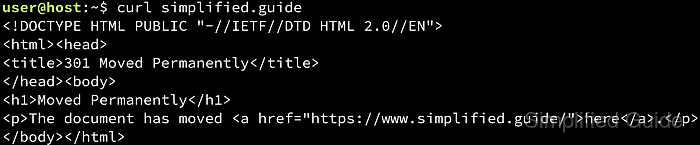
In Apache, hostname routing is decided before the redirect rule runs. The request Host header is matched against ServerName and ServerAlias inside the best VirtualHost for the requested IP address and port, so the bare host must land in a block that redirects while the www host lands in a block that serves the site.
Examples below use the Debian and Ubuntu layout with /etc/apache2/, apache2ctl, and the apache2 systemd unit. Both hostnames must already resolve to the server, and HTTPS needs a certificate that covers both names because TLS is negotiated before Apache can send an HTTP redirect. The .htaccess fallback needs mod_rewrite, AllowOverride FileInfo, and Options FollowSymLinks or Options SymLinksIfOwnerMatch for the site directory. Test with a temporary 302 first because browsers and intermediaries can cache a 301 aggressively.
Related: How to test Apache configuration
Related: How to enable or disable Apache modules
Related: How to manage the Apache web server service
Related: How to redirect HTTP to HTTPS in Apache
Related: How to redirect www to non-www or vice versa in cPanel
Tool: HTTP Redirect Checker
Methods to redirect a bare domain to www in Apache:
Steps to redirect a bare domain to www in Apache:
Redirect naked domain to www in Apache using Virtualhost
A dedicated redirect-only VirtualHost keeps canonical-host logic in the server configuration instead of the content tree. This avoids .htaccess lookups on every request and is the cleaner option when Apache VirtualHost files are available.
The important detail is host separation. The bare host and the canonical www host should be defined as separate VirtualHost blocks on the same address and port. If a redirect is placed inside a www vhost that also aliases the bare host, both names are caught by the same redirect block.
- Open or create the site VirtualHost file.
$ sudo vi /etc/apache2/sites-available/example.com.conf
- Add a temporary redirect-only VirtualHost for the bare hostname and keep the application site in a separate www VirtualHost.
<VirtualHost *:80>
    ServerName example.com
    Redirect temp "/" "http://www.example.com/"
</VirtualHost>

<VirtualHost *:80>
    ServerName www.example.com
    DocumentRoot /var/www/html
</VirtualHost>
Redirect temp sends a 302 response. Apache appends the requested path and query string after the matched root path.
If the bare host must also redirect on HTTPS, create a separate *:443 bare-host VirtualHost only after the certificate covers both example.com and www.example.com.
- Test the Apache configuration before loading the change.
$ sudo apache2ctl configtest
Syntax OK
Use sudo apachectl -t or sudo httpd -t on platforms that expose those control names.
Related: How to test Apache configuration
- Reload Apache to apply the redirect-only VirtualHost.
$ sudo systemctl reload apache2
Use sudo systemctl reload httpd on RHEL-family systems.
- Verify that the bare hostname redirects to the canonical www hostname and preserves the path and query string.
$ curl -sI 'http://example.com/docs/page.html?ref=1'
HTTP/1.1 302 Found
Date: Sat, 06 Jun 2026 08:11:21 GMT
Server: Apache/2.4.66 (Ubuntu)
Location: http://www.example.com/docs/page.html?ref=1
Content-Type: text/html; charset=iso-8859-1
- Confirm that the canonical www hostname serves the site instead of redirecting back to the bare host.
$ curl -sI http://www.example.com/
HTTP/1.1 200 OK
Date: Sat, 06 Jun 2026 08:11:21 GMT
Server: Apache/2.4.66 (Ubuntu)
Last-Modified: Sat, 06 Jun 2026 08:11:21 GMT
ETag: W/"13-653915298ebf0"
Accept-Ranges: bytes
Content-Length: 19
Content-Type: text/html
If www.example.com redirects back to example.com, another canonical-host rule is fighting this one and must be removed before using a permanent redirect.
- Change the bare-host VirtualHost to a permanent redirect after the temporary redirect behaves correctly.
<VirtualHost *:80>
    ServerName example.com
    Redirect permanent "/" "http://www.example.com/"
</VirtualHost>
Redirect permanent sends a 301 response. Keep the www VirtualHost block unchanged.
- Reload Apache again to apply the permanent redirect.
$ sudo systemctl reload apache2
- Confirm that the bare hostname now returns a permanent redirect.
$ curl -sI 'http://example.com/docs/page.html?ref=1'
HTTP/1.1 301 Moved Permanently
Date: Sat, 06 Jun 2026 08:11:21 GMT
Server: Apache/2.4.66 (Ubuntu)
Location: http://www.example.com/docs/page.html?ref=1
Content-Type: text/html; charset=iso-8859-1
Redirect naked domain to www in Apache using htaccess
Use the .htaccess method when redirect logic needs to stay inside the site tree instead of the main Apache configuration. It works only when both hostnames already reach the same document root and the directory is allowed to process rewrite directives from .htaccess.
This approach is flexible for delegated hosting, but it adds per-request file checks and depends on directory override policy. When full server configuration access is available, the dedicated VirtualHost method above is simpler to audit and avoids that per-request overhead.
- Enable mod_rewrite if it is not already loaded.
$ sudo a2enmod rewrite
Enabling module rewrite.
To activate the new configuration, you need to run:
  systemctl restart apache2
On Debian and Ubuntu, a2enmod enables packaged modules. On RHEL-family systems, confirm that mod_rewrite is loaded with sudo httpd -M.
- Open the site VirtualHost file that serves the canonical www hostname.
$ sudo vi /etc/apache2/sites-available/example.com.conf
- Confirm that the VirtualHost answers both hostnames and permits rewrite directives from .htaccess.
<VirtualHost *:80>
    ServerName www.example.com
    ServerAlias example.com
    DocumentRoot /var/www/html

    <Directory /var/www/html>
        AllowOverride FileInfo
        Options FollowSymLinks
        Require all granted
    </Directory>
</VirtualHost>
Without ServerAlias example.com, requests for the bare host do not reach this document root, so the .htaccess redirect never runs.
Keep existing access directives, PHP handlers, logging, proxy directives, and aliases that the site already uses.
- Test the Apache configuration before restarting the service.
$ sudo apache2ctl configtest
Syntax OK
Related: How to test Apache configuration
- Restart Apache if the module state or VirtualHost configuration changed.
$ sudo systemctl restart apache2
Use sudo systemctl restart httpd on RHEL-family systems.
- Open or create the site .htaccess file inside the DocumentRoot directory.
$ sudo vi /var/www/html/.htaccess
- Add a temporary bare-host redirect rule.
RewriteEngine On
RewriteCond %{HTTP_HOST} ^example\.com$ [NC]
RewriteRule ^ http://www.example.com%{REQUEST_URI} [R=302,L]
Change the target to https://www.example.com when the canonical www site already serves HTTPS.
If the site already has scheme, slash, language, or application-level redirects, test for loops before changing this rule to 301.
- Verify that the bare hostname now redirects to the canonical www hostname.
$ curl -sI 'http://example.com/docs/page.html?ref=1'
HTTP/1.1 302 Found
Date: Sat, 06 Jun 2026 08:11:21 GMT
Server: Apache/2.4.66 (Ubuntu)
Location: http://www.example.com/docs/page.html?ref=1
Content-Type: text/html; charset=iso-8859-1
- Confirm that the canonical www hostname serves the site instead of matching the bare-host condition.
$ curl -sI http://www.example.com/
HTTP/1.1 200 OK
Date: Sat, 06 Jun 2026 08:11:21 GMT
Server: Apache/2.4.66 (Ubuntu)
Last-Modified: Sat, 06 Jun 2026 08:11:21 GMT
ETag: W/"13-653915298ebf0"
Accept-Ranges: bytes
Content-Length: 19
Content-Type: text/html
- After the redirect behaves correctly, change the rule to a permanent redirect.
RewriteEngine On
RewriteCond %{HTTP_HOST} ^example\.com$ [NC]
RewriteRule ^ http://www.example.com%{REQUEST_URI} [R=301,L]
Apache reads the updated .htaccess file on the next request, so a service restart is not required for this final rule-only change.