How to enable the event MPM in Apache
Switching Apache to the event multi-processing module (MPM) helps a busy server keep accepting new work while older connections stay open. That matters most on hosts with many idle KeepAlive sessions, slow clients, or HTTP/2 traffic, where a process-per-connection model wastes worker capacity.
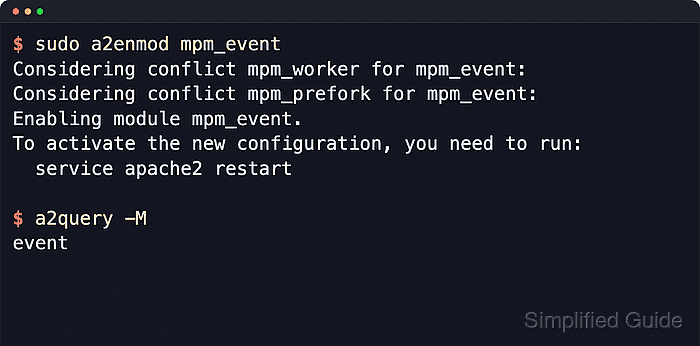
An MPM is the Apache component that decides how incoming connections are mapped onto processes and threads. On Debian and Ubuntu, the packaged apache2 service exposes the available MPMs as loadable modules, and only one of mpm_event, mpm_worker, or mpm_prefork can stay enabled at a time.
Examples below use the Debian and Ubuntu module workflow with a2enmod, a2dismod, a2query, and the apache2 systemd unit. A threaded MPM such as event cannot safely run beside embedded mod_php from libapache2-mod-php, so disable the versioned PHP module or move PHP sites to PHP-FPM before switching, and plan a full service restart rather than a reload.
Related: Enable or disable Apache modules
Related: Configure PHP-FPM with Apache
Related: Test Apache configuration
Steps to enable the event MPM in Apache:
- Open a terminal session with an account that can use sudo.
- Confirm which Apache MPM is currently active.
$ a2query -M
prefork
a2query -M is provided by the Debian and Ubuntu apache2 packages and reports the currently enabled MPM directly.
- Check for an embedded PHP module before switching to a threaded MPM.
$ a2query -m php8.5
php8.5 (enabled by maintainer script)
Replace php8.5 with the versioned module name present under /etc/apache2/mods-enabled. If no php*.load symlink exists, embedded mod_php is not enabled and the next step can be skipped.
An enabled phpX.Y module usually means libapache2-mod-php is still active and tied to mpm_prefork. Disable that module or move the site to PHP-FPM before enabling mpm_event.
Related: How to configure PHP-FPM with Apache
- Disable the embedded PHP module if it is loaded.
$ sudo a2dismod php8.5
Module php8.5 disabled.
To activate the new configuration, you need to run:
  service apache2 restart
Use the versioned module name from the previous step. On older Ubuntu or Debian releases, the module may be named php8.3, php8.2, or another branch.
- Disable the prefork MPM module.
$ sudo a2dismod mpm_prefork
Module mpm_prefork disabled.
To activate the new configuration, you need to run:
  service apache2 restart
- Disable the worker MPM module if it is enabled.
$ sudo a2dismod mpm_worker
Module mpm_worker already disabled
- Enable the event MPM module.
$ sudo a2enmod mpm_event
Considering conflict mpm_worker for mpm_event:
Considering conflict mpm_prefork for mpm_event:
Enabling module mpm_event.
To activate the new configuration, you need to run:
  service apache2 restart
- Test the Apache configuration for syntax errors.
$ sudo apache2ctl -t
AH00558: apache2: Could not reliably determine the server's fully qualified domain name, using 192.0.2.10. Set the 'ServerName' directive globally to suppress this message
Syntax OK
An AH00558 warning about a missing global ServerName is not a syntax failure.
Related: How to test Apache configuration
- Restart the apache2 service so the new MPM is loaded by the running server.
$ sudo systemctl restart apache2
Use a full restart for an MPM change. A reload keeps the current parent process and does not switch the running MPM.
- Verify that Apache now reports the event MPM.
$ a2query -M
event
- Confirm that the loaded module list contains mpm_event.
$ sudo apache2ctl -M
AH00558: apache2: Could not reliably determine the server's fully qualified domain name, using 192.0.2.10. Set the 'ServerName' directive globally to suppress this message
Loaded Modules:
 core_module (static)
##### snipped #####
 mpm_event_module (shared)
##### snipped #####
- Confirm that the service is active after the change.
$ sudo systemctl is-active apache2
active