Running PHP through PHP-FPM keeps PHP execution outside the Apache worker process, which helps dynamic sites use the threaded event MPM instead of falling back to the older prefork model usually required by mod_php.
On current Debian and Ubuntu packages, Apache forwards PHP requests through mod_proxy_fcgi to a versioned PHP-FPM socket under /run/php. The packaged Apache snippet uses a SetHandler rule for PHP-like extensions and points it at the matching socket, such as /run/php/php8.5-fpm.sock on Ubuntu 26.04.
These steps assume the standard /etc/apache2/ layout, helper commands such as a2enmod and a2enconf, and systemd unit names such as apache2 and php8.5-fpm. Use the versioned names shown by the package on the target host. If mod_php is still loaded, disable it before switching to PHP-FPM because mod_php normally keeps Apache on mpm_prefork and defeats the cleaner worker separation.
Related: How to benchmark and tune Apache performance
Related: How to enable or disable Apache modules
Related: How to test Apache configuration
Steps to configure PHP-FPM with Apache:
- Install the distro PHP-FPM package on the Apache host.
$ sudo apt update
##### snipped #####
Reading package lists... Done

$ sudo apt install --assume-yes php-fpm
Reading package lists... Done
Building dependency tree... Done
Reading state information... Done
The following NEW packages will be installed:
  php-fpm php8.5-fpm
##### snipped #####
Setting up php8.5-fpm (8.5.4-0ubuntu1.1) ...
NOTICE: Not enabling PHP 8.5 FPM by default.
NOTICE: To enable PHP 8.5 FPM in Apache2 do:
NOTICE: a2enmod proxy_fcgi setenvif
NOTICE: a2enconf php8.5-fpm
php-fpm tracks the distro default PHP branch. The service name, socket, and Apache snippet stay versioned, so replace 8.5 with the branch installed on the target host when it differs.
- List the installed PHP-FPM service and Apache configuration snippet.
$ systemctl list-unit-files 'php*-fpm.service' --no-legend
php8.5-fpm.service enabled enabled

$ ls /etc/apache2/conf-available/php*-fpm.conf
/etc/apache2/conf-available/php8.5-fpm.conf
Use the same versioned branch for the service, the a2enconf name, and the socket path. Mixed branches can leave Apache forwarding requests to a socket that is not running.
- Start or enable the selected PHP-FPM service, then confirm its socket exists under /run/php.
$ sudo systemctl enable --now php8.5-fpm

$ systemctl is-active php8.5-fpm
active

$ ls -l /run/php/
total 4
-rw-r--r-- 1 root     root     4 Jun  6 03:56 php8.5-fpm.pid
srw-rw---- 1 www-data www-data 0 Jun  6 03:56 php8.5-fpm.sock
If the service is not active or the socket is missing, troubleshoot the PHP-FPM unit before wiring Apache to it.
- Enable the Apache modules required for FastCGI proxying.
$ sudo a2enmod proxy_fcgi setenvif
Considering dependency proxy for proxy_fcgi:
Enabling module proxy.
Enabling module proxy_fcgi.
Module setenvif already enabled
To activate the new configuration, you need to run:
  service apache2 restart
mod_proxy_fcgi depends on mod_proxy. The packaged PHP-FPM snippet also uses setenvif so authorization headers are passed to PHP.
- Review the loaded Apache modules before switching the PHP handler.
$ apache2ctl -M
AH00558: apache2: Could not reliably determine the server's fully qualified domain name, using 127.0.1.1. Set the 'ServerName' directive globally to suppress this message
Loaded Modules:
 core_module (static)
##### snipped #####
 mpm_event_module (shared)
 proxy_module (shared)
 proxy_fcgi_module (shared)
 setenvif_module (shared)
##### snipped #####
If the output still shows php_module, disable that mod_php module first. If it shows mpm_prefork_module, switch back to mpm_event after removing mod_php so Apache does not stay on the prefork worker model unnecessarily.
- Disable the loaded mod_php module when php_module still appears in the module list.
$ sudo a2dismod php8.5
Module php8.5 disabled.
To activate the new configuration, you need to run:
  service apache2 restart
Replace php8.5 with the module name shown by apache2ctl -M. Skip this step when no PHP module is loaded.
- Disable mpm_prefork and enable mpm_event if the module check still shows mpm_prefork_module.
$ sudo a2dismod mpm_prefork
Module mpm_prefork disabled.
To activate the new configuration, you need to run:
  service apache2 restart

$ sudo a2enmod mpm_event
Considering conflict mpm_worker for mpm_event:
Considering conflict mpm_prefork for mpm_event:
Enabling module mpm_event.
To activate the new configuration, you need to run:
  service apache2 restart
On a clean Debian or Ubuntu Apache package install, mpm_event is usually already enabled and this step can be skipped.
- Enable the versioned PHP-FPM Apache snippet that matches the active service.
$ sudo a2enconf php8.5-fpm
Enabling conf php8.5-fpm.
To activate the new configuration, you need to run:
  service apache2 reload
The packaged snippet forwards .php, .phtml, and .phar requests to /run/php/php8.5-fpm.sock and denies direct access to raw PHP source patterns such as .phps.
If each virtual host should use a different pool or socket, place the SetHandler block inside that site's <VirtualHost> instead of enabling one global snippet for every site.
- Validate Apache configuration syntax before applying the new handler.
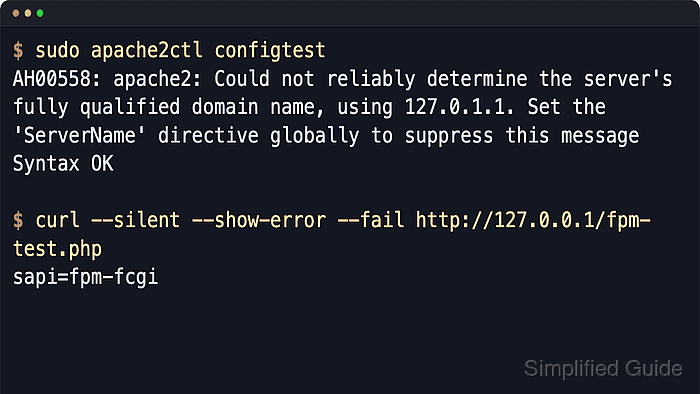
$ sudo apache2ctl configtest
AH00558: apache2: Could not reliably determine the server's fully qualified domain name, using 127.0.1.1. Set the 'ServerName' directive globally to suppress this message
Syntax OK
The AH00558 line is a hostname warning on fresh Debian or Ubuntu installs; Syntax OK confirms the configuration parsed successfully.
Related: How to test Apache configuration
- Restart Apache so module changes, module removals, MPM changes, and the new PHP handler take effect together.
$ sudo systemctl restart apache2
If only the phpX.Y-fpm.conf snippet changed and no modules changed, a reload is sufficient. Use a restart after handler or MPM changes.
- Confirm both Apache and the selected PHP-FPM service are active after the restart.
$ sudo systemctl is-active apache2 php8.5-fpm
active
active
If either unit is not active, inspect sudo journalctl --unit=apache2 --unit=php8.5-fpm --no-pager --lines=20 before testing requests.
- Create a temporary PHP test file under the active site DocumentRoot.
$ cat > /home/user/fpm-test.php <<'EOF'
<?php
header("Content-Type: text/plain");
echo "sapi=" . PHP_SAPI . PHP_EOL;
EOF

$ sudo mv /home/user/fpm-test.php /var/www/html/fpm-test.php
Use the DocumentRoot served by the virtual host being tested when the site is not using the default /var/www/html path.
Do not leave ad-hoc PHP test files in a public document root after verification.
- Request the test file locally to confirm that Apache is handing the request to PHP-FPM instead of mod_php.
$ curl --silent --show-error --fail http://127.0.0.1/fpm-test.php
sapi=fpm-fcgi
sapi=fpm-fcgi confirms the request ran through PHP-FPM. sapi=apache2handler means mod_php is still handling the request.
- Remove the temporary test file as soon as the handler check succeeds.
$ sudo rm --force /var/www/html/fpm-test.php

Mohd Shakir Zakaria is a cloud architect with deep roots in software development and open-source advocacy. Certified in AWS, Red Hat, VMware, ITIL, and Linux, he specializes in designing and managing robust cloud and on-premises infrastructures.


