Table of Contents
How to disable directory listing in Apache
Directory listing lets anyone browse filenames and subdirectories when a request reaches a folder that has no default index file. That can expose backups, exported data, temporary uploads, build artifacts, or source trees that were never meant to be public.
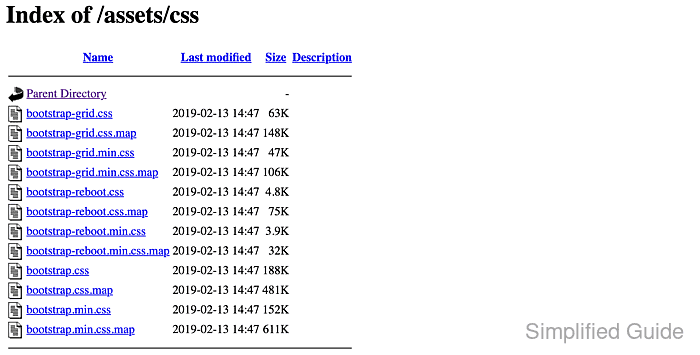
Apache handles a directory request in two separate steps. mod_dir first looks for a configured DirectoryIndex file such as index.html or index.php. If no matching file exists, mod_autoindex can generate a listing only when the effective Options set still includes Indexes.
Examples below use the Debian and Ubuntu layout with /etc/apache2/, apache2ctl, and the apache2 service. The normal hardening path is to remove Indexes for the affected filesystem directory in server configuration. Use .htaccess only when the main Apache configuration is not available, and disable mod_autoindex only when no site on the server should ever expose generated directory indexes.
Related: How to disable access to a directory in Apache
Related: How to deny access to sensitive files in Apache
Related: How to disable Apache directory listing in cPanel
Adding more filenames to DirectoryIndex can reduce accidental exposure, but it does not disable listing when a directory still has no matching index file and Indexes remains enabled.
Methods to disable directory listing in Apache:
Prefer Options -Indexes in a VirtualHost, <Directory> block, or dedicated conf snippet. Disabling mod_autoindex removes generated listings for the whole server and can break a site that intentionally publishes a browsable file directory.
Steps to disable directory listing in Apache:
Disable Apache directory listing via Directory's Options directive
Removing Indexes from the effective Options set is the normal per-site hardening approach. It blocks directory browsing for the chosen filesystem path while leaving mod_autoindex available for other sites or directories that still need it.
- Open the relevant VirtualHost file or included Apache configuration file.
$ sudo vi /etc/apache2/sites-available/www.example.net.conf
The same change can live in a vhost file or a dedicated include under /etc/apache2/conf-available/ when you keep hardening rules separate from the site definition.
- Locate or add the <Directory> block for the filesystem directory that must stop listing files.
<Directory /var/www/html/downloads>
    Options Indexes FollowSymLinks
</Directory>
Use the real filesystem path that Apache maps to the URL, not the URL path itself. Keep existing Require, handler, PHP, proxy, or application-specific directives that already belong in the block.
- Remove Indexes from the effective Options set.
<Directory /var/www/html/downloads>
    Options -Indexes
</Directory>
Because the directive uses the relative -Indexes form, Apache removes Indexes from the inherited option set instead of replacing unrelated options such as FollowSymLinks. If the block already uses relative syntax, add -Indexes there instead of rewriting the whole line.
- Validate the Apache configuration syntax.
$ sudo apache2ctl configtest
Syntax OK
The common AH00558 warning about a missing global ServerName is not a syntax failure.
Related: How to test Apache configuration
- Reload Apache to apply the configuration change.
$ sudo systemctl reload apache2
- Request a directory URL that has no default index file and confirm the listing is blocked.
$ curl -I -sS -H 'Host: host.example.net' http://127.0.0.1/downloads/
HTTP/1.1 403 Forbidden
Date: Sat, 06 Jun 2026 07:24:09 GMT
Server: Apache/2.4.66 (Ubuntu)
Content-Type: text/html; charset=iso-8859-1
A 403 Forbidden response is the normal result when Apache reaches the directory but is no longer allowed to generate an index. If the request still returns 200 OK with a directory index, the request is probably hitting a different vhost or a different <Directory> rule than the one you edited.
Disable Apache directory listing using .htaccess
A .htaccess file is useful when shared hosting or delegated site management prevents direct edits to the main Apache configuration. It works only when the matching <Directory> block allows Options overrides, and it adds per-request filesystem checks that are better avoided on servers where the vhost can hold the rule.
- Edit the matching <Directory> block so the target path allows Options overrides.
<Directory /var/www/html/downloads>
    AllowOverride Options
</Directory>
If AllowOverride None remains in effect, Apache ignores the directory's .htaccess file completely and the directory listing stays available.
Keep the override scoped to the real site path rather than the global <Directory "/"> block.
- Validate the Apache configuration syntax and reload the service if you changed AllowOverride.
$ sudo apache2ctl configtest
Syntax OK

$ sudo systemctl reload apache2
Related: How to test Apache configuration
- Create or edit the target directory's .htaccess file.
$ sudo vi /var/www/html/downloads/.htaccess
- Disable directory indexing in the .htaccess file.
Options -Indexes
Apache 2.4 reads this file on the next request once AllowOverride Options is active, so a second reload is not required for the .htaccess file itself.
Use the relative form -Indexes. Mixing + or - modifiers with plain Options values is invalid syntax.
Tool: .htaccess Generator
- Request the directory URL and confirm the listing is blocked.
$ curl -I -sS -H 'Host: host.example.net' http://127.0.0.1/downloads/
HTTP/1.1 403 Forbidden
Date: Sat, 06 Jun 2026 07:24:09 GMT
Server: Apache/2.4.66 (Ubuntu)
Content-Type: text/html; charset=iso-8859-1
If the request still returns 200 OK with a directory index, the usual cause is that the wrong path was matched in <Directory> or AllowOverride is still effectively None higher in the config tree.
Disable Apache directory listing by disabling autoindex module
Disabling mod_autoindex removes Apache's generated directory index handler for the whole server. Use this method when directory browsing is unwanted everywhere, not when one site still needs auto-generated listings.
- Disable mod_autoindex.
$ sudo a2dismod --force autoindex
Module autoindex disabled.
To activate the new configuration, you need to run:
  service apache2 restart
On platforms without a2dismod, disable the autoindex_module load line in the active Apache module configuration, then restart the service.
- Validate the Apache configuration syntax.
$ sudo apache2ctl configtest
Syntax OK
The common AH00558 warning about a missing global ServerName is not a syntax failure.
Related: How to test Apache configuration
- Restart Apache so the module is unloaded.
$ sudo systemctl restart apache2
On current Debian and Ubuntu systems, systemctl restart apache2 is the normal equivalent of the service apache2 restart hint printed by a2dismod.
- Request a directory URL that has no default index file.
$ curl -I -sS -H 'Host: host.example.net' http://127.0.0.1/downloads/
HTTP/1.1 404 Not Found
Date: Sat, 06 Jun 2026 07:24:09 GMT
Server: Apache/2.4.66 (Ubuntu)
Content-Type: text/html; charset=iso-8859-1
Use a path that genuinely has no DirectoryIndex match such as index.html or index.php. In current Ubuntu 26.04 package verification, removing mod_autoindex changed the same no-index directory request from a 200 OK listing to 404 Not Found.