How to disable access to a directory in Apache
Blocking web access to a non-public directory in Apache keeps backup exports, private uploads, maintenance tools, and other internal content from being downloaded directly from the site. One exposed folder under the web root can leak source code, data, or admin-only assets that were never meant to be public.
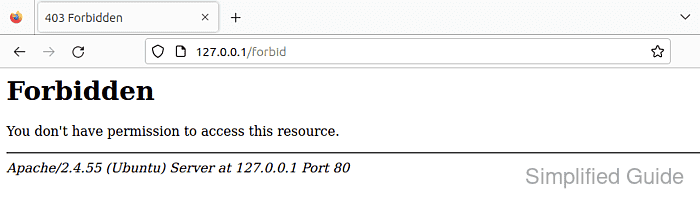
Apache evaluates authorization after it maps the request to a resource and merges the matching configuration sections. For a real filesystem path, <Directory> is the correct container, and on Apache 2.4 the supported deny rule is Require all denied; URL-only rules belong in <Location> instead.
This guide uses the Ubuntu and Debian layout with /etc/apache2/conf-available/, a2enconf, apache2ctl, and the apache2 systemd unit. Test the configuration before reloading, and verify that the blocked URL returns HTTP 403. A 404 usually means the request is not reaching the directory you intended to protect.
Steps to disable access to a directory in Apache:
- Confirm the site's DocumentRoot so you can target the correct filesystem path.
$ sudo grep -R "DocumentRoot" /etc/apache2/sites-enabled/
/etc/apache2/sites-enabled/000-default.conf:    DocumentRoot /var/www/html
- Create a dedicated Apache conf snippet for the deny rule.
$ sudoedit /etc/apache2/conf-available/deny-private-directory.conf
Keeping the rule in /etc/apache2/conf-available/ makes it easy to enable, disable, or reuse without editing the main site file directly.
If the directory should be blocked only inside one virtual host, place the same <Directory> block inside that site's virtual host config instead.
- Add a <Directory> rule that denies every request to the target path.
# /etc/apache2/conf-available/deny-private-directory.conf
<Directory "/var/www/html/private">
    Require all denied
</Directory>
Do not point the rule at a parent path such as /var/www/html/ unless you intend to block the entire site tree below it.
<Directory> matches filesystem paths. Use <Location> only when you need to protect a URL path that does not map cleanly to one directory on disk.
Allow, Deny, and Order are legacy compatibility directives on Apache 2.4; prefer Require all denied for new rules. Review overlapping <Location> rules too, because URL-scope authorization can replace filesystem authorization for the same request.
- Enable the new conf snippet.
$ sudo a2enconf deny-private-directory
Enabling conf deny-private-directory.
To activate the new configuration, you need to run:
  service apache2 reload
On RHEL-style systems, the equivalent rule is usually stored under /etc/httpd/conf.d/ and applied with the httpd service.
- Validate the Apache configuration syntax.
$ sudo apache2ctl configtest
Syntax OK
If AH00558 appears before Syntax OK on a fresh Debian or Ubuntu host, Apache is warning about a missing global ServerName. Fix that warning separately if the server should have a defined name.
Related: How to test Apache configuration
- Reload Apache to apply the deny rule.
$ sudo systemctl reload apache2
- Request the blocked directory and confirm Apache returns HTTP 403 Forbidden.
$ curl -i http://127.0.0.1/private/
HTTP/1.1 403 Forbidden
Date: Sat, 06 Jun 2026 07:22:38 GMT
Server: Apache/2.4.66 (Ubuntu)
Content-Length: 314
Content-Type: text/html; charset=iso-8859-1

##### snipped #####
<html><head>
<title>403 Forbidden</title>
</head><body>
<h1>Forbidden</h1>
<p>You don't have permission to access this resource.</p>
##### snipped #####
Use a Host header such as curl -i -H 'Host: host.example.net' http://127.0.0.1/private/ when testing a name-based virtual host locally.
A 404 response usually means the URL does not resolve to the directory you meant to protect.
Tool: HTTP Header Checker
- Check the Apache error log for the authorization denial entry.
$ sudo grep AH01630 /var/log/apache2/error.log
[Sat Jun 06 07:22:38.173816 2026] [authz_core:error] [pid 3266:tid 3310] [client 127.0.0.1:36150] AH01630: client denied by server configuration: /var/www/html/private/