Restricting a URL or directory to specific client addresses in Apache keeps admin panels, staging sites, internal APIs, and private maintenance paths from answering arbitrary internet clients. The allowlist should be narrow enough that routine scans and accidental requests from untrusted networks receive a denial before the application handles them.
On Apache 2.4, host-based access control is handled by Require rules from mod_authz_host. The Require ip provider accepts individual IPv4 or IPv6 addresses plus network ranges, and it is typically placed inside a <Location> block for a URL path or a <Directory> block for a filesystem path. Older Allow, Deny, and Order directives are compatibility syntax and are no longer the preferred way to build new rules.
This example uses a dedicated conf snippet in /etc/apache2/conf-available with a2enconf, apache2ctl configtest, and a systemd reload on Ubuntu or Debian. If Apache sits behind a reverse proxy or load balancer, restore the real client address with a trusted mod_remoteip configuration before relying on Require ip, otherwise the rule matches the proxy address instead of the original client. Keep console or other out-of-band access available until the allowlist is confirmed, because one wrong CIDR can lock out the protected path immediately.
Steps to restrict access by IP in Apache:
- Identify whether the rule should match a URL path or a filesystem directory.
Use <Location> for URL paths such as /admin/ and <Directory> for filesystem paths such as /var/www/html/admin.
- Create a dedicated Apache conf snippet for the restriction.
$ sudoedit /etc/apache2/conf-available/restrict-admin-by-ip.conf
Keeping the rule in a separate snippet makes it easier to enable, disable, and audit without editing the whole virtual host file.
Related: Location for Apache configuration
- Add a Require ip rule for the protected path.
# /etc/apache2/conf-available/restrict-admin-by-ip.conf
<Location "/admin/">
    Require ip 203.0.113.10 198.51.100.0/24
</Location>
Replace the example address and CIDR with the real client IPs or networks that should be allowed.
For a real directory on disk, use <Directory "/var/www/html/admin"> with the same Require ip line instead.
Multiple Require lines in the same block are treated as an implicit <RequireAny>. Use <RequireAll> when a request must satisfy both Require ip and another condition such as Require valid-user.
Do not mix legacy Allow or Deny rules with new Require rules in the same protected context unless you are intentionally dealing with compatibility behavior.
- Enable the new conf snippet.
$ sudo a2enconf restrict-admin-by-ip
Enabling conf restrict-admin-by-ip.
To activate the new configuration, you need to run:
  service apache2 reload
On RHEL-family systems, place the same rule in a file under /etc/httpd/conf.d/ and reload the httpd service instead of using a2enconf.
- Test the Apache configuration syntax.
$ sudo apache2ctl configtest
Syntax OK
Use sudo apachectl -t or sudo httpd -t on platforms that do not ship apache2ctl.
Related: How to test Apache configuration
- Reload Apache so the new authorization rule becomes active.
$ sudo systemctl reload apache2
The helper output from a2enconf may print service apache2 reload, but systemctl reload apache2 is the normal reload command on systemd-based Debian and Ubuntu hosts.
The new allowlist applies immediately after the reload, so a wrong address or mask can block legitimate access at once.
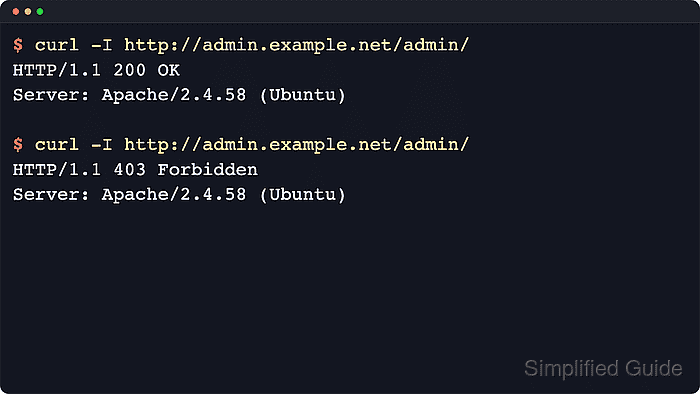
- Request the protected URL from a client address that is inside the allowlist.
$ curl -sSI http://admin.example.net/admin/
HTTP/1.1 200 OK
Date: Sat, 06 Jun 2026 08:14:05 GMT
Server: Apache/2.4.66 (Ubuntu)
Last-Modified: Sat, 06 Jun 2026 08:14:05 GMT
ETag: W/"9-653915c5c2118"
Accept-Ranges: bytes
Content-Length: 9
Content-Type: text/html
Any non-403 result such as 200, 302, or 401 means the request reached the protected resource.
When testing a name-based virtual host locally, use a matching Host header instead of the public hostname.
- Request the same URL from a client address that is outside the allowlist.
$ curl -sSI http://admin.example.net/admin/
HTTP/1.1 403 Forbidden
Date: Sat, 06 Jun 2026 08:14:05 GMT
Server: Apache/2.4.66 (Ubuntu)
Content-Type: text/html; charset=iso-8859-1
HTTP 403 Forbidden confirms that Apache denied the request during authorization.
- Inspect the Apache error log if the result does not match the expected source address.
[Sat Jun 06 08:14:05.270282 2026] [authz_core:error] [pid 3379:tid 3386] [client 198.51.100.25:44896] AH01630: client denied by server configuration: /var/www/html/admin/
The denial entry confirms that the request hit the protected resource and shows the client address Apache used for authorization.

Mohd Shakir Zakaria is a cloud architect with deep roots in software development and open-source advocacy. Certified in AWS, Red Hat, VMware, ITIL, and Linux, he specializes in designing and managing robust cloud and on-premises infrastructures.


