A stalled wget transfer can sit long enough to block the next job even when the remote host is never going to respond usefully. Explicit connection and read timeouts stop that wait at a predictable point so retries, alerts, or fallback logic can start sooner.
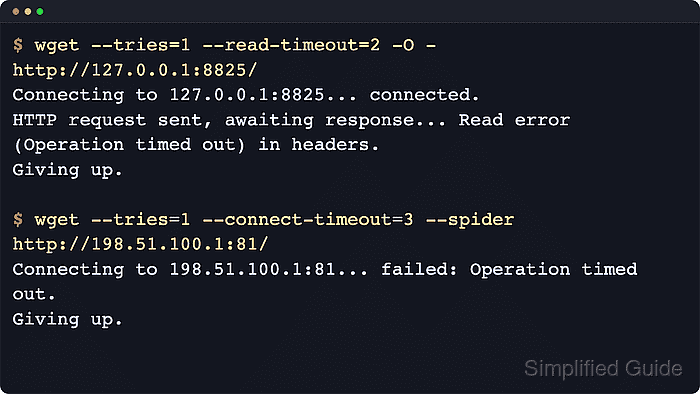
GNU wget provides --connect-timeout for the socket setup phase and --read-timeout for idle time while waiting for more data after the connection is open. Current GNU Wget also keeps --timeout as a shorthand that sets DNS, connect, and read timers together, and the only timeout enabled by default is a 900-second read timeout.
Timeout values need enough room for the slowest healthy path but not so much room that broken routes hang for minutes. Use --tries=1 while tuning the numbers so the first timeout is easy to see, then save the chosen values in ~/.wgetrc only after the command-line behavior matches the intended failure window.
Related: How to configure default options in ~/.wgetrc
Related: How to retry downloads automatically using wget
Related: How to debug wget connections
Tool: Wget Command Generator
Steps to set connection and read timeouts in wget:
- Apply one shared network budget when every phase should fail within the same window.
$ wget --tries=1 --timeout=15 --spider https://downloads.example.net/releases/platform-agent.tar.xz
--timeout sets the DNS, connect, and read timers together for that one command.
- Split the timers when the route should connect quickly but the server may pause between response chunks.
$ wget --tries=1 --connect-timeout=3 --read-timeout=15 --spider https://downloads.example.net/exports/hourly-metrics.csv.gz
Connect timeout controls how long wget waits for the TCP session to open, while read timeout measures idle time between received bytes instead of the full download length.
- Save the tested defaults in ~/.wgetrc when the same account should reuse them automatically.
~/.wgetrc
connect_timeout = 3
read_timeout = 15
Add timeout = 15 instead when a single shared limit is easier to reason about than separate timers.
- Validate the read timeout against a lab listener that accepts the socket and then stalls before sending headers.
$ wget --tries=1 --read-timeout=2 -O - http://127.0.0.1:18825/
--2026-06-06 02:16:49--  http://127.0.0.1:18825/
Connecting to 127.0.0.1:18825... connected.
HTTP request sent, awaiting response... Read error (Connection timed out) in headers.
Giving up.
Read timeout is idle-time based, so the failure can happen before headers arrive or later in the transfer when a live server stops sending data.
- Confirm that the shared --timeout value also cuts off a stalled read.
$ wget --tries=1 --timeout=2 -O - http://127.0.0.1:18826/
--2026-06-06 02:16:55--  http://127.0.0.1:18826/
Connecting to 127.0.0.1:18826... connected.
HTTP request sent, awaiting response... Read error (Connection timed out) in headers.
Giving up.
Use this shorthand when DNS, connect, and read stalls can share the same failure window.
- Validate the connect timeout against an unreachable lab address before relying on it in automation.
$ wget --tries=1 --connect-timeout=2 --spider http://10.255.255.1:81/
Spider mode enabled. Check if remote file exists.
--2026-06-06 02:17:00--  http://10.255.255.1:81/
Connecting to 10.255.255.1:81... failed: Connection timed out.
Giving up.
Use a non-production unreachable address or a spare lab host for this check so the timeout test does not create noise against a real service.

Mohd Shakir Zakaria is a cloud architect with deep roots in software development and open-source advocacy. Certified in AWS, Red Hat, VMware, ITIL, and Linux, he specializes in designing and managing robust cloud and on-premises infrastructures.


