Saving downloads to a deliberate local path keeps wget jobs predictable when the file feeds another script, release step, or archive task. Choosing the destination up front avoids guessing which directory the file landed in or which generated name wget picked.
GNU wget provides two direct controls for this job. --output-document or -O writes the response body to one exact local file, while --directory-prefix or -P saves the download under a specific directory and keeps the filename wget would normally use for that URL.
Pick -O when one fixed local pathname matters more than the remote name, and pick -P when only the destination folder needs to change. If both the folder and filename must be fixed, point -O at the full destination path, and keep it to single-document downloads because current GNU Wget still warns that recursive or page-download modes would funnel all retrieved content into that one file.
Steps to save wget downloads to a specific file or directory:
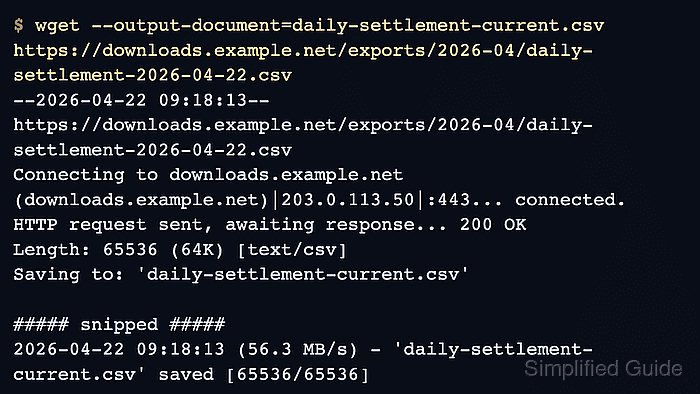
- Save the response body to one exact local filename with -O.
$ wget --output-document=daily-settlement-current.csv \
  https://downloads.example.net/exports/2026-04/daily-settlement-2026-04-22.csv
--2026-04-22 09:18:13--  https://downloads.example.net/exports/2026-04/daily-settlement-2026-04-22.csv
Connecting to downloads.example.net (downloads.example.net)|203.0.113.50|:443... connected.
HTTP request sent, awaiting response... 200 OK
Length: 65536 (64K) [text/csv]
Saving to: 'daily-settlement-current.csv'

##### snipped #####
2026-04-22 09:18:13 (56.3 MB/s) - 'daily-settlement-current.csv' saved [65536/65536]
Use -O when the local filename must stay stable even if the remote URL includes a dated or generated name.
- Save the download under a specific directory with -P and keep the remote filename.
$ wget --directory-prefix="$HOME/downloads/settlement-exports" \
  https://downloads.example.net/exports/2026-04/daily-settlement-summary-2026-04-22.json
--2026-04-22 09:18:14--  https://downloads.example.net/exports/2026-04/daily-settlement-summary-2026-04-22.json
Connecting to downloads.example.net (downloads.example.net)|203.0.113.50|:443... connected.
HTTP request sent, awaiting response... 200 OK
Length: 98304 (96K) [application/json]
Saving to: '/home/user/downloads/settlement-exports/daily-settlement-summary-2026-04-22.json'

##### snipped #####
2026-04-22 09:18:14 (82.7 MB/s) - '/home/user/downloads/settlement-exports/daily-settlement-summary-2026-04-22.json' saved [98304/98304]
-P is the better fit when the remote filename is already useful and only the parent folder needs to be controlled.
- Point -O at the full destination path when both the directory and local filename must be fixed.
$ wget --output-document="$HOME/downloads/settlement-exports/daily-settlement-latest.csv" \
  https://downloads.example.net/exports/2026-04/daily-settlement-2026-04-22.csv
The parent directory for the -O path must already exist, so use this form only after the target folder is in place.
- Verify the saved paths before another job consumes the files.
$ ls -lh daily-settlement-current.csv "$HOME/downloads/settlement-exports"
-rw-r--r--  1 user user  64K Apr 22 09:18 daily-settlement-current.csv

/home/user/downloads/settlement-exports:
total 160K
-rw-r--r--  1 user user  64K Apr 22 09:18 daily-settlement-latest.csv
-rw-r--r--  1 user user  96K Apr 22 09:18 daily-settlement-summary-2026-04-22.json
The final path and non-zero file size confirm that wget wrote to the intended location instead of the current shell directory.

Mohd Shakir Zakaria is a cloud architect with deep roots in software development and open-source advocacy. Certified in AWS, Red Hat, VMware, ITIL, and Linux, he specializes in designing and managing robust cloud and on-premises infrastructures.


