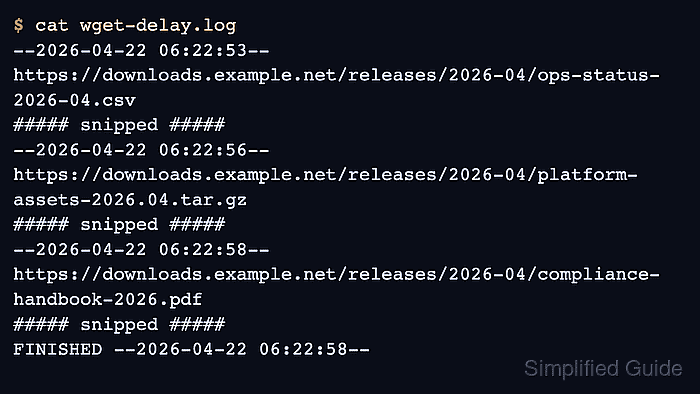
Adding delays between automated HTTP downloads reduces pressure on remote servers and greatly lowers the chance of triggering throttling, abuse detection, or temporary bans during scripted transfers. Spreading requests out keeps shared bandwidth usable for interactive workloads and respects resource limits imposed by hosting providers or public mirrors. Controlled pacing is particularly important when mirroring archives, backing up web resources, or crawling APIs at scale.
The wget client implements timing and bandwidth controls directly in the transfer loop so each individual request can be preceded by a configurable pause. Options such as –wait, –random-wait, –limit-rate, and –input-file combine into a sequential downloader that spaces out object fetches and keeps traffic within predictable limits. Settings can be supplied on the command line for ad-hoc jobs or written into configuration files such as /home/user/.wgetrc for consistent behaviour across invocations.
Misconfigured delays still risk overwhelming services if wait times are too small or if site-specific usage policies are ignored, and randomised timing does not make scripted access invisible to rate-limiting systems. The commands below assume Ubuntu with wget already installed and a standard bash shell, but the syntax is identical on most other Linux distributions. Before running any long-lived automation, robots.txt directives, published API limits, and acceptable use policies deserve careful review.
Steps to add wait and random delays between wget requests:
- Open a terminal on Ubuntu where wget is available in the PATH.
$ wget --version | head -n 2 GNU Wget 1.21.4 built on linux-gnu.
wget versions 1.12 and later understand the –wait and –random-wait options used for paced downloads.
- Create a plain text file that contains one target URL per line in the desired download order.
$ cat > urls.txt << 'EOF' https://www.example.com/files/archive.tar.gz https://www.example.com/files/largefile.iso https://www.example.com/data/image01.jpg EOF
A URL list combined with –input-file ensures delays apply between individual objects rather than only within a single large transfer.
- Start a throttled batch download that applies a fixed wait and random jitter between each HTTP request.
$ wget --wait=1 --random-wait --limit-rate=200k --input-file=urls.txt --directory-prefix=downloads --2025-12-28 12:55:58-- https://www.example.com/files/archive.tar.gz Resolving www.example.com (www.example.com)... 172.18.0.2 Connecting to www.example.com (www.example.com)|172.18.0.2|:443... connected. HTTP request sent, awaiting response... 200 OK Length: 786432 (768K) [application/gzip] Saving to: 'downloads/archive.tar.gz' 0K .......... .......... .......... .......... .......... 6% 205K 4s 50K .......... .......... .......... .......... .......... 13% 210K 3s 100K .......... .......... .......... .......... .......... 19% 204K 3s 150K .......... .......... .......... .......... .......... 26% 205K 3s 200K .......... .......... .......... .......... .......... 32% 210K 3s 250K .......... .......... .......... .......... .......... 39% 206K 2s 300K .......... .......... .......... .......... .......... 45% 209K 2s 350K .......... .......... .......... .......... .......... 52% 209K 2s 400K .......... .......... .......... .......... .......... 58% 215K 2s 450K .......... .......... .......... .......... .......... 65% 205K 1s 500K .......... .......... .......... .......... .......... 71% 211K 1s 550K .......... .......... .......... .......... .......... 78% 202K 1s 600K .......... .......... .......... .......... .......... 84% 209K 1s 650K .......... .......... .......... .......... .......... 91% 208K 0s 700K .......... .......... .......... .......... .......... 97% 213K 0s 750K .......... ........ 100% 74.9K=3.8s 2025-12-28 12:56:02 (200 KB/s) - 'downloads/archive.tar.gz' saved [786432/786432] ##### snipped #####
Very small wait values, high concurrency, or omission of –limit-rate can still overload a remote service, and repeated heavy usage may lead to rate limiting or account suspension despite randomised delays.
- Persist default wait, random delay, and rate-limit values in the per-user configuration file /home/user/.wgetrc.
$ cat > ~/.wgetrc << 'EOF' wait=1 random_wait=on limit_rate=200k EOF $ tail -n 3 ~/.wgetrc wait=1 random_wait=on limit_rate=200k
Entries such as wait, random_wait, and limit_rate in /home/user/.wgetrc apply automatically for that account, while similar directives in /etc/wgetrc affect all users on the system.
- Run a short verification download and confirm that capped transfer speeds appear in the output.
$ wget --input-file=urls.txt --directory-prefix=downloads-verify --2025-12-28 12:56:06-- https://www.example.com/files/archive.tar.gz Resolving www.example.com (www.example.com)... 172.18.0.2 Connecting to www.example.com (www.example.com)|172.18.0.2|:443... connected. HTTP request sent, awaiting response... 200 OK Length: 786432 (768K) [application/gzip] Saving to: 'downloads-verify/archive.tar.gz' 0K .......... .......... .......... .......... .......... 6% 200K 4s 50K .......... .......... .......... .......... .......... 13% 215K 3s 100K .......... .......... .......... .......... .......... 19% 210K 3s 150K .......... .......... .......... .......... .......... 26% 203K 3s 200K .......... .......... .......... .......... .......... 32% 212K 2s 250K .......... .......... .......... .......... .......... 39% 205K 2s 300K .......... .......... .......... .......... .......... 45% 213K 2s 350K .......... .......... .......... .......... .......... 52% 209K 2s 400K .......... .......... .......... .......... .......... 58% 205K 2s 450K .......... .......... .......... .......... .......... 65% 208K 1s 500K .......... .......... .......... .......... .......... 71% 210K 1s 550K .......... .......... .......... .......... .......... 78% 205K 1s 600K .......... .......... .......... .......... .......... 84% 208K 1s 650K .......... .......... .......... .......... .......... 91% 210K 0s 700K .......... .......... .......... .......... .......... 97% 203K 0s 750K .......... ........ 100% 77.5K=3.8s 2025-12-28 12:56:09 (200 KB/s) - 'downloads-verify/archive.tar.gz' saved [786432/786432] ##### snipped #####
Effective pacing is indicated by consistent time gaps between request timestamps and throughput values close to the configured limit_rate across repeated runs of wget with the same URL list.
Mohd Shakir Zakaria is a cloud architect with deep roots in software development and open-source advocacy. Certified in AWS, Red Hat, VMware, ITIL, and Linux, he specializes in designing and managing robust cloud and on-premises infrastructures.