Some authenticated download flows issue a temporary web session instead of exposing a reusable username/password pair or API token. Saving that session cookie in wget lets later requests stay inside the same signed-in state without repeating the login request before every protected download.
A plain --save-cookies run can leave the jar empty when the site uses session-only cookies. Add --keep-session-cookies while writing the jar, then use --load-cookies on later requests so wget sends the saved values back to the same cookie domain and path.
GNU wget writes cookie jars in Netscape cookie-file format, where saved session cookies use an expiry value of 0. Treat the jar like a credential, store it with restricted permissions, expect the server to rotate or revoke it, and remove it when the authenticated work is done.
Related: How to use custom cookies with wget
Related: How to send POST data with wget
Steps to save session cookies in wget:
- Send the request that sets the session cookie and write the jar with --save-cookies and --keep-session-cookies.
$ wget --save-cookies session-cookies.txt \
  --keep-session-cookies \
  --output-document=/dev/null \
  'https://httpbin.org/cookies/set?portal_session=sess_01JQBX8X4H9R2K7M5N3T6V1'
--2026-06-06 01:57:53--  https://httpbin.org/cookies/set?portal_session=sess_01JQBX8X4H9R2K7M5N3T6V1
##### snipped #####
HTTP request sent, awaiting response... 302 FOUND
Location: /cookies [following]
##### snipped #####
HTTP request sent, awaiting response... 200 OK
Length: 76 [application/json]
Saving to: '/dev/null'

'/dev/null' saved [76/76]
Replace the example URL with the real login or landing request that causes the site to issue the authenticated session cookie.
Related: How to send POST data with wget
- Restrict the cookie jar before reusing it.
$ chmod 600 session-cookies.txt
Anyone who can read the jar can often replay the same session until the site expires or revokes it.
- Open the cookie jar and confirm that the saved session row uses an expiry value of 0.
$ cat session-cookies.txt
# HTTP Cookie File
# Generated by Wget on 2026-06-06 01:57:55.
# Edit at your own risk.

httpbin.org	FALSE	/	FALSE	0	portal_session	sess_01JQBX8X4H9R2K7M5N3T6V1
The 0 expiry marks a saved session cookie in the Netscape cookie-file format that wget writes.
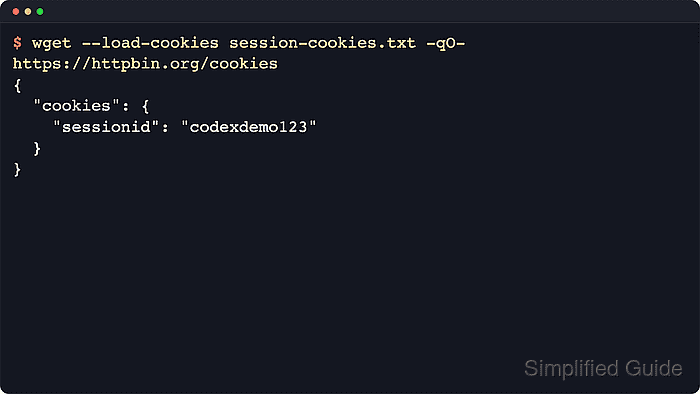
- Reload the jar on the next request and confirm that the remote service still sees the same session value.
$ wget --load-cookies session-cookies.txt \
  --quiet \
  --output-document=- \
  https://httpbin.org/cookies
{
  "cookies": {
    "portal_session": "sess_01JQBX8X4H9R2K7M5N3T6V1"
  }
}
Check for account-specific content, an expected JSON key, or the normal authenticated page title so a redirected sign-in page is not mistaken for success.
- Reload and resave the same jar when later requests refresh the authenticated session.
$ wget --load-cookies session-cookies.txt \
  --save-cookies session-cookies.txt \
  --keep-session-cookies \
  --quiet \
  --output-document=- \
  https://httpbin.org/cookies
{
  "cookies": {
    "portal_session": "sess_01JQBX8X4H9R2K7M5N3T6V1"
  }
}
Use --keep-session-cookies again when resaving the jar or wget will not preserve those session-only rows in the updated file.
- Delete the session jar after the last authenticated request finishes.
$ rm -f session-cookies.txt
Deleting the jar too early breaks later authenticated requests, and leaving it behind extends the replay window.

Mohd Shakir Zakaria is a cloud architect with deep roots in software development and open-source advocacy. Certified in AWS, Red Hat, VMware, ITIL, and Linux, he specializes in designing and managing robust cloud and on-premises infrastructures.


