An about page gives visitors the missing context that most homepages, product pages, and articles leave out. It answers who operates the site, what the site is actually for, and why a reader should treat the business, publication, or individual behind it as real and accountable.
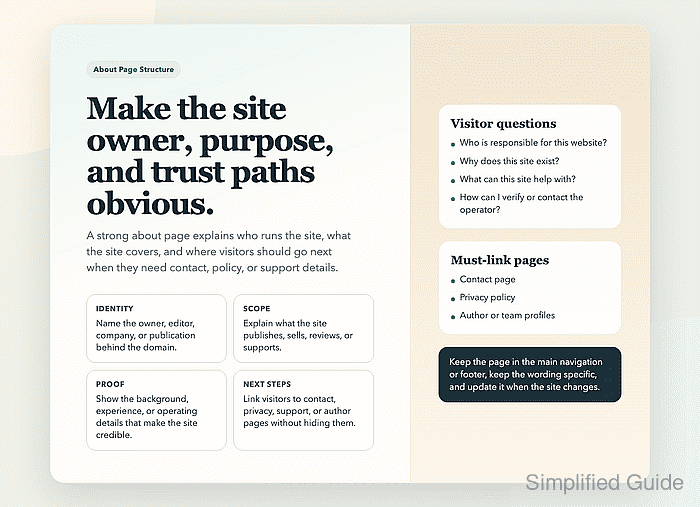
For a webmaster, the page also acts as a trust hub. It connects site identity, author or business background, editorial or service scope, and the next pages a visitor may need, such as contact, privacy, or support details. On content-heavy sites, it helps readers and search systems understand who is responsible for the information they are reading.
The strongest about pages are specific and maintained. They avoid vague brand slogans, match the site's real ownership and operating model, and stay easy to reach from navigation or the footer. If the site changes hands, changes focus, or adds new authors or services, the page should change with it.
Steps to create an about page for your website:
- Define the page's job in one sentence before drafting it by answering who runs the site, who the site serves, and what the visitor should expect to find there.
That sentence usually becomes the opening paragraph or subheading and keeps the rest of the page from drifting into a generic company story.
- Open the page with the real site identity, such as the business name, publication name, or individual owner name, and explain the site's audience and purpose in plain language.
If the domain brand differs from the legal company or operator name, show both so the relationship is clear.
- Add the background that proves the site has a real operator, such as the owner or editor name, role, experience, location when relevant, business model, or why the site exists.
Content sites should keep this information aligned with visible author bylines and profile pages so the identity story does not conflict across the site.
- Describe what the site publishes, sells, reviews, or supports so visitors can tell what belongs on the site and what does not.
Do not claim expertise, testing methods, editorial review, customer support coverage, or business credentials that the site cannot actually back up elsewhere.
- Link the page to the trust and action paths a visitor may need next, usually the contact page, privacy policy, support details, service area, or author profiles.
- Publish the page on a stable URL such as /about or /about-us and link it from the main navigation, footer, or both with anchor text that clearly says About or About us.
- Review the page layout on desktop and mobile so team photos, trust badges, embedded maps, and multi-column biography blocks do not push the important identity details below the fold or break the page width.
A good about page stays readable even when images fail to load because the core trust information is still present as text.
- Inspect the live URL after publishing and confirm the page is indexable, linked from another important page, and represented by the preferred canonical URL.
Google Search guidance for people-first content still recommends making the author or site background clear, such as through author pages or a site's About page. Use How to use Google Search Console for your website to check the URL that Google sees after the page is live.


Mohd Shakir Zakaria is a cloud architect with deep roots in software development and open-source advocacy. Certified in AWS, Red Hat, VMware, ITIL, and Linux, he specializes in designing and managing robust cloud and on-premises infrastructures.


