Tomcat can serve the wrong application when several hostnames reach the same connector and every request falls back to the default localhost host. Adding a separate Host under the Catalina engine lets Tomcat route by the HTTP Host header before it chooses the web application context.
A Tomcat Host pairs one DNS name with its own appBase, aliases, context descriptors, logs, and deployed applications. The commands use the Ubuntu and Debian package layout with /etc/tomcat10/server.xml, /var/lib/tomcat10 as CATALINA_BASE, and the tomcat10 systemd service.
Keep each virtual host's appBase separate from other hosts and from any explicit docBase used by context XML files. Requests whose Host header does not match a configured Host or Alias go to the engine's defaultHost, so verification needs both a positive request for the new hostname and a negative request for an unmatched name.
Steps to configure a virtual host in Tomcat:
- Confirm the active package-managed Tomcat paths.
$ sudo ls /etc/tomcat10/server.xml /var/lib/tomcat10/webapps
/etc/tomcat10/server.xml

/var/lib/tomcat10/webapps:
ROOT
If the host uses tomcat11 or an upstream archive install, use that instance's matching server.xml, CATALINA_BASE, and service name instead of the tomcat10 package paths.
- Create a separate app base for the new host.
$ sudo mkdir -p /var/lib/tomcat10/customer-webapps/ROOT
The customer-webapps path is relative to /var/lib/tomcat10 when it is referenced as appBase="customer-webapps" in server.xml.
- Add a temporary marker file to the new host's root web application.
$ printf 'Tomcat host: app.example.net\n' | sudo tee /var/lib/tomcat10/customer-webapps/ROOT/index.txt
Tomcat host: app.example.net
Use your real WAR file, exploded web application, or context descriptor in the same app base after the routing check passes. A root application is named ROOT.war or ROOT under that host's appBase.
- Back up the Tomcat server configuration.
$ sudo cp /etc/tomcat10/server.xml /etc/tomcat10/server.xml.bak
- Open server.xml in a text editor.
$ sudoedit /etc/tomcat10/server.xml
- Add the new Host inside the Catalina engine after the existing localhost host.
<Engine name="Catalina" defaultHost="localhost">
  <Host name="localhost" appBase="webapps"
        unpackWARs="true" autoDeploy="true">
    <!-- Existing localhost settings remain here. -->
  </Host>

  <Host name="app.example.net" appBase="customer-webapps"
        unpackWARs="true" autoDeploy="true">
    <Alias>www.app.example.net</Alias>
  </Host>
</Engine>
Use a real DNS name in name. Tomcat lowercases host names internally, the Host name cannot be a wildcard, and wildcard names belong in nested Alias entries only when every matching name should serve the same applications.
Do not point appBase at another host's app base or at a directory also used as a context docBase. Overlapping deployment paths can make Tomcat deploy the same application twice.
- Test the Tomcat configuration.
$ sudo env CATALINA_BASE=/var/lib/tomcat10 CATALINA_HOME=/usr/share/tomcat10 /usr/share/tomcat10/bin/configtest.sh
Jun 10, 2026 8:36:27 PM org.apache.catalina.startup.VersionLoggerListener log
INFO: Server version name:   Apache Tomcat/10.1.40 (Ubuntu)
##### snipped #####
Jun 10, 2026 8:36:27 PM org.apache.catalina.startup.VersionLoggerListener log
INFO: CATALINA_BASE:         /var/lib/tomcat10
##### snipped #####
Jun 10, 2026 8:36:27 PM org.apache.coyote.AbstractProtocol init
INFO: Initializing ProtocolHandler ["http-nio-8080"]
Jun 10, 2026 8:36:27 PM org.apache.catalina.startup.Catalina load
INFO: Server initialization in [299] milliseconds
A parsing error, duplicate XML element, invalid path, or connector problem must be fixed before restarting the service.
- Restart Tomcat to load the new virtual host.
$ sudo systemctl restart tomcat10
Restarting Tomcat interrupts applications in the instance. Use a maintenance window when the instance serves production traffic.
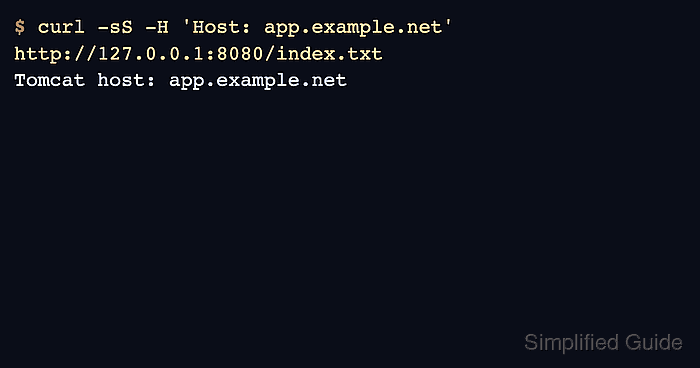
- Request the new host through the Tomcat connector.
$ curl -sS -H 'Host: app.example.net' http://127.0.0.1:8080/index.txt
Tomcat host: app.example.net
Use the real application path instead of /index.txt after replacing the marker with your application.
- Confirm an unmatched host does not serve the new host's marker.
$ curl -sS -o /tmp/default.out -w "%{http_code}\n" -H 'Host: unknown.example.net' http://127.0.0.1:8080/index.txt
404
A 404 for the unmatched name and the marker response for app.example.net show that Tomcat is selecting the new Host by request hostname instead of serving the marker from the default host.
- Update DNS or the reverse proxy only after the Host-header check passes locally.
When Apache or Nginx sits in front of Tomcat, the proxy must send the hostname Tomcat should match. Review host-header behavior before routing public traffic to the connector.

Mohd Shakir Zakaria is a cloud architect with deep roots in software development and open-source advocacy. Certified in AWS, Red Hat, VMware, ITIL, and Linux, he specializes in designing and managing robust cloud and on-premises infrastructures.


