A Tomcat application behind a reverse proxy can log the proxy address and build HTTP links even when the browser reached the public site over HTTPS. RemoteIpValve makes Tomcat trust client address and scheme headers only from known proxy hops, then rewrites the request values that applications and access logs read.
The valve belongs in the Tomcat request pipeline, commonly inside the Engine in server.xml so every hosted application receives the same corrected request metadata. It reads headers such as X-Forwarded-For and X-Forwarded-Proto, walks the forwarded address chain from the proxy side, and ignores or records trusted proxy hops before choosing the client address.
The examples use /opt/tomcat as CATALINA_BASE and a reverse proxy that overwrites forwarding headers before sending traffic to Tomcat. Package installs may use files such as /etc/tomcat11/server.xml or /etc/tomcat10/server.xml and service names such as tomcat11 or tomcat10. Keep the proxy matcher limited to addresses that can really reach the backend connector, and block direct public access to Tomcat so callers cannot supply their own forwarding headers.
Related: How to enable Tomcat access logs
Related: How to view Tomcat logs on Linux
Tool: Proxy Server Checker
Steps to configure RemoteIpValve in Tomcat:
- Confirm the active server.xml file for the Tomcat instance.
$ sudo ls /opt/tomcat/conf/server.xml
/opt/tomcat/conf/server.xml
For package-managed systems, check the service-specific configuration path first, such as /etc/tomcat11/server.xml, /etc/tomcat10/server.xml, or the CATALINA_BASE shown by the service startup logs.
- Confirm which reverse proxy addresses and headers Tomcat should trust.
Record the immediate proxy source addresses, such as 10.0.12.20 and 10.0.12.21. Confirm the proxy sends X-Forwarded-For for the client address chain, X-Forwarded-Proto for the public scheme, and X-Forwarded-Port when Tomcat must report 443 for HTTPS traffic that reaches the backend connector on 8080.
The public reverse proxy should overwrite these headers from proxy-controlled values. Do not let client-supplied X-Forwarded-* headers pass through unchanged.
- Back up server.xml before changing the request pipeline.
$ sudo cp -p /opt/tomcat/conf/server.xml \
  /opt/tomcat/conf/server.xml.bak
- Open server.xml in a text editor.
$ sudoedit /opt/tomcat/conf/server.xml
- Add RemoteIpValve inside the Engine block, before the Host entries.
<Engine name="Catalina" defaultHost="localhost">
    <Valve className="org.apache.catalina.valves.RemoteIpValve"
           internalProxies="10\.0\.12\.20|10\.0\.12\.21"
           remoteIpHeader="x-forwarded-for"
           protocolHeader="x-forwarded-proto"
           protocolHeaderHttpsValue="https"
           portHeader="x-forwarded-port" />

    <Host name="localhost" appBase="webapps"
          unpackWARs="true" autoDeploy="true">
        ...
    </Host>
</Engine>
The internalProxies value above uses regular expression syntax, which works across current Tomcat 10.1 and Tomcat 11 releases. Current Tomcat 11 also accepts comma-separated CIDR blocks for internalProxies and trustedProxies, but regex keeps the example compatible with Tomcat 10.1 packages.
Use trustedProxies only for intermediate hops that should be recorded in the proxiesHeader value. Ordinary private reverse proxies that should disappear from the client chain usually belong in internalProxies.
- Update the AccessLogValve if the access log should prove the rewritten client address and public port.
<Valve className="org.apache.catalina.valves.AccessLogValve" directory="logs" prefix="localhost_access_log" suffix=".txt" requestAttributesEnabled="true" pattern="%a %p "%r" %s" />requestAttributesEnabled="true" lets the access log use request attributes set by RemoteIpValve. The pattern above logs the rewritten remote address, rewritten server port, request line, and status code.
Related: How to enable Tomcat access logs
- Create a temporary request diagnostic page when the application does not already expose request metadata for validation.
$ sudoedit \
  /opt/tomcat/webapps/ROOT/ip-check.jsp
<%@ page contentType="text/plain; charset=UTF-8" %>
remoteAddr=<%= request.getRemoteAddr() %>
scheme=<%= request.getScheme() %>
secure=<%= request.isSecure() %>
serverPort=<%= request.getServerPort() %>
Deploy this page only for a controlled smoke test, and remove it after validation. It exposes request metadata that should not remain available on a production application.
- Validate that Tomcat can parse the updated configuration.
$ sudo /opt/tomcat/bin/catalina.sh \
  configtest
INFO: Server version name:   Apache Tomcat/11.0.22
##### snipped #####
INFO: Initializing ProtocolHandler ["http-nio-8080"]
INFO: Server initialization in [384] milliseconds
An XML parse error, unknown class name, or malformed regex here means Tomcat did not accept server.xml. Restore the backup or fix the reported file before restarting the service.
- Restart Tomcat so the valve is loaded.
$ sudo systemctl restart tomcat
Use the installed unit name for the host, such as tomcat11, tomcat10, or a custom tomcat service.
- Request the diagnostic page through the public reverse proxy.
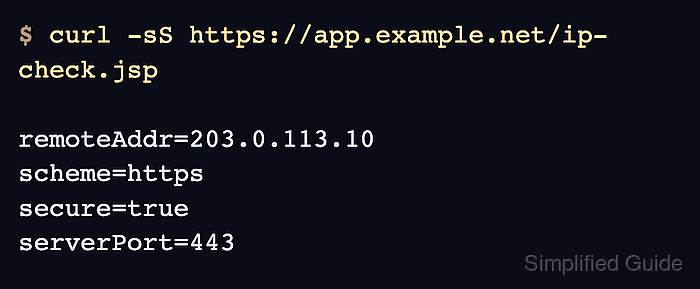
$ curl -sS \
  https://app.example.net/ip-check.jsp
remoteAddr=203.0.113.10
scheme=https
secure=true
serverPort=443
The expected address is the client address chosen from the trusted forwarding chain. If the proxy address still appears, check whether the immediate proxy source address matches internalProxies or trustedProxies.
- Check the access log row for the same request.
$ sudo cat \
  /opt/tomcat/logs/localhost_access_log.2026-06-10.txt
203.0.113.10 443 "GET /ip-check.jsp HTTP/1.1" 200
The first field is the rewritten remote address from RemoteIpValve, and 443 confirms that Tomcat received the public port from the forwarding metadata. Add %{peer}a to the pattern during troubleshooting when the log also needs to show the immediate proxy connection address.
Related: How to view Tomcat logs on Linux
- Remove the temporary diagnostic page after validation.
$ sudo rm \
  /opt/tomcat/webapps/ROOT/ip-check.jsp
Keep the RemoteIpValve and AccessLogValve changes in place, but remove the temporary JSP unless it is protected by the application and intentionally maintained as an internal health endpoint.

Mohd Shakir Zakaria is a cloud architect with deep roots in software development and open-source advocacy. Certified in AWS, Red Hat, VMware, ITIL, and Linux, he specializes in designing and managing robust cloud and on-premises infrastructures.


