TensorFlow's Python package relies on native libraries as well as Python itself. The official CPU Docker image supplies that stack in a container, letting a Docker host run TensorFlow tensor calculations without a separate host installation.
The CPU image targets Linux x86-64. Docker must be ready to run Linux containers, with a POSIX-compatible shell such as Bash or Zsh on Linux, macOS, or WSL. An ARM host also needs working amd64 emulation that supports TensorFlow's required CPU instructions; selecting an image platform alone does not provide that compatibility.
GPU access requires a GPU-enabled image and a supported NVIDIA host runtime. The CPU image uses the CPU even on a computer with a graphics card, so a CPU-only device listing is expected.
Steps to run TensorFlow in a Docker container:
- Pull the official TensorFlow CPU image for release 2.21.0.
$ docker pull --platform linux/amd64 tensorflow/tensorflow:2.21.0
A working Docker installation and permission to run containers are prerequisites. Docker rootless mode provides an unprivileged Linux daemon; Docker's installation documentation covers other hosts. The release tag selects the CPU image rather than a nightly, GPU, or Jupyter variant. Its advertised platform is linux/amd64, and TensorFlow binaries require AVX-capable CPU execution.
The calculation uses a disposable container. Its --rm option discards the container filesystem after Python exits, while the downloaded image remains available for another run.
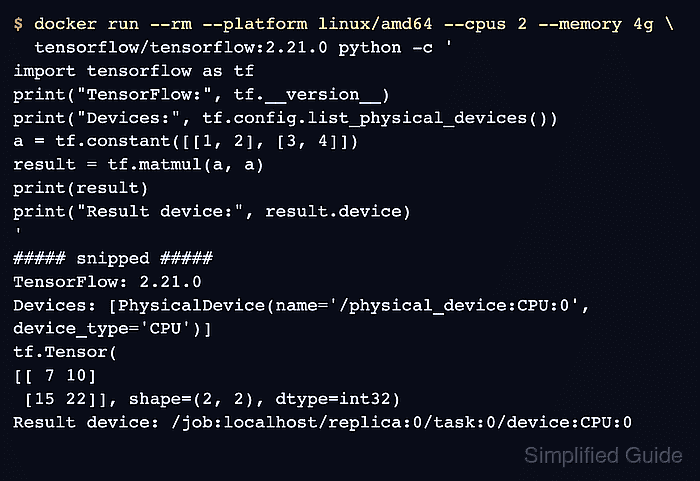
- Run a matrix multiplication inside the TensorFlow container. Example output:
$ docker run --rm --platform linux/amd64 --cpus 2 --memory 4g \
  tensorflow/tensorflow:2.21.0 python -c '
import tensorflow as tf
print("TensorFlow:", tf.__version__)
print("Devices:", tf.config.list_physical_devices())
a = tf.constant([[1, 2], [3, 4]])
result = tf.matmul(a, a)
print(result)
print("Result device:", result.device)
'
##### snipped #####
TensorFlow: 2.21.0
Devices: [PhysicalDevice(name='/physical_device:CPU:0', device_type='CPU')]
tf.Tensor(
[[ 7 10]
 [15 22]], shape=(2, 2), dtype=int32)
Result device: /job:localhost/replica:0/task:0/device:CPU:0
The expected matrix values and CPU:0 result device confirm that TensorFlow executed the calculation on the CPU. Startup messages about logging initialization or CPU optimization can precede this output and do not indicate a failed calculation. A Python error or different matrix result means the calculation has not completed as expected. The container is limited to two CPUs and 4 GiB of memory, with no shared host directory or published port.