Symfony's command-line client gives a development workstation the symfony binary used to create projects, run the local web server, inspect requirements, and delegate project console commands. Installing it from Symfony's package repository keeps the tool available system-wide before any individual Symfony application exists.
On Ubuntu and Debian, Symfony's Cloudsmith-hosted stable repository provides an APT package named symfony-cli. That package-manager path keeps updates visible through normal APT tooling and avoids placing a manually downloaded binary in a user home directory.
The CLI does not replace PHP or Composer. Install it once on the machine, then run symfony check:requirements to confirm the active PHP setup before creating or running projects.
Related: How to create a Symfony project
Related: How to run a Symfony project locally
Steps to install the Symfony CLI on Ubuntu or Debian:
- Open a terminal with sudo privileges.
- Refresh APT package metadata.
$ sudo apt update
- Install the repository setup prerequisites.
$ sudo apt install --assume-yes curl ca-certificates gnupg
- Add Symfony's stable APT repository.
$ curl -1sLf 'https://dl.cloudsmith.io/public/symfony/stable/setup.deb.sh' | sudo -E bash
Executing the setup script for the 'symfony/stable' repository ...
##### snipped #####
   OK: Installing 'symfony/stable' repository via apt ...
   OK: Updating apt repository metadata cache ...
   OK: The repository has been installed successfully - You're ready to rock!
The setup script installs the signed Symfony package source for the detected Debian or Ubuntu release.
- Install the Symfony CLI package.
$ sudo apt install --assume-yes symfony-cli
Reading package lists...
Building dependency tree...
Reading state information...
##### snipped #####
Setting up symfony-cli (5.17.1) ...
The exact package version and CPU architecture can differ. On macOS, Symfony supports Homebrew; on Windows, Symfony supports Scoop.
- Confirm the installed command path.
$ command -v symfony
/usr/bin/symfony
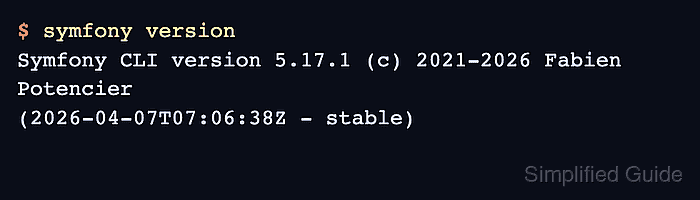
- Check the Symfony CLI version.
$ symfony version
Symfony CLI version 5.17.1 (c) 2021-2026 Fabien Potencier (2026-04-07T07:06:38Z - stable)
The version line changes as Symfony publishes CLI releases. Confirm that the command resolves and reports a stable Symfony CLI build.
- Run the requirements check.
$ symfony check:requirements

Symfony Requirements Checker
~~~~~~~~~~~~~~~~~~~~~~~~~~~~

> Checking Symfony requirements:

............................W

 [OK]
 Your system is ready to run Symfony projects

Optional recommendations to improve your setup
~~~~~~~~~~~~~~~~~~~~~~~~~~~~~~~~~~~~~~~~~~~~~~

 * PDO should have some drivers installed (currently available: none)
   > Install PDO drivers (mandatory for Doctrine).
If the command reports no PHP binaries detected, install PHP and Composer before creating Symfony projects.
Related: How to create a Symfony project - Display the project creation command help.
$ symfony help new
Description:
  Create a new Symfony project

Usage:
  symfony local:new [options] [--] [<directory>]

Options:
  --version=value                 The version of the Symfony skeleton
  --webapp                        Add the webapp pack to get a fully configured web project
  --no-git                        Do not initialize Git
##### snipped #####

Mohd Shakir Zakaria is a cloud architect with deep roots in software development and open-source advocacy. Certified in AWS, Red Hat, VMware, ITIL, and Linux, he specializes in designing and managing robust cloud and on-premises infrastructures.


