Symfony projects often begin with hand-written JSON controllers and later need a resource-driven API layer with generated documentation. API Platform fits that point in the project because it plugs into Symfony Flex, registers API routes, and exposes PHP resource classes as documented HTTP endpoints.
A current Symfony Flex application can install the API Platform Symfony pack with the api Composer alias. The recipe adds the bundle configuration, installs the API Platform packages, and prepares the /api entrypoint that serves Hydra/OpenAPI documentation for resources marked with ApiResource.
A small Book resource is enough to prove that the pack was installed and that route generation works. Use an existing domain entity in a real project, then run the same route and HTTP checks to confirm the resource appears in the API documentation before building clients against it.
Related: How to create a Symfony project
Related: How to create a JSON API endpoint in Symfony
Steps to install API Platform in Symfony:
- Confirm the terminal is in the Symfony project root.
$ php bin/console about
 -------------------- ---------------------------------
  Symfony
 -------------------- ---------------------------------
  Version              v8.1.0
  Environment          dev
  Debug                true
##### snipped #####
The command should run from the directory that contains composer.json and bin/console.
- Install the API Platform Symfony pack.
$ composer require api
./composer.json has been updated
Running composer update api-platform/api-pack
##### snipped #####
Symfony operations: 3 recipes
  - Configuring nelmio/cors-bundle (>=1.5): From github.com/symfony/recipes:main
  - Configuring symfony/uid (>=7.0): From github.com/symfony/recipes:main
  - Configuring api-platform/symfony (>=4.0): From github.com/symfony/recipes:main
Executing script cache:clear [OK]
Executing script assets:install public [OK]
No security vulnerability advisories found.
Composer installs api-platform/api-pack through the api alias and lets Symfony Flex apply the package recipes.
- Create a minimal Book resource class.
- src/Entity/Book.php
<?php

namespace App\Entity;

use ApiPlatform\Metadata\ApiResource;
use Doctrine\ORM\Mapping as ORM;

#[ORM\Entity]
#[ApiResource]
class Book
{
    #[ORM\Id]
    #[ORM\GeneratedValue]
    #[ORM\Column]
    private ?int $id = null;

    #[ORM\Column(length: 120)]
    private string $title = '';

    public function getId(): ?int
    {
        return $this->id;
    }

    public function getTitle(): string
    {
        return $this->title;
    }

    public function setTitle(string $title): self
    {
        $this->title = $title;

        return $this;
    }
}
The class is a route-generation proof resource. A persistent project should use its own entity, migration, and database configuration before serving collection data.
Related: How to configure a Doctrine database in Symfony - Confirm that API Platform generated the Book collection route.
$ php bin/console debug:router '_api_/books{._format}_get_collection' +--------------+-----------------------------------------------------------+ | Property | Value | +--------------+-----------------------------------------------------------+ | Route Name | _api_/books{._format}_get_collection | | Path | /api/books.{_format} | | Method | GET | | Defaults | _api_resource_class: App\Entity\Book | | | _controller: api_platform.symfony.main_controller() | ##### snipped ##### - Start a local development server for the project.
$ php -S 127.0.0.1:8000 -t public
[Thu Jun 25 07:20:38 2026] PHP 8.5.4 Development Server (http://127.0.0.1:8000) started
Use the project team's normal local server if one is already running. The PHP built-in server is enough for this local install smoke test.
- Request the API Platform entrypoint.
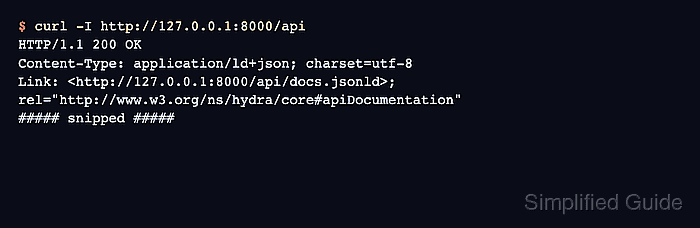
$ curl -I http://127.0.0.1:8000/api
HTTP/1.1 200 OK
Content-Type: application/ld+json; charset=utf-8
Link: <http://127.0.0.1:8000/api/docs.jsonld>; rel="http://www.w3.org/ns/hydra/core#apiDocumentation"
##### snipped #####
200 OK confirms the local application reached the API entrypoint. The Link header points to the generated API documentation document.
- Stop the local development server with Ctrl+C.

Mohd Shakir Zakaria is a cloud architect with deep roots in software development and open-source advocacy. Certified in AWS, Red Hat, VMware, ITIL, and Linux, he specializes in designing and managing robust cloud and on-premises infrastructures.


