When a Linux account reaches sudo and receives user is not in the sudoers file, or a policy denial such as Sorry, user casey may not run sudo on host, sudo has no matching rule that allows that account to run administrative commands. Use a separate administrator account, a root console, or a recovery shell to repair the policy; do not try to work around the denial from the locked-out account.
On Debian and Ubuntu systems, full local administrator access is commonly granted through the sudo group. On RHEL-family systems, the equivalent local administrator group is often wheel, while some hosts use explicit rules under /etc/sudoers.d instead of broad administrator group membership.
Grant only the access path the account should actually have. Adding a user to sudo or wheel gives broad local administrator rights when the default group rule is enabled; a service account or application user may need a narrow sudoers drop-in instead. After the change, visudo -c confirms that the policy parses, and sudo -l from a fresh login session confirms that the affected account can see the intended rule.
Related: Check sudoers syntax with visudo
Related: Create a sudoers drop-in file
Related: Add a user to a Linux group
Steps to fix user is not in the sudoers file in sudo:
- Open a root shell or sign in with another account that still has working administrator access.
Keep this administrator session open until the final sudo -l check passes. A bad sudoers edit or a mistaken group change can otherwise leave the host without a normal sudo recovery path.
- Reproduce the denial as the affected account so the symptom is tied to sudoers policy, not a missing command or password typo.
$ sudo -l
sudo: Sorry, user casey may not run sudo on host.
Some systems print casey is not in the sudoers file. This incident will be reported. for the same missing-policy condition.
- Check the affected account's current groups from the administrator session.
# id casey
uid=1001(casey) gid=1001(casey) groups=1001(casey)
If the account is already in the expected administrator group, skip the group change and inspect explicit sudoers rules, rule order, and central sudoers sources instead.
- Add the account to the local administrator group when the user should receive normal full sudo access.
# usermod -aG sudo casey
Use wheel instead of sudo on systems where the active sudoers policy grants administrator access through wheel.
Do not add service accounts or narrow application users to the full administrator group just to clear the error. Create or repair a targeted sudoers drop-in when the account should run only specific commands.
Related: How to create a sudoers drop-in file
- Confirm that the account database now contains the new administrator group membership.
# id casey
uid=1001(casey) gid=1001(casey) groups=1001(casey),27(sudo)
Existing login sessions keep the supplementary groups they had at login. The affected user must sign out and sign back in, or start a fresh session, before the new group membership is visible to that session.
- Validate the complete sudoers policy before closing the administrator session.
# visudo -c
/etc/sudoers: parsed OK
Some distributions also print parsed-OK lines for files under /etc/sudoers.d. Fix any reported syntax, ownership, or permission error before testing a new sudo session.
- List the effective policy for the affected account from the administrator session.
# sudo -l -U casey
User casey may run the following commands on host:
    (ALL : ALL) ALL
If the list still denies access, check whether the default sudo or wheel group rule is commented out, whether a later sudoers rule overrides the expected result, or whether an LDAP/SSSD sudoers source controls the host.
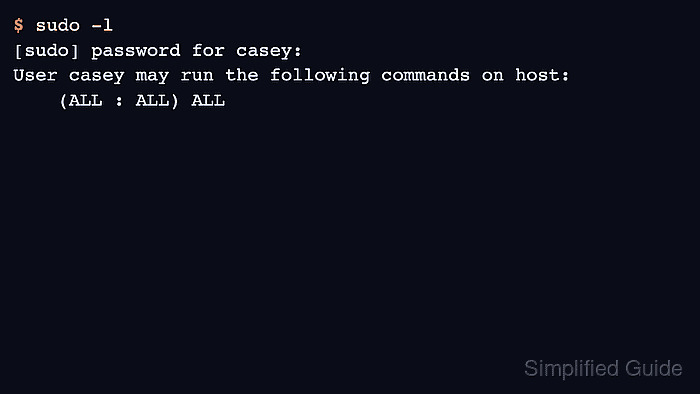
- Have the affected user open a fresh login session and list their sudo privileges.
$ sudo -l
[sudo] password for casey:
User casey may run the following commands on host:
    (ALL : ALL) ALL
The repair is complete when sudo -l no longer reports the sudoers denial and the listed command set matches the intended administrator access.

Mohd Shakir Zakaria is a cloud architect with deep roots in software development and open-source advocacy. Certified in AWS, Red Hat, VMware, ITIL, and Linux, he specializes in designing and managing robust cloud and on-premises infrastructures.


