Checking sudoers syntax before closing an administrative shell catches a broken /etc/sudoers line or a bad drop-in while there is still a recovery path. A parse error in sudoers policy can stop future sudo sessions from starting, so every access change should pass a syntax check before it is trusted.
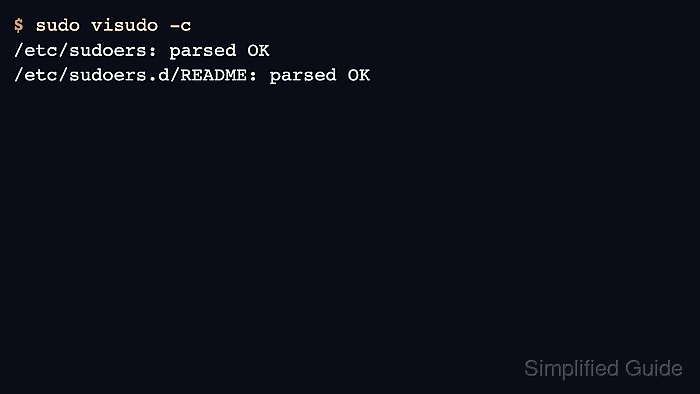
The visudo command provides a check-only mode through -c. It parses /etc/sudoers and the files included from it, prints either a parsed-OK line or the file and line that failed, and returns a nonzero exit status when the policy has a syntax error.
Run the full policy check as the final check even when the changed file is a single drop-in under /etc/sudoers.d. Checking one include file by path can miss policy-level interactions, and a clean parse still does not prove that the rule grants the intended command; list the affected user's privileges after syntax passes when the edit changed access.
Related: Create a sudoers drop-in file
Related: Fix a sudoers rule that does not work
Related: List sudo privileges for a user
Steps to check sudoers syntax with visudo:
- Open a terminal with an account that can run sudo.
Keep an existing root shell, console session, or out-of-band recovery path open while checking or fixing sudoers policy. A broken sudoers file can block new administrative sessions.
- Run the full sudoers syntax check.
$ sudo visudo -c
/etc/sudoers: parsed OK
/etc/sudoers.d/README: parsed OK
Some systems print only /etc/sudoers, while others print each included file that is parsed. A clean result means the loaded sudoers policy parsed successfully.
- Use the reported file, line number, and caret marker when visudo finds a syntax error.
$ sudo visudo -c
/etc/sudoers.d/90-deploy:1:12: syntax error
deploy ALL root
           ^~~~
The example shows a malformed drop-in under /etc/sudoers.d. The same output pattern points to the main /etc/sudoers file when the error is in the primary policy file.
- Open the reported drop-in with visudo.
$ sudo visudo -f /etc/sudoers.d/90-deploy
Use sudo visudo without -f when the reported path is /etc/sudoers.
Do not repair sudoers policy with a normal editor unless emergency recovery is already in progress. visudo locks the file and checks syntax before saving.
- Correct the malformed rule and save from visudo.
- /etc/sudoers.d/90-deploy
deploy ALL=(root) NOPASSWD: /usr/bin/id
Replace deploy and /usr/bin/id with the account and command that belong to the rule being repaired. Keep command paths explicit so a syntax fix does not become a broader privilege change.
- Re-run the full syntax check after saving the correction.
$ sudo visudo -c
/etc/sudoers: parsed OK
/etc/sudoers.d/90-deploy: parsed OK
/etc/sudoers.d/README: parsed OK
Do not stop after checking only the edited drop-in. The final check should parse the complete sudoers policy that sudo will read.
Related: How to create a sudoers drop-in file
- List the affected user's privileges when the syntax check followed a rule change.
$ sudo -l -U deploy
User deploy may run the following commands on workstation:
    (root) NOPASSWD: /usr/bin/id
A clean visudo -c result proves the policy parses. The privilege list proves the corrected rule is visible to sudo for the target user.

Mohd Shakir Zakaria is a cloud architect with deep roots in software development and open-source advocacy. Certified in AWS, Red Hat, VMware, ITIL, and Linux, he specializes in designing and managing robust cloud and on-premises infrastructures.


