Allowing one root-owned program through sudo is safer than giving a user or group broad administrative access, but the rule only stays narrow when the sudoers entry names the exact executable path and argument boundary. A loose command entry can let the delegate pass different options, run a helper with shell escapes, or reach more of the system than the ticket or handoff intended.
Sudoers command rules match a user or %group, a host list, a run-as target, and a command list. For command-specific access, choose a program path that is owned by root or another trusted account and is not writable by the delegated user; command arguments become part of the rule when they are written after the path.
A dedicated drop-in file under /etc/sudoers.d keeps the command grant isolated from the main sudoers file and can be validated with visudo before the effective policy is checked with sudo -l -U. Use "" after the path when the program must run with no arguments, omit it only when any arguments are acceptable, or write the exact argument list when only one service action is allowed.
Related: Create a sudoers drop-in file
Related: Check sudoers syntax with visudo
Related: List sudo privileges for a user
Related: Enable sudo noexec
Steps to allow a specific program in sudo:
- Confirm the exact program path and ownership before writing the rule.
$ ls -l /usr/local/sbin/restart-nginx
-rwxr-xr-x 1 root root 42 Jun  5 09:30 /usr/local/sbin/restart-nginx
Do not delegate a program that the target user can edit or replace. A writable command path turns the sudoers rule into broader root access.
- Open a dedicated sudoers drop-in file with visudo.
$ sudo visudo -f /etc/sudoers.d/allow-nginx-restart
Use a drop-in file name without dots or backup suffixes, such as allow-nginx-restart. Sudo ignores some files in /etc/sudoers.d, including names that contain a dot or end with ~.
- Add the user-specific or group-specific rule for the exact command.
# Allow one user to run the program with no arguments
deployer ALL=(root) /usr/local/sbin/restart-nginx ""

# Allow every member of one group to run the same program with no arguments
%webops ALL=(root) /usr/local/sbin/restart-nginx ""
Field Meaning deployer Local user that receives the command-specific grant. %webops Local group that receives the command-specific grant. Prefix sudoers groups with a literal percent sign. ALL Host list. ALL matches the local host and keeps the example portable. (root) Run-as target. The program runs as root. /usr/local/sbin/restart-nginx "" Command path plus an empty argument string, which allows no extra arguments. Keep only the user line, the group line, or both lines when both grants are intentional.
- Write exact arguments when the allowed program needs them.
deployer ALL=(root) /usr/bin/systemctl restart nginx.service
%webops ALL=(root) /usr/bin/systemctl reload nginx.service
An entry that lists only /usr/bin/systemctl allows the delegate to pass other systemctl subcommands and services. Write the exact arguments or use a root-owned wrapper script when the command needs a fixed action.
- Validate the drop-in file before relying on the rule.
$ sudo visudo -cf /etc/sudoers.d/allow-nginx-restart
/etc/sudoers.d/allow-nginx-restart: parsed OK
- Check the effective sudo privileges for the target user.
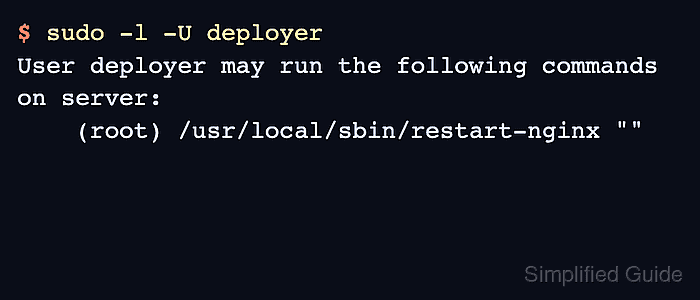
$ sudo -l -U deployer
User deployer may run the following commands on server:
    (root) /usr/local/sbin/restart-nginx ""
The output may also show matching Defaults entries above the command list. The command line under User deployer may run confirms the grant that sudo will evaluate.
- Review shell escape risk before delegating interactive or multipurpose programs.
Editors, pagers, shells, interpreters, package managers, backup tools, and file-copy tools can often open files, spawn commands, or replace system content. Do not treat those programs as narrow grants unless their escape paths are controlled and tested.

Mohd Shakir Zakaria is a cloud architect with deep roots in software development and open-source advocacy. Certified in AWS, Red Hat, VMware, ITIL, and Linux, he specializes in designing and managing robust cloud and on-premises infrastructures.


