Connection floods reach SSH before a user is authenticated, so password limits and shell session limits may never run. MaxStartups limits how many unauthenticated connection handshakes sshd keeps open and starts dropping excess attempts before they consume more daemon resources.
The directive belongs in the global OpenSSH daemon configuration, either in /etc/ssh/sshd_config or in a file loaded from /etc/ssh/sshd_config.d/. The upstream default is 10:30:100, and the start:rate:full form begins random early drops at the start threshold, raises the drop probability toward full, and refuses all new unauthenticated attempts once full is reached.
Use limits that still allow normal bursts from bastion hosts, CI jobs, monitoring systems, and shared NAT addresses. Keep an existing administrative session open, validate the daemon syntax before reloading SSH, and verify the final value with sshd -T before closing the recovery path.
Steps to limit SSH startup connections with MaxStartups:
- Open a terminal on the SSH server with sudo privileges.
$ whoami
user
Keep a second SSH session, console, or out-of-band access path open until a new login succeeds after the reload.
- Check the current effective MaxStartups value.
$ sudo sshd -T
port 22
addressfamily any
listenaddress [::]:22
listenaddress 0.0.0.0:22
usepam yes
##### snipped #####
maxstartups 10:30:100
persourcemaxstartups none
persourcenetblocksize 32:128
##### snipped #####
sshd -T validates the configuration and prints the effective daemon settings after defaults and included files are applied.
Related: How to view SSH server configuration
- Confirm that the main configuration loads local drop-in files.
$ grep --ignore-case '^Include' /etc/ssh/sshd_config
Include /etc/ssh/sshd_config.d/*.conf
If no Include line appears, place the same MaxStartups directive in the global section of /etc/ssh/sshd_config before any Match block.
- Back up the main OpenSSH daemon configuration file.
$ sudo cp -a /etc/ssh/sshd_config /etc/ssh/sshd_config.pre-maxstartups
A syntax error in the SSH daemon configuration can block new remote logins until fixed from an existing session or console.
- Open a local OpenSSH daemon drop-in file.
$ sudoedit /etc/ssh/sshd_config.d/90-maxstartups.conf
- Set the global MaxStartups thresholds.
# Limit unauthenticated startup connections
MaxStartups 10:30:60
10:30:60 allows 10 unauthenticated connections, randomly drops 30 percent of additional attempts at that point, and refuses all new unauthenticated attempts once 60 are open.
Replace an earlier active MaxStartups line instead of adding a duplicate. OpenSSH uses the first value it reads for most keywords, so an earlier global setting can win over this drop-in.
- Test the sshd configuration.
$ sudo sshd -t
No output means the daemon parsed the configuration successfully.
Related: How to test SSH server configuration
- Reload the SSH service to apply the new startup limit.
$ sudo systemctl reload ssh
Use sudo systemctl reload sshd on distributions where the OpenSSH server unit is named sshd.
- Verify the effective MaxStartups value after the reload.
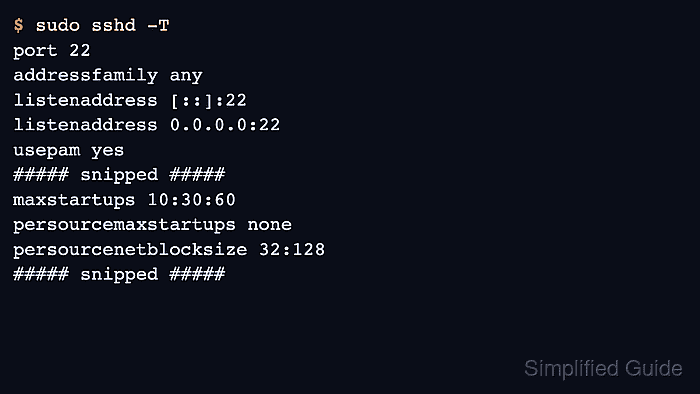
$ sudo sshd -T
port 22
addressfamily any
listenaddress [::]:22
listenaddress 0.0.0.0:22
usepam yes
##### snipped #####
maxstartups 10:30:60
persourcemaxstartups none
persourcenetblocksize 32:128
##### snipped #####
If the value is still 10:30:100 or another unexpected limit, check for an earlier active MaxStartups line in /etc/ssh/sshd_config or in an included file that sorts before this drop-in.
- Confirm that sshd can accept new connections after the reload.
$ ssh user@host.example.net 'echo SSH startup limit loaded'
SSH startup limit loaded
Run this check from a separate client. The command proves normal authentication still works, while sshd -T proves the startup limit the daemon loaded.

Mohd Shakir Zakaria is a cloud architect with deep roots in software development and open-source advocacy. Certified in AWS, Red Hat, VMware, ITIL, and Linux, he specializes in designing and managing robust cloud and on-premises infrastructures.


