When several shells, SFTP transfers, or multiplexed commands share one authenticated SSH connection, a single client can consume more server-side session channels than expected. Limiting those channels with OpenSSH MaxSessions keeps per-connection session fan-out predictable without changing who can open separate SSH connections.
MaxSessions is an sshd_config server directive, not a global user login counter. It applies to open shell, login, and subsystem sessions inside each network connection, including connection multiplexing, and the upstream default is 10. MaxStartups remains the setting for unauthenticated inbound connection attempts, so keep that separate when the problem is scanners or bursts before login.
A value of 1 effectively disables SSH session multiplexing over one authenticated connection, while 0 blocks shell, login, and subsystem sessions but still permits forwarding. Keep an existing administrative session or console path open, validate the configuration before reload, and test the setting from a trusted client because SFTP jobs and automation that reuse multiplexed connections can be affected.
Related: How to limit SSH startup connections
Related: How to limit SSH authentication attempts
Related: How to configure SSH multiplexing
Steps to limit simultaneous SSH sessions with MaxSessions:
- Open a terminal on the SSH server with sudo privileges.
$ whoami
user
- Back up the active daemon configuration file.
$ sudo cp /etc/ssh/sshd_config /etc/ssh/sshd_config.pre-maxsessions
Keep a second administrative session, console, or out-of-band access open until a new SSH login and the session-limit test both behave as expected.
- Open the OpenSSH daemon configuration file.
$ sudoedit /etc/ssh/sshd_config
OpenSSH reads /etc/ssh/sshd_config and any files loaded through Include. Put MaxSessions before unrelated Match blocks unless the limit is intentionally user-, group-, or address-specific.
- Set MaxSessions to the per-connection session limit.
# Limit shell, login, and subsystem sessions per SSH connection
MaxSessions 1
Replace an existing active MaxSessions line instead of adding a duplicate. OpenSSH uses the first value it reads for a keyword in the same matching context.
- Run the sshd syntax check.
$ sudo sshd -t
No output means the daemon configuration parsed successfully. Fix any reported file and line before reloading SSH.
Related: How to test SSH server configuration
- Reload the SSH service to apply the session limit.
$ sudo systemctl reload ssh
Use sudo systemctl reload sshd on distributions where the service unit is named sshd.
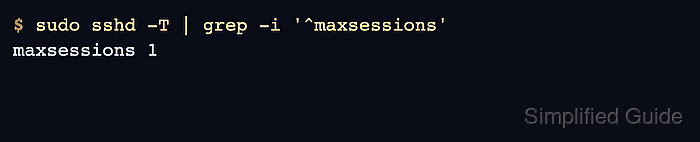
- Confirm the effective MaxSessions value.
$ sudo sshd -T | grep -i '^maxsessions'
maxsessions 1
sshd -T prints the final daemon configuration after includes and defaults are applied. If MaxSessions is inside a Match block, add the matching context, such as sshd -T -C user=user,host=host.example.net,addr=203.0.113.10.
- Start a test multiplexed master connection from a trusted client.
$ ssh -MNf -o ControlMaster=yes -o ControlPath=~/.ssh/cm-%r@%h:%p user@host.example.net
The command opens the shared connection without starting a shell. Replace user@host.example.net with a test account and host covered by the new limit.
Related: How to configure SSH multiplexing - Open one long-running session through the master connection.
$ ssh -S ~/.ssh/cm-user@host.example.net:22 -f user@host.example.net 'sleep 60'
- Try to open another session through the same master connection.
$ ssh -S ~/.ssh/cm-user@host.example.net:22 user@host.example.net 'echo second session'
mux_client_request_session: session request failed: Session open refused by peer
ControlSocket ~/.ssh/cm-user@host.example.net:22 already exists, disabling multiplexing
second session
The refusal line confirms that the multiplexed session was blocked. The later second session output shows the client fell back to a new SSH connection, which MaxSessions does not limit.
- Close the test master connection.
$ ssh -S ~/.ssh/cm-user@host.example.net:22 -O exit user@host.example.net
Exit request sent.

Mohd Shakir Zakaria is a cloud architect with deep roots in software development and open-source advocacy. Certified in AWS, Red Hat, VMware, ITIL, and Linux, he specializes in designing and managing robust cloud and on-premises infrastructures.


