Snort rules change more often than the sensor binary, and a bad replacement can stop a detection service before it reads another packet. Stage the new rules archive first, compile it with the same Lua configuration used by the sensor, and replace the live file only after Snort accepts it.
The public Snort 3 community archive downloads without an Oinkcode and contains snort3-community.rules plus license, author, and map files. Registered or subscriber rule packages can follow the same staging pattern, but authenticated URLs and Oinkcode values should stay out of saved shell history, screenshots, article text, and committed files.
Snort can load one rules file from the command line with -R beside /usr/local/etc/snort/snort.lua. When a deployment loads rules through an ips.include entry instead, test a temporary config copy that points to the staged file before overwriting the live path.
Related: How to install Snort community rules
Related: How to test Snort configuration
Steps to update Snort rules:
- Create a temporary staging directory.
$ workdir="$(mktemp -d)"
- Download the current community rules archive into the staging directory.
$ curl --fail --location --silent --show-error \
    --output "$workdir/snort3-community-rules.tar.gz" \
    https://www.snort.org/downloads/community/snort3-community-rules.tar.gz
- List the archive contents before extraction.
$ tar --list --gzip --file "$workdir/snort3-community-rules.tar.gz"
snort3-community-rules/
snort3-community-rules/snort3-community.rules
snort3-community-rules/VRT-License.txt
snort3-community-rules/LICENSE
snort3-community-rules/AUTHORS
snort3-community-rules/sid-msg.map
- Extract the staged archive.
$ tar --extract --gzip --file "$workdir/snort3-community-rules.tar.gz" \
    --directory "$workdir"
- Validate the staged rule file before replacing the live file.
$ sudo snort -q -c /usr/local/etc/snort/snort.lua \
    -R "$workdir/snort3-community-rules/snort3-community.rules" -T
-q keeps the output quiet; a zero exit status means the staged rules compiled with the active Snort configuration. Use the non-quiet -T command when investigating parser output or rule counts.
- Back up the live rule file.
$ sudo cp -a /usr/local/etc/snort/rules/snort3-community.rules \
    /usr/local/etc/snort/rules/snort3-community.rules.bak
Do not skip the backup on a production sensor. A broken or unsuitable ruleset should be reversible without waiting for another download.
- Install the staged rule file over the live copy.
$ sudo install -m 0644 "$workdir/snort3-community-rules/snort3-community.rules" \
    /usr/local/etc/snort/rules/snort3-community.rules
- Confirm that the live file and backup exist.
$ ls -lh /usr/local/etc/snort/rules/snort3-community.rules \
    /usr/local/etc/snort/rules/snort3-community.rules.bak
-rw-r--r-- 1 root root 1.8M Jun 25 02:12 /usr/local/etc/snort/rules/snort3-community.rules
-rw-r--r-- 1 root root 1.8M Jun 25 02:12 /usr/local/etc/snort/rules/snort3-community.rules.bak
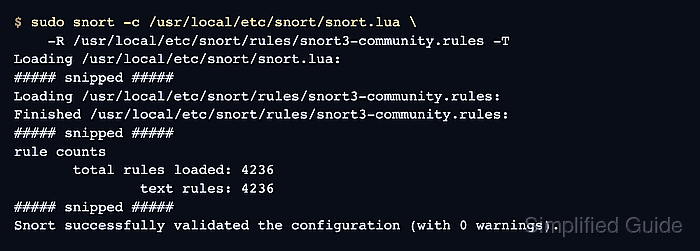
- Validate the live rule file after replacement.
$ sudo snort -c /usr/local/etc/snort/snort.lua \
    -R /usr/local/etc/snort/rules/snort3-community.rules -T
Loading /usr/local/etc/snort/snort.lua:
##### snipped #####
Loading /usr/local/etc/snort/rules/snort3-community.rules:
Finished /usr/local/etc/snort/rules/snort3-community.rules:
##### snipped #####
rule counts
       total rules loaded: 4236
               text rules: 4236
##### snipped #####
Snort successfully validated the configuration (with 0 warnings).
The rule count should be plausible for the downloaded package and should not drop to zero unless the replacement intentionally disables every rule.
Related: How to test Snort configuration
Related: How to enable a Snort ruleset - Restart the managed Snort service after validation passes.
$ sudo systemctl restart snort
Skip this step when Snort is only run manually for pcap tests or one-shot interface checks.
Related: How to create a Snort systemd service - Check the service state.
$ sudo systemctl status snort --no-pager
The Active line should show active (running). If the unit fails after the update, restore the .bak file and retest the rule path before restarting again.
- Remove the staging directory.
$ rm -rf "$workdir"

Mohd Shakir Zakaria is a cloud architect with deep roots in software development and open-source advocacy. Certified in AWS, Red Hat, VMware, ITIL, and Linux, he specializes in designing and managing robust cloud and on-premises infrastructures.


