Snort 3 on Ubuntu needs a matching packet acquisition layer before it can inspect live interfaces or replay packet captures. When the Ubuntu repositories do not provide a current Snort 3 package, building LibDAQ 3 and Snort from source keeps the binary, default Lua configuration, and DAQ modules on the same release line.
The upstream install path builds LibDAQ first, then builds Snort with configure_cmake.sh. APT supplies the compiler, build tools, LuaJIT, packet-capture, regex, compression, OpenSSL, and hardware locality libraries, while the Snort source tree installs under /usr/local.
The installed sensor should report a Snort++ version, show DAQ version 3.x, list DAQ modules such as afpacket and pcap, and validate /usr/local/etc/snort/snort.lua before local rules or a service unit are added.
Related: How to create a local Snort rule
Related: How to enable a Snort ruleset
Related: How to create a Snort systemd service
Steps to install Snort on Ubuntu:
- Refresh the package index.
$ sudo apt update
- Install the build tools and libraries required by LibDAQ and Snort 3.
$ sudo apt install --assume-yes \
    build-essential git autoconf automake libtool pkg-config \
    cmake make g++ flex libfl-dev bison \
    libpcap-dev libpcre2-dev libluajit-5.1-dev \
    libssl-dev zlib1g-dev libhwloc-dev liblzma-dev libunwind-dev \
    libdumbnet-dev uuid-dev ca-certificates
Ubuntu 26.04 exposes libdaq-dev for the older DAQ 2 line, so LibDAQ 3 is built from the upstream source tree for Snort 3.
- Clone the LibDAQ 3 source tree.
$ cd /usr/local/src
$ sudo git clone --depth=1 https://github.com/snort3/libdaq.git
- Build and install LibDAQ 3.
$ cd /usr/local/src/libdaq
$ sudo ./bootstrap
$ sudo ./configure --prefix=/usr/local
$ sudo make -j"$(nproc)"
$ sudo make install
$ sudo ldconfig
ldconfig refreshes the dynamic linker cache so the later Snort build can resolve the newly installed DAQ libraries.
- Clone the Snort 3 source tree.
$ cd /usr/local/src
$ sudo git clone --depth=1 https://github.com/snort3/snort3.git
Use a release tarball from the Snort download page instead of a Git checkout when the host must stay on a fixed release.
- Build and install Snort 3.
$ cd /usr/local/src/snort3
$ sudo ./configure_cmake.sh --prefix=/usr/local
$ cd build
$ sudo make -j"$(nproc)"
$ sudo make install
$ sudo ldconfig
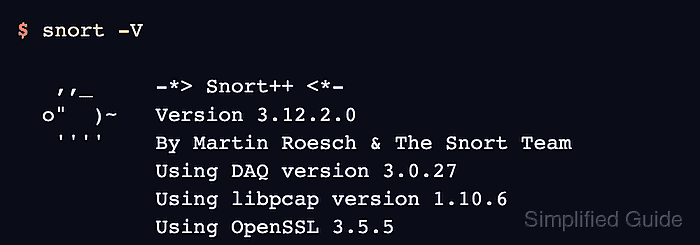
- Confirm that the installed binary reports Snort 3 and LibDAQ 3.
$ snort -V

   ,,_     -*> Snort++ <*-
  o"  )~   Version 3.12.2.0
   ''''    By Martin Roesch & The Snort Team
           Using DAQ version 3.0.27
           Using libpcap version 1.10.6
           Using OpenSSL 3.5.5
Patch versions change over time. The important install signal is a Snort++ version line paired with DAQ version 3.x.
- Check that DAQ modules are visible to Snort.
$ snort --daq-list
Available DAQ modules:
afpacket(v7): live inline multi unpriv
##### snipped #####
pcap(v4): readback live multi unpriv
##### snipped #####
savefile(v1): readback multi unpriv
trace(v1): inline unpriv wrapper
Related: How to check Snort DAQ modules
- Create the runtime log directory used by later live runs and service units.
$ sudo install -d -m 0755 -o root -g root /var/log/snort
- Validate the default Snort configuration.
$ sudo snort -c /usr/local/etc/snort/snort.lua -T
--------------------------------------------------
o")~   Snort++ 3.12.2.0
--------------------------------------------------
Loading /usr/local/etc/snort/snort.lua:
##### snipped #####
pcap DAQ configured to passive.

Snort successfully validated the configuration (with 0 warnings).
o")~   Snort exiting
Use -q only for automation that checks the exit code, because it suppresses the validation transcript.
Related: How to test Snort configuration

Mohd Shakir Zakaria is a cloud architect with deep roots in software development and open-source advocacy. Certified in AWS, Red Hat, VMware, ITIL, and Linux, he specializes in designing and managing robust cloud and on-premises infrastructures.


