An SMB share can be visible on the network and still reject a user with NT_STATUS_ACCESS_DENIED when one permission layer does not match the action being tested. Treat the failed client operation as the starting signal, because a browse failure, a write failure, and a login failure point at different parts of the Samba stack.
Samba authorizes a connection through the account database, the parsed share definition, and the Linux filesystem path behind the share. A user must authenticate as an enabled Samba account, match any valid users or write list rule, and have the needed execute, read, or write permission on every directory component below the share path.
Run the checks from the server side after reproducing the exact denied action from a client account. Avoid widening permissions until one layer shows the mismatch; on SELinux hosts, a wrong file context can still deny access after Samba and POSIX permissions look correct.
Steps to troubleshoot SMB share permission denied:
- Create a small local probe file for the write test.
$ printf 'probe\n' > probe.txt
- Reproduce the denied action with the same SMB account and share name.
$ smbclient //files.example.net/projects --user=jane -c 'put probe.txt probe.txt'
Password for [WORKGROUP\jane]:
NT_STATUS_ACCESS_DENIED opening remote file \probe.txt
If the original failure is read access instead of write access, run the matching smbclient action, such as ls, against the same share.
Related: How to browse SMB shares with smbclient - Confirm that the SMB account exists and is not disabled.
$ sudo pdbedit --user=jane --verbose
Unix username:        jane
NT username:
Account Flags:        [U          ]
##### snipped #####
Account Flags containing D means the Samba account is disabled. Re-enable only the intended user account instead of changing the share permission model.
- Inspect the parsed share definition.
$ sudo testparm --suppress-prompt --section-name=projects /etc/samba/smb.conf

[projects]
	path = /srv/samba/projects
	read only = No
	valid users = jane
read only = Yes blocks writes, and valid users or write list must include the connecting user or a group that contains that user.
- Check directory permissions from the root path to the share path.
$ namei --long /srv/samba/projects
f: /srv/samba/projects
drwxr-xr-x root   root      /
drwxr-xr-x root   root      srv
drwxr-xr-x root   root      samba
drwxrws--- root   projectrw projects
Every parent directory needs execute permission for the mapped Linux user or group. The final directory needs write permission for SMB uploads and changes.
- Check the POSIX ACL on the shared directory.
$ getfacl --absolute-names /srv/samba/projects
# file: /srv/samba/projects
# owner: root
# group: projectrw
# flags: -s-
user::rwx
group::rwx
other::---
Look for the ACL entry and effective mask that should grant the connecting user or group access.
Related: How to set ACL permissions on a Samba share - Check the SELinux state when the server enforces SELinux.
$ getenforce
Enforcing
If SELinux is enforcing and Samba, share, and POSIX ACL checks all allow the action, inspect the path type with ls -Zd /srv/samba/projects and review audit logs for smbd denials before changing policy. A normal shared data directory usually needs the samba_share_t type; samba_export_all_rw is broader because it allows writable Samba access outside that label.
- Apply the focused fix for the layer that failed.
$ sudo usermod --append --groups projectrw jane
This example fixes a Linux group mismatch found by namei and getfacl. If the mismatch is a share rule, edit /etc/samba/smb.conf and reload Samba instead; if it is an SELinux label, apply the corrected file context and restore it.
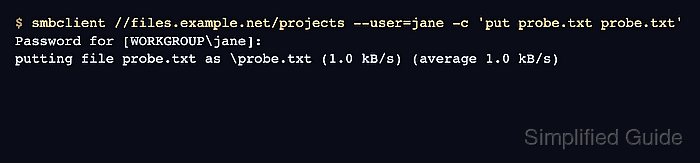
- Retest the original denied action from a new SMB connection.
$ smbclient //files.example.net/projects --user=jane -c 'put probe.txt probe.txt'
Password for [WORKGROUP\jane]:
putting file probe.txt as \probe.txt (1.0 kB/s) (average 1.0 kB/s)
Reconnect after account, group, ACL, share, or SELinux changes so the retry does not reuse stale session state.
- Remove the remote probe file.
$ smbclient //files.example.net/projects --user=jane -c 'del probe.txt'
- Remove the local probe file.
$ rm -f probe.txt

Mohd Shakir Zakaria is a cloud architect with deep roots in software development and open-source advocacy. Certified in AWS, Red Hat, VMware, ITIL, and Linux, he specializes in designing and managing robust cloud and on-premises infrastructures.


