Samba file shares can work on the server while remote clients time out because the host firewall still blocks SMB traffic. On Ubuntu systems that use UFW, the packaged Samba application profile opens the SMB/CIFS ports as one named rule instead of separate port entries.
The Samba UFW profile maps to UDP 137/138 and TCP 139/445. Modern file access normally uses TCP 445, while the NetBIOS ports support older discovery and session behavior when the server and clients still use it.
Limit the allow rule to the LAN or VPN subnet that should reach the file server. Avoid exposing Samba to the public internet, and handle Samba Active Directory domain controllers separately because they require additional domain service ports.
Related: How to install Samba on Ubuntu
Related: How to create a Samba share on Linux
Related: How to check Samba service status
Steps to allow Samba through a UFW firewall:
- Inspect the packaged Samba UFW profile.
$ sudo ufw app info Samba
Profile: Samba
Title: LanManager-like file and printer server for Unix
Description: The Samba software suite is a collection of programs that
implements the SMB/CIFS protocol for unix systems, allowing you to serve
files and printers to Windows, NT, OS/2 and DOS clients. This protocol is
sometimes also referred to as the LanManager or NetBIOS protocol.

Ports:
  137,138/udp
  139,445/tcp
- Allow Samba traffic from the client subnet.
$ sudo ufw allow from 192.168.1.0/24 to any app Samba
Rules updated
Replace 192.168.1.0/24 with the LAN or VPN subnet that should use the shares. Avoid sudo ufw allow Samba on internet-facing hosts because it allows the profile from any source.
- Enable UFW if the firewall is still inactive.
$ sudo ufw enable
Command may disrupt existing ssh connections. Proceed with operation (y|n)? y
Firewall is active and enabled on system startup
Allow your remote administration service before enabling UFW from an SSH session, or use console access so the firewall does not lock out the active connection.
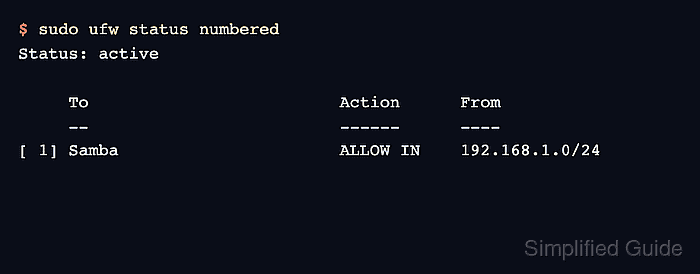
- Verify that the Samba rule is active.
$ sudo ufw status numbered Status: active To Action From -- ------ ---- [ 1] Samba ALLOW IN 192.168.1.0/24 - List shares from an allowed client.
$ smbclient -L //fileserver.example.net -U sguser
Password for [WORKGROUP\sguser]:

        Sharename       Type      Comment
        ---------       ----      -------
        team            Disk      Team files
        IPC$            IPC       IPC Service (fileserver server (Samba, Ubuntu))
SMB1 disabled -- no workgroup available
A share listing from a host inside the allowed subnet proves the firewall permits the SMB connection. A timeout from the same client usually points back to the firewall path, server listener, or network route.
Related: How to browse SMB shares with smbclient

Mohd Shakir Zakaria is a cloud architect with deep roots in software development and open-source advocacy. Certified in AWS, Red Hat, VMware, ITIL, and Linux, he specializes in designing and managing robust cloud and on-premises infrastructures.


