ChromeDriver mismatches break Selenium sessions before a test reaches the page under test. Configuring the driver path deliberately lets a local test or CI runner use the approved ChromeDriver binary instead of whichever driver happens to appear first in the system path.
Current Selenium releases can call Selenium Manager automatically when no driver is supplied. Explicit configuration is still useful for offline runners, pinned browser bundles, locked-down CI images, and teams that approve browser-driver binaries separately from application code.
In Python, ChromeService owns the local ChromeDriver process, while ChromeOptions can point at a specific Chrome or Chromium browser binary. Keep the driver and browser major versions aligned, and use the Chrome for Testing release stream when downloading ChromeDriver for modern Chrome versions.
Steps to configure ChromeDriver for Selenium:
- Locate the ChromeDriver executable that Selenium should use.
$ command -v chromedriver
/usr/bin/chromedriver
Use the project-approved binary path here. If Selenium 4.6 or newer can use network access and the default browser, leaving the driver path unset lets Selenium Manager handle discovery and caching.
- Check the ChromeDriver version before wiring it into the test.
$ chromedriver --version
ChromeDriver 148.0.7778.178 (d096af1c9e98c45c3596e59620622b1a049bfecb-refs/branch-heads/7778@{#3196})
The ChromeDriver major version should match the Chrome or Chromium major version. For Chrome 115 and newer, ChromeDriver releases are published through Chrome for Testing.
- Locate the browser binary when Selenium should not use its default browser discovery.
$ command -v chromium
/usr/bin/chromium
Use /usr/bin/google-chrome for Google Chrome on many Linux systems. Use /usr/bin/chromium only when Chromium is the intended browser for the test environment.
- Create a smoke-test script that passes the driver path through ChromeService.
$ cat > check-chromedriver.py <<'PY'
import subprocess

from selenium import webdriver
from selenium.webdriver.chrome.options import Options
from selenium.webdriver.chrome.service import Service as ChromeService

chromedriver_path = "/usr/bin/chromedriver"
chrome_path = "/usr/bin/chromium"

version_line = subprocess.check_output([chromedriver_path, "--version"], text=True).split()
print(f"ChromeDriver {version_line[1]}")

options = Options()
options.binary_location = chrome_path
options.add_argument("--headless=new")
options.add_argument("--no-sandbox")
options.add_argument("--disable-dev-shm-usage")
service = ChromeService(executable_path=chromedriver_path)

driver = webdriver.Chrome(service=service, options=options)
try:
    driver.get("https://example.com/")
    print(driver.title)
    print(f"{driver.capabilities['browserName']} {driver.capabilities['browserVersion']}")
finally:
    driver.quit()
PY
Omit options.binary_location when Selenium should discover Chrome from the normal browser path. Keep it when the browser binary is pinned beside the driver.
- Run the smoke test.
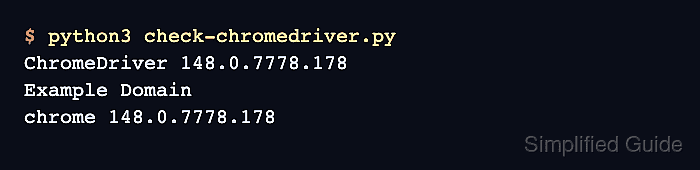
$ python3 check-chromedriver.py
ChromeDriver 148.0.7778.178
Example Domain
chrome 148.0.7778.178
The Example Domain title confirms that Selenium started a browser session through the configured driver and navigated to a real page.
- Copy the working ChromeService block into the project WebDriver fixture.
Keep the path in one fixture, environment variable, or CI setting instead of repeating it in every test file.
- Remove the temporary smoke-test script.
$ rm check-chromedriver.py

Mohd Shakir Zakaria is a cloud architect with deep roots in software development and open-source advocacy. Certified in AWS, Red Hat, VMware, ITIL, and Linux, he specializes in designing and managing robust cloud and on-premises infrastructures.


