The default Screen command character is Ctrl-a, which collides with shells and editors that use Ctrl-a to move to the start of a line. Moving Screen commands to Ctrl-b keeps the session controls available while leaving Ctrl-a for the program running inside the window.
Screen stores the prefix as a two-character escape pair. In escape ^Bb, ^B starts a Screen command sequence, and b is the key typed after the prefix when the running program needs a literal Ctrl-b.
Test the change in one named session before relying on it in daily work. A temporary proof binding can change the window title, so the parent shell can query a clear result before the proof binding is removed from ~/.screenrc.
Related: How to reload the Screen config
Related: How to customize a Screen key binding
Related: How to use copy mode in Screen
Steps to change the Screen prefix key:
- Start a named test session when no safe Screen session is already running.
$ screen -dmS work
The later examples target work. Use a disposable session first if the current Screen session is carrying important work.
Related: How to create a Screen session
- Confirm the target Screen session name.
$ screen -ls
There is a screen on:
        12345.work      (Detached)
1 Socket in /run/screen/S-user.
The -S work examples target the session named work. Use the name shown by screen -ls when your session uses a different name.
- Open the Screen config file used by that session.
$ vi ~/.screenrc
Most personal sessions read ~/.screenrc unless $SCREENRC or screen -c points to a different file.
- Add the new prefix and a temporary proof binding.
escape ^Bb
bind Y title prefix-ready
Use caret notation such as ^B in Screen config files. The bind Y line gives Ctrl-b Y a visible test action and should be removed after verification.
- Reload the config into the running test session.
$ screen -S work -X source ~/.screenrc
The -X source command asks the named session to read the updated screenrc file.
- Attach to the test session.
$ screen -r work
- Press the new prefix and the proof key.
Ctrl-b Y
If Ctrl-b is active as the command character, Y runs the temporary title prefix-ready binding.
- Detach from the session with the new prefix.
Ctrl-b d
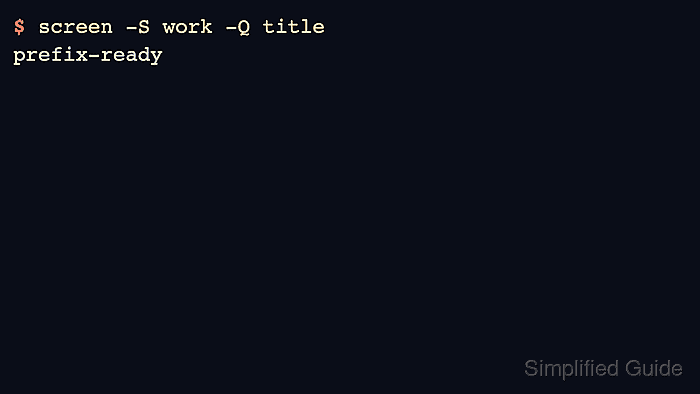
- Query the window title from the parent shell.
$ screen -S work -Q title
prefix-ready
The prefix-ready title confirms that the running session accepted Ctrl-b as the Screen command character.
- Remove the temporary proof binding from ~/.screenrc.
escape ^Bb
Keep the escape ^Bb line and delete bind Y title prefix-ready unless that binding is also wanted for normal use.
- Reload the cleaned config into the running session.
$ screen -S work -X source ~/.screenrc
- Send a literal Ctrl-b to the program inside the Screen window when needed.
Ctrl-b b
The second character in escape ^Bb is b, so Ctrl-b b passes Ctrl-b through to the current window.
- Start a one-off session with the same prefix when testing before editing ~/.screenrc.
$ screen -e^Bb -S test-prefix
The -e^Bb option sets the command characters for that Screen invocation without changing the config file.

Mohd Shakir Zakaria is a cloud architect with deep roots in software development and open-source advocacy. Certified in AWS, Red Hat, VMware, ITIL, and Linux, he specializes in designing and managing robust cloud and on-premises infrastructures.


