News homepages and feeds rarely expose the full back catalog, so an archive crawl is the practical way to backfill older stories for search indexes, analytics, or historical datasets. A spider that stops at the latest listing usually looks healthy while silently missing most published articles.
In Scrapy, an archive crawl usually works with two page types: archive pages that discover article URLs and older archive pages, and article pages that extract the final fields to export. That keeps the crawl logic simple even when the site publishes years of coverage behind numbered archive pages or an Older posts link.
Current Scrapy projects already start with ROBOTSTXT_OBEY = True, CONCURRENT_REQUESTS_PER_DOMAIN = 1, DOWNLOAD_DELAY = 1, and FEED_EXPORT_ENCODING = “utf-8”, while spider arguments passed with -a still arrive as strings. Keep max_pages low until the archive selector ignores promos, section links, and tag indexes, then increase the depth only after the exported records match the expected archive pages.
Steps to scrape news article archives with Scrapy:
- Create a new Scrapy project for the archive crawl.
$ scrapy startproject archive_demo New Scrapy project 'archive_demo', using template directory '##### snipped #####', created in: /home/user/archive_demo You can start your first spider with: cd archive_demo scrapy genspider example example.com - Change to the new project directory.
$ cd archive_demo
- Generate a basic spider for the archive host.
$ scrapy genspider news news.example.net
Created spider 'news' using template 'basic' in module:
  archive_demo.spiders.news
- Test the archive selectors in scrapy shell before editing the spider.
$ scrapy shell "https://news.example.net/archive/" --nolog
[s] Available Scrapy objects:
[s]   response   <200 https://news.example.net/archive/>
##### snipped #####
>>> response.css("article.archive-entry h2 a::attr(href)").getall()
['/articles/quarterly-results.html', '/articles/platform-upgrade.html']
>>> response.css("nav.pagination a.next::attr(href)").get()
'/archive/page2.html'
The archive link selector should return only article detail links, and the next-page selector should return one older archive URL or None when the archive ends. Related: How to use CSS selectors in Scrapy
- Review the generated crawl defaults in archive_demo/settings.py before raising request rates.
- archive_demo/settings.py
ROBOTSTXT_OBEY = True
CONCURRENT_REQUESTS_PER_DOMAIN = 1
DOWNLOAD_DELAY = 1
FEED_EXPORT_ENCODING = "utf-8"
Current scrapy startproject output writes these values by default in Scrapy 2.15.0. Add AUTOTHROTTLE only when the archive gets slower or starts returning errors. Related: How to enable AutoThrottle in Scrapy
Related: How to set a download delay in ScrapyRemoving the delay or raising concurrency too early can turn one wide selector mistake into hundreds of off-topic requests across promo cards, tag pages, or section indexes.
- Replace the generated spider with archive discovery and article parsing logic.
- archive_demo/spiders/news.py
from urllib.parse import urlparse

import scrapy


class NewsSpider(scrapy.Spider):
    name = "news"

    async def start(self):
        archive_url = getattr(
            self,
            "archive_url",
            "https://news.example.net/archive/",
        )
        self.max_pages = int(getattr(self, "max_pages", "2"))
        self.pages_seen = 0

        host = urlparse(archive_url).hostname
        if host:
            self.allowed_domains = [host]

        yield scrapy.Request(archive_url, callback=self.parse)

    def parse(self, response):
        self.pages_seen += 1

        yield from response.follow_all(
            response.css("article.archive-entry h2 a::attr(href)"),
            callback=self.parse_article,
        )

        if self.pages_seen < self.max_pages:
            next_page = response.css("nav.pagination a.next::attr(href)").get()
            if next_page:
                yield response.follow(next_page, callback=self.parse)

    def parse_article(self, response):
        yield {
            "headline": response.css("h1::text").get(default="").strip(),
            "published": response.css("time::attr(datetime)").get(default="").strip(),
            "summary": response.css("div.article-summary p::text").get(default="").strip(),
            "url": response.url,
        }
Convert max_pages to an integer because spider arguments passed with -a stay strings, and keep archive_url absolute so allowed_domains is derived from the correct host. Replace the archive, pagination, and article selectors with the target site's actual HTML. Related: How to follow links from a response in Scrapy
Related: How to use spider arguments in Scrapy - Enable AutoThrottle in archive_demo/settings.py for slower archive pages.
- archive_demo/settings.py
AUTOTHROTTLE_ENABLED = True
AUTOTHROTTLE_START_DELAY = 1.0
AUTOTHROTTLE_MAX_DELAY = 10.0
AutoThrottle adjusts delay from measured latency and still respects CONCURRENT_REQUESTS_PER_DOMAIN and DOWNLOAD_DELAY in current Scrapy releases. Related: How to enable AutoThrottle in Scrapy
Archive pages can fan out into many article requests, so keep max_pages low until the exported URLs match the intended archive sections.
- Run the spider with an explicit archive URL, a small page limit, and JSON export.
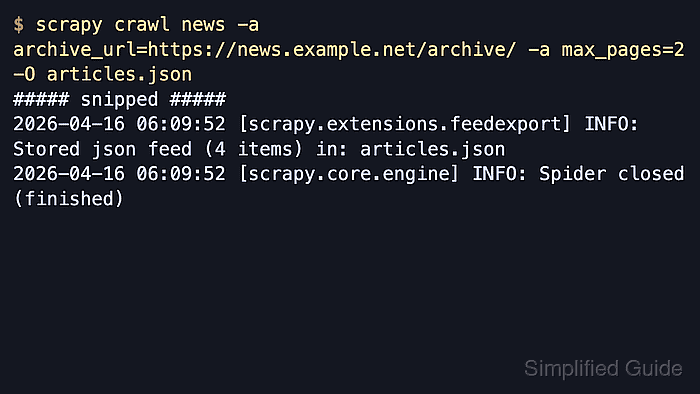
$ scrapy crawl news -a archive_url=https://news.example.net/archive/ -a max_pages=2 -O articles.json
2026-04-22 10:42:38 [scrapy.utils.log] INFO: Scrapy 2.15.0 started (bot: archive_demo)
##### snipped #####
2026-04-22 10:42:47 [scrapy.extensions.feedexport] INFO: Stored json feed (4 items) in: articles.json
2026-04-22 10:42:47 [scrapy.core.engine] INFO: Spider closed (finished)
Option -O overwrites any existing articles.json and writes one complete JSON array when the crawl finishes. Related: How to export Scrapy items to JSON
- Open the exported file and confirm that the records match the archive pages allowed by max_pages.
$ cat articles.json
[
{"headline": "Platform upgrade", "published": "2026-03-18T09:30:00Z", "summary": "Backend services moved to the new deployment baseline.", "url": "https://news.example.net/articles/platform-upgrade.html"},
{"headline": "Quarterly results", "published": "2026-04-01T08:00:00Z", "summary": "Revenue and subscription retention both increased.", "url": "https://news.example.net/articles/quarterly-results.html"},
{"headline": "Security advisory", "published": "2026-02-10T14:00:00Z", "summary": "Operators should rotate credentials after the maintenance window.", "url": "https://news.example.net/articles/security-advisory.html"},
{"headline": "Customer story", "published": "2026-01-22T11:45:00Z", "summary": "A cross-region migration finished without customer downtime.", "url": "https://news.example.net/articles/customer-story.html"}
]
The record count, URLs, and timestamps should match the archive pages that were included by the current max_pages limit.

Mohd Shakir Zakaria is a cloud architect with deep roots in software development and open-source advocacy. Certified in AWS, Red Hat, VMware, ITIL, and Linux, he specializes in designing and managing robust cloud and on-premises infrastructures.


