Pagination is where many otherwise-correct Scrapy spiders stop too early. A crawl that only parses the first results page can look healthy in the logs while the exported data stays incomplete because the remaining records sit behind numbered pages or a Next link.
Scrapy handles HTML pagination by scraping items from the current Response, extracting the next page link, and yielding another request back into the same callback. Using response.follow() keeps relative href values simple because Scrapy resolves them against the current page automatically.
Keep the pagination selector narrow enough to match only the forward link for the current listing. Current Scrapy project templates already seed polite crawl defaults such as ROBOTSTXT_OBEY = True, CONCURRENT_REQUESTS_PER_DOMAIN = 1, and DOWNLOAD_DELAY = 1, so manual pagination usually does not need more aggressive settings. If the next batch loads through background API calls or client-side rendering instead of an HTML link, switch to an API-focused or browser-rendered workflow instead of forcing plain pagination selectors onto the page.
Steps to scrape paginated pages with Scrapy:
- Change to the root of the Scrapy project that will run the spider.
$ cd pagination_demo
Related: How to create a Scrapy project
Related: How to create a Scrapy spider - Generate a basic spider for the paginated site.
$ scrapy genspider quotes_pager quotes.toscrape.com
Created spider 'quotes_pager' using template 'basic' in module:
  pagination_demo.spiders.quotes_pager
- Open the first page in scrapy shell.
$ scrapy shell --nolog 'https://quotes.toscrape.com/page/1/'
[s] Available Scrapy objects:
[s]   request    <GET https://quotes.toscrape.com/page/1/>
[s]   response   <200 https://quotes.toscrape.com/page/1/>
##### snipped #####
>>>
The shell exposes the fetched page as response, which is the same object the spider callback receives.
- Confirm the pagination selector returns the next page link and that response.follow() resolves it to page 2.
>>> response.css("li.next a::attr(href)").get() '/page/2/' >>> response.follow(response.css("li.next a::attr(href)").get()).url 'https://quotes.toscrape.com/page/2/' - Replace pagination_demo/spiders/quotes_pager.py with pagination-aware parsing logic.
- pagination_demo/spiders/quotes_pager.py
import scrapy


class QuotesPagerSpider(scrapy.Spider):
    name = "quotes_pager"
    allowed_domains = ["quotes.toscrape.com"]
    start_urls = ["https://quotes.toscrape.com/page/1/"]

    def parse(self, response):
        for quote in response.css("div.quote"):
            yield {
                "text": quote.css("span.text::text").get(default="").strip(),
                "author": quote.css("small.author::text").get(default="").strip(),
                "page_url": response.url,
            }

        next_page = response.css("li.next a::attr(href)").get()
        if next_page:
            yield response.follow(next_page, callback=self.parse)
The extra page_url field is a simple proof that the spider kept moving across the results pages instead of scraping only page 1.
- Run the spider and overwrite the previous export file.
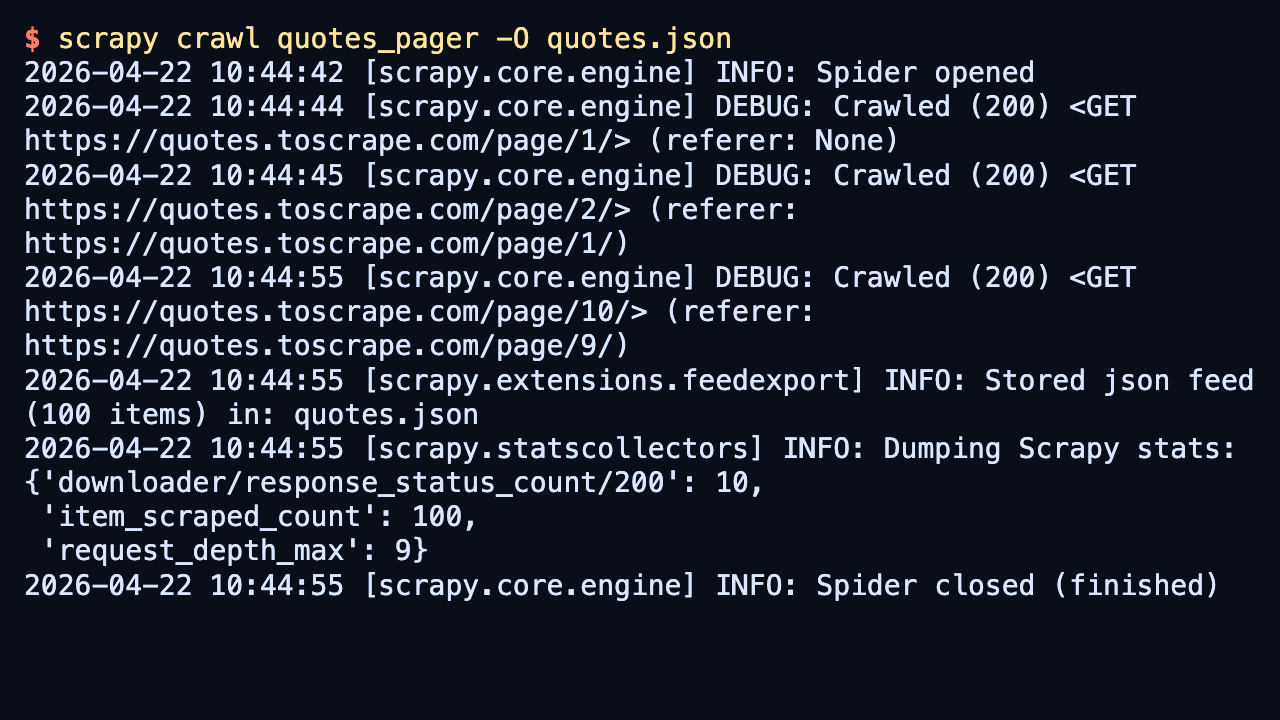
$ scrapy crawl quotes_pager -O quotes.json
2026-04-22 10:44:44 [scrapy.core.engine] DEBUG: Crawled (200) <GET https://quotes.toscrape.com/page/1/> (referer: None)
2026-04-22 10:44:45 [scrapy.core.engine] DEBUG: Crawled (200) <GET https://quotes.toscrape.com/page/2/> (referer: https://quotes.toscrape.com/page/1/)
##### snipped #####
2026-04-22 10:44:55 [scrapy.core.engine] DEBUG: Crawled (200) <GET https://quotes.toscrape.com/page/10/> (referer: https://quotes.toscrape.com/page/9/)
2026-04-22 10:44:55 [scrapy.extensions.feedexport] INFO: Stored json feed (100 items) in: quotes.json
2026-04-22 10:44:55 [scrapy.statscollectors] INFO: Dumping Scrapy stats:
{'downloader/response_status_count/200': 10,
 'item_scraped_count': 100,
 'request_depth_max': 9,
##### snipped #####
}
2026-04-22 10:44:55 [scrapy.core.engine] INFO: Spider closed (finished)
-O overwrites the previous export file so the saved results always match the current spider code. The public demo site also returns a one-time 404 for /robots.txt when ROBOTSTXT_OBEY stays enabled, so that startup log line does not indicate a pagination problem.
If the crawl starts revisiting sort links, faceted filters, or archive calendars, tighten the next-page selector before raising concurrency or depth limits.
- Open the exported feed and confirm the saved items include later page URLs.
$ cat quotes.json
[
{"text": "“The world as we have created it is a process of our thinking. It cannot be changed without changing our thinking.”", "author": "Albert Einstein", "page_url": "https://quotes.toscrape.com/page/1/"},
{"text": "“It is our choices, Harry, that show what we truly are, far more than our abilities.”", "author": "J.K. Rowling", "page_url": "https://quotes.toscrape.com/page/1/"},
##### snipped #####
{"text": "“A person's a person, no matter how small.”", "author": "Dr. Seuss", "page_url": "https://quotes.toscrape.com/page/10/"},
{"text": "“... a mind needs books as a sword needs a whetstone, if it is to keep its edge.”", "author": "George R.R. Martin", "page_url": "https://quotes.toscrape.com/page/10/"}
]
The page_url field proves the crawl continued past page 1 and reached the last page in the pagination chain.

Mohd Shakir Zakaria is a cloud architect with deep roots in software development and open-source advocacy. Certified in AWS, Red Hat, VMware, ITIL, and Linux, he specializes in designing and managing robust cloud and on-premises infrastructures.


