A crawl depth limit keeps a Scrapy spider close to its intended starting area instead of walking deep archive trees, layered categories, or endless pagination. It is useful when the target pages sit only a few links away from the entry point and deeper navigation only adds noise.
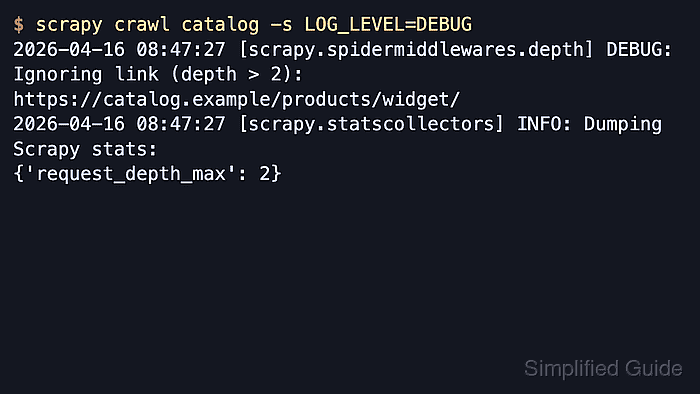
Scrapy enforces the limit through DepthMiddleware. Requests from start_urls begin at depth 0, each followed link increments the value by 1, and requests deeper than DEPTH_LIMIT are dropped before they reach the scheduler.
The default DEPTH_LIMIT is 0, which means no limit. A limit that is too low can block detail pages or later archive pages, and turning off scrapy.spidermiddlewares.depth.DepthMiddleware disables the setting entirely, so confirm the middleware still loads when custom spider middlewares are in use.
Related: How to use CrawlSpider in Scrapy
Related: How to scrape paginated pages with Scrapy
Steps to set a crawl depth limit in Scrapy:
- Open the project settings file.
$ vi catalogdemo/settings.py
Use the settings.py file inside the Scrapy project package, not a spider module or exported settings copy.
- Set DEPTH_LIMIT to the deepest request level the spider may follow and enable verbose depth stats for the run summary.
DEPTH_LIMIT = 2
DEPTH_STATS_VERBOSE = True
start_urls run at depth 0, the first followed page is depth 1, and DEPTH_LIMIT = 2 still allows one more followed page after that.
Leaving DEPTH_LIMIT unset or at 0 does not cap the crawl.
- Run the spider with debug logging so dropped links are visible in the crawl log.
$ scrapy crawl catalog -s LOG_LEVEL=DEBUG
[scrapy.core.engine] DEBUG: Crawled (200) <GET https://shop.example/>
[scrapy.core.engine] DEBUG: Crawled (200) <GET https://shop.example/archive/>
[scrapy.core.engine] DEBUG: Crawled (200) <GET https://shop.example/page/2/>
[scrapy.spidermiddlewares.depth] DEBUG: Ignoring link (depth > 2): https://shop.example/products/widget/
##### snipped #####
[scrapy.core.engine] INFO: Spider closed (finished)
- Review the final crawl stats to confirm the highest scheduled depth and the number of requests kept at each level.
{'request_depth_count/0': 1,
 'request_depth_count/1': 1,
 'request_depth_count/2': 1,
 'request_depth_max': 2,
##### snipped #####
}
If the per-depth counters are missing, confirm DEPTH_STATS_VERBOSE was enabled for that crawl.

Mohd Shakir Zakaria is a cloud architect with deep roots in software development and open-source advocacy. Certified in AWS, Red Hat, VMware, ITIL, and Linux, he specializes in designing and managing robust cloud and on-premises infrastructures.


