CSS selectors in Scrapy are the fastest way to target repeated HTML elements when the response already contains the markup that should be extracted. They work well for links, cards, lists, and other page sections that can be identified from browser developer tools or from the fetched HTML itself.
Each Scrapy TextResponse exposes response.css() and returns a SelectorList that can be narrowed again or converted into values with get() and getall(). Scrapy and Parsel also add the non-standard ::text and ::attr(name) pseudo-elements, so one selector can pull text nodes, attributes, or nested matches from the same response.
CSS selectors run against the downloaded response body instead of a browser-rendered DOM, so JavaScript-only content can still leave the selector empty. Text extraction also returns raw text nodes rather than a cleaned sentence, which means nested tags, line breaks, and empty matches should be handled with a default before methods such as strip() are called.
Related: How to use Scrapy shell
Related: How to scrape an HTML table with Scrapy
Steps to use CSS selectors in Scrapy:
- Start scrapy shell with the Scrapy selector sample page.
$ scrapy shell 'https://docs.scrapy.org/en/latest/_static/selectors-sample1.html' --nolog
[s] Available Scrapy objects:
[s]   request    <GET https://docs.scrapy.org/en/latest/_static/selectors-sample1.html>
[s]   response   <200 https://docs.scrapy.org/en/latest/_static/selectors-sample1.html>
[s] Useful shortcuts:
[s]   fetch(url[, redirect=True]) Fetch URL and update local objects (by default, redirects are followed)
##### snipped #####
>>>
The shell loads the fetched page into response, so the same selector can move into parse() after it is verified.
- Check a simple text selector before extracting repeated nodes.
>>> response.css("title::text").get()
'Example website'
get() returns the first match, while getall() returns a list of every match.
- Count the repeated anchor elements that the selector should match.
>>> len(response.css("#images a"))
5
response.css() returns a SelectorList, so a quick count catches selectors that are too broad or too narrow before field extraction starts.
- Extract the link targets from the matched anchors.
>>> response.css("#images a::attr(href)").getall()
['image1.html', 'image2.html', 'image3.html', 'image4.html', 'image5.html']
::attr(href) is specific to Scrapy and Parsel rather than standard browser CSS. Related: How to use XPath selectors in Scrapy
- Inspect the raw text nodes before cleaning them in the spider.
>>> response.css("#images a::text").getall()
['Name: My image 1 ', 'Name: My image 2 ', 'Name: My image 3 ', 'Name: My image 4 ', 'Name: My image 5 ']
::text returns text nodes exactly as they appear in the response, so trailing spaces and text split around tags such as <br> are normal.
- Save the verified CSS selectors in a spider so each matched link yields a cleaned label and an absolute URL.
- selectors_spider.py
import scrapy


class SelectorsSpider(scrapy.Spider):
    name = "selectors"
    start_urls = [
        "https://docs.scrapy.org/en/latest/_static/selectors-sample1.html",
    ]

    def parse(self, response):
        for link in response.css("#images a"):
            href = link.css("::attr(href)").get()
            yield {
                "label": link.css("::text").get(default="").strip(),
                "href": response.urljoin(href) if href else None,
            }
default="" keeps strip() safe when a matched node has no direct text. Related: How to create a Scrapy spider
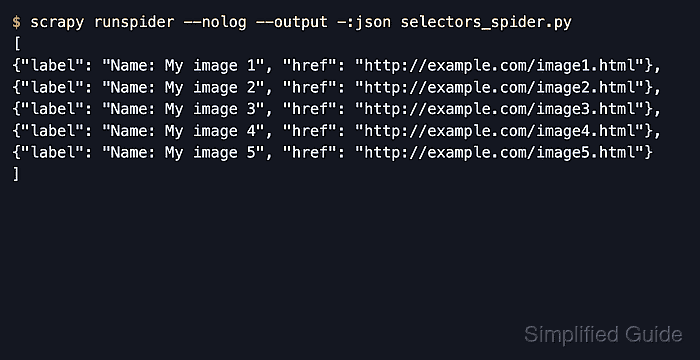
- Run the spider and confirm the extracted items contain cleaned labels and absolute URLs.
$ scrapy runspider --nolog --output -:json selectors_spider.py
[
{"label": "Name: My image 1", "href": "http://example.com/image1.html"},
{"label": "Name: My image 2", "href": "http://example.com/image2.html"},
{"label": "Name: My image 3", "href": "http://example.com/image3.html"},
{"label": "Name: My image 4", "href": "http://example.com/image4.html"},
{"label": "Name: My image 5", "href": "http://example.com/image5.html"}
]
response.urljoin() resolves the relative href values against the page base URL, so the extracted items are ready to export or reuse in later callbacks.

Mohd Shakir Zakaria is a cloud architect with deep roots in software development and open-source advocacy. Certified in AWS, Red Hat, VMware, ITIL, and Linux, he specializes in designing and managing robust cloud and on-premises infrastructures.


