Running one spider from a single Python file is the fastest way to test extraction logic, share a small crawler, or prove that a target site works in Scrapy without creating a full project first. That keeps the workflow focused on one spider class and one export file instead of a project tree, settings module, and generated package layout.
The scrapy runspider command loads a spider class from one file and starts crawling from that file's start_urls or async def start() method. The file still needs the usual spider pieces such as a name and a parse() callback, and the command can write scraped items directly with -o or -O.
Because runspider is a global Scrapy command, it can run outside any project. If it is started from a directory that contains scrapy.cfg, though, Scrapy still applies that project's overridden settings, so a neutral working directory is the safest way to get standalone behavior. Use -O only when replacing the current export file is acceptable, and switch to -o when repeated runs should append instead.
Related: How to create a Scrapy spider
Related: How to use Scrapy shell
Steps to run a standalone spider file with scrapy runspider:
- Open a terminal in a working directory that does not contain scrapy.cfg.
$ cd /home/user/runspider-demo
Running runspider outside a project avoids inheriting project-level settings such as middleware, headers, delays, and feed options.
- Save the standalone spider file with a spider name, one seed URL, and a parse() callback.
$ vi quote_spider.py
import scrapy


class QuoteSpider(scrapy.Spider):
    name = "quotes"
    start_urls = ["https://quotes.toscrape.com/"]

    def parse(self, response):
        for quote in response.css("div.quote")[:3]:
            yield {
                "text": quote.css("span.text::text").get(default="").strip(),
                "author": quote.css("small.author::text").get(default="").strip(),
                "url": response.url,
            }
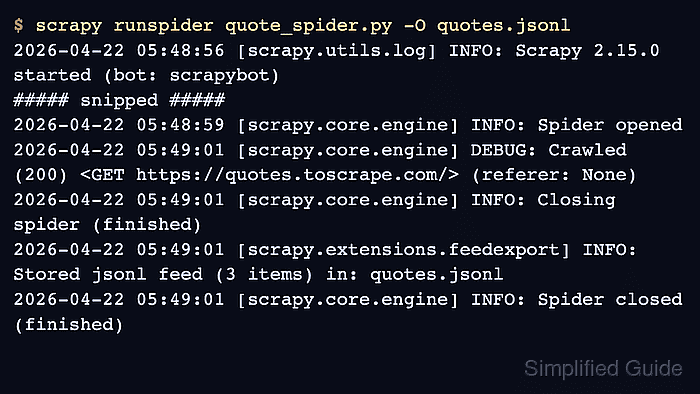
- Run the file with scrapy runspider and overwrite the current JSON Lines export.
$ scrapy runspider quote_spider.py -O quotes.jsonl
2026-04-22 05:48:56 [scrapy.utils.log] INFO: Scrapy 2.15.0 started (bot: scrapybot)
##### snipped #####
2026-04-22 05:48:59 [scrapy.core.engine] INFO: Spider opened
2026-04-22 05:49:01 [scrapy.core.engine] DEBUG: Crawled (200) <GET https://quotes.toscrape.com/> (referer: None)
2026-04-22 05:49:01 [scrapy.core.engine] INFO: Closing spider (finished)
2026-04-22 05:49:01 [scrapy.extensions.feedexport] INFO: Stored jsonl feed (3 items) in: quotes.jsonl
2026-04-22 05:49:01 [scrapy.core.engine] INFO: Spider closed (finished)
-O replaces any existing quotes.jsonl file before the crawl writes new items.
- Read the saved feed to confirm that the spider yielded the expected items.
$ cat quotes.jsonl
{"text": "\u201cThe world as we have created it is a process of our thinking. It cannot be changed without changing our thinking.\u201d", "author": "Albert Einstein", "url": "https://quotes.toscrape.com/"}
{"text": "\u201cIt is our choices, Harry, that show what we truly are, far more than our abilities.\u201d", "author": "J.K. Rowling", "url": "https://quotes.toscrape.com/"}
{"text": "\u201cThere are only two ways to live your life. One is as though nothing is a miracle. The other is as though everything is a miracle.\u201d", "author": "Albert Einstein", "url": "https://quotes.toscrape.com/"}
Each line is one JSON object. Use -o quotes.jsonl instead of -O quotes.jsonl when repeated runs should append to the existing feed.

Mohd Shakir Zakaria is a cloud architect with deep roots in software development and open-source advocacy. Certified in AWS, Red Hat, VMware, ITIL, and Linux, he specializes in designing and managing robust cloud and on-premises infrastructures.


