Measurements collected along survey lines, sensor routes, or irregular experiment locations rarely align as a rectangular grid. SciPy can estimate a value at a new coordinate directly from those scattered samples while preserving their two-dimensional geometry.
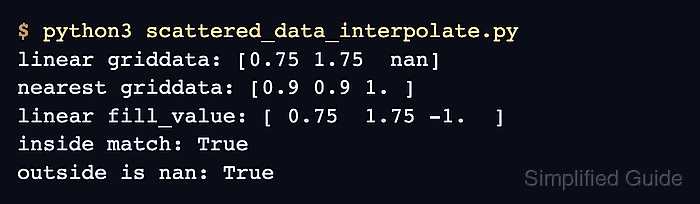
The scipy.interpolate.griddata() function accepts point coordinates with shape (n, D), one sample value per point, and separate query coordinates. Linear interpolation triangulates the input with Qhull and evaluates a piecewise plane within each simplex; data already arranged on a regular grid belongs with RegularGridInterpolator instead.
Linear interpolation covers only the convex hull of the measured coordinates, so a query beyond that boundary returns NaN by default. The known plane in the sample data supplies exact inside-hull values, while the outside point confirms that missing coverage is detected rather than silently extrapolated.
Steps to interpolate scattered data with SciPy:
- Create scattered_data_interpolate.py with the scattered coordinate and value arrays.
- scattered_data_interpolate.py
import numpy as np
from scipy.interpolate import griddata

np.set_printoptions(precision=2, suppress=True)

points = np.array([
    [0.0, 0.0],
    [2.0, 0.0],
    [0.0, 2.0],
    [2.0, 2.0],
    [0.8, 0.6],
    [1.5, 1.2],
])
values = 3 * points[:, 0] - 2 * points[:, 1] + 4
The affine relation z = 3*x - 2*y + 4 gives each scattered point a known value that linear interpolation can reproduce inside the hull.
- Append the query coordinates and linear interpolation call to scattered_data_interpolate.py.
query_points = np.array([
    [0.5, 0.5],
    [1.25, 0.75],
    [1.8, 1.6],
    [2.4, 1.0],
])
interpolated = griddata(points, values, query_points, method="linear")
The first three query points lie inside the measured square. The fourth point lies beyond its right edge and should remain NaN.
- Append the inside-hull and outside-hull verification to scattered_data_interpolate.py.
expected = 3 * query_points[:3, 0] - 2 * query_points[:3, 1] + 4
inside_match = np.allclose(interpolated[:3], expected)
outside_is_nan = np.isnan(interpolated[3])

print("query points:")
print(query_points)
print("interpolated:", interpolated)
print("inside values verified:", inside_match)
print("outside hull detected:", outside_is_nan)

if not inside_match or not outside_is_nan:
    raise SystemExit("interpolation verification failed")
np.allclose() checks the interpolated values against the known plane, and the final condition exits with an error if either boundary check fails.
- Run scattered_data_interpolate.py to verify the interpolation result.
$ python3 scattered_data_interpolate.py
query points:
[[0.5  0.5 ]
 [1.25 0.75]
 [1.8  1.6 ]
 [2.4  1.  ]]
interpolated: [4.5  6.25 6.2   nan]
inside values verified: True
outside hull detected: True

Mohd Shakir Zakaria is a cloud architect with deep roots in software development and open-source advocacy. Certified in AWS, Red Hat, VMware, ITIL, and Linux, he specializes in designing and managing robust cloud and on-premises infrastructures.


