Measurements often arrive at fewer positions than downstream calculations require. A shape-preserving interpolator estimates values inside the measured interval without treating the original samples as noisy observations to be fitted.
SciPy's PchipInterpolator uses a monotone piecewise cubic curve and does not overshoot when the input data is not smooth. This makes it a better fit than an ordinary cubic spline for a signal whose increases or decreases must remain intact between samples.
The measured x values must be strictly increasing and contain no duplicates, while the matching y array must use the same length along the interpolation axis. Setting extrapolate=False keeps the script from extending the curve beyond its evidence and returns NaN for out-of-range queries.
Related: Fit a curve to noisy data
Steps to interpolate one-dimensional data with SciPy PCHIP:
- Create interpolate_1d.py with the SciPy import and measured signal arrays.
- interpolate_1d.py
import numpy as np
from scipy.interpolate import PchipInterpolator

x_measured = np.array([0.0, 10.0, 20.0, 30.0, 40.0])
y_measured = np.array([0.2, 1.1, 1.8, 2.4, 2.7])
- Add the shape-preserving interpolator below the measured arrays.
interpolator = PchipInterpolator(
    x_measured,
    y_measured,
    extrapolate=False,
)
- Add the query-point evaluation below the interpolator definition.
x_query = np.array([5.0, 15.0, 25.0, 35.0])
y_interpolated = interpolator(x_query)
- Add the formatted signal output below the query evaluation.
print("Interpolated signal:")
for x_value, y_value in zip(x_query, y_interpolated):
    print(f"x={x_value:4.1f} -> y={y_value:.3f}")
- Add the validation block at the end of the script.
samples_preserved = np.allclose(
    interpolator(x_measured),
    y_measured,
)
outside_values = interpolator(np.array([-5.0, 45.0]))
outside_blocked = np.isnan(outside_values).all()

print()
print("Known samples preserved:", samples_preserved)
print("Outside range returns NaN:", outside_blocked)

if not (samples_preserved and outside_blocked):
    raise RuntimeError("Interpolation checks failed")
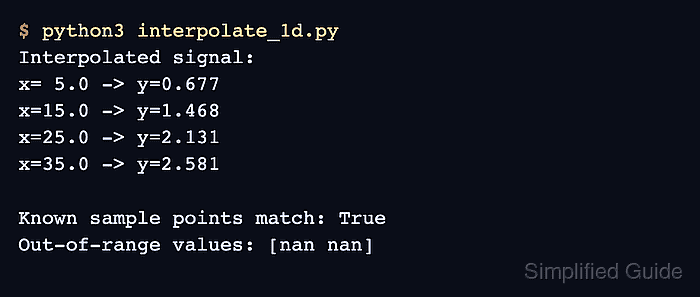
- Run the completed script to verify its interpolation behavior.
$ python3 interpolate_1d.py
Interpolated signal:
x= 5.0 -> y=0.677
x=15.0 -> y=1.468
x=25.0 -> y=2.131
x=35.0 -> y=2.581

Known samples preserved: True
Outside range returns NaN: True

Mohd Shakir Zakaria is a cloud architect with deep roots in software development and open-source advocacy. Certified in AWS, Red Hat, VMware, ITIL, and Linux, he specializes in designing and managing robust cloud and on-premises infrastructures.


