Tabular data often combines measurements with category names, but many scikit-learn estimators require numeric features. The could not convert string to float error occurs when category names reach such an estimator; encoding those features lets the model accept the table while retaining its numeric columns.
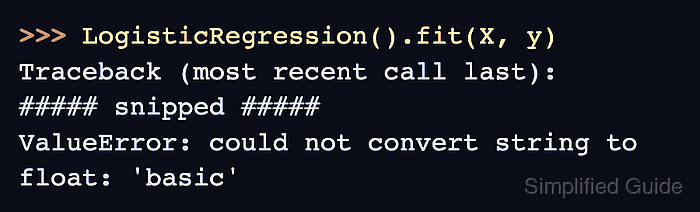
The value quoted in the exception helps distinguish a category from a malformed measurement. A label such as basic needs categorical encoding; a price containing a currency symbol needs numeric data cleaning instead. Casting the entire table to floats cannot turn category names into meaningful numbers.
A ColumnTransformer can encode selected categorical columns while passing numeric features through unchanged. A Pipeline keeps that preprocessing with the estimator during training and prediction. A six-row table is enough to expose and repair the error, though its predictions say nothing about model accuracy.
Steps to fix the could not convert string to float error in scikit-learn:
- Install scikit-learn and pandas in your project's virtual environment.
$ python -m pip install scikit-learn pandas
Tested with scikit-learn 1.9.1, pandas 3.1.1, and Python 3.12 on Linux. scikit-learn 1.9.1 requires Python 3.11 or newer, and installing it does not install pandas.
Related: How to install scikit-learn on Ubuntu or Debian - Define a training table containing numeric ages and categorical plan names in a notebook or Python session.
import pandas as pd
from sklearn.linear_model import LogisticRegression

X = pd.DataFrame({
    "age": [22, 22, 35, 35, 46, 46],
    "plan": ["basic", "plus", "basic", "plus", "basic", "plus"],
})
y = [0, 1, 0, 1, 0, 1]
X contains input features, while y contains the classification targets. String targets can be valid for classifiers; the conversion failure here concerns a feature column. Each later block runs in this same session, because it uses names defined before it.
- Reproduce the conversion error by fitting the estimator directly on the mixed table.
LogisticRegression().fit(X, y)
Traceback (most recent call last):
##### snipped #####
ValueError: could not convert string to float: 'basic'
- List the non-numeric columns in the feature table.
print(X.select_dtypes(exclude="number").columns.tolist())
['plan']
The quoted value belongs to plan, which contains category names. The age column is absent because it already contains numbers. This lists every non-numeric column, including one whose first rows are empty or look like numbers. A listed column holding a value such as $5 needs cleaning rather than encoding.
- Configure preprocessing to one-hot encode the categorical columns and retain the numeric columns, using your own column names in place of plan and age.
from sklearn.compose import ColumnTransformer
from sklearn.preprocessing import OneHotEncoder

preprocessor = ColumnTransformer([
    ("plan", OneHotEncoder(handle_unknown="ignore"), ["plan"]),
    ("age", "passthrough", ["age"]),
])
Unlisted columns are dropped by default with no message, so the explicit age entry preserves the numeric feature. For a table with many numeric columns, remainder=“passthrough” on the ColumnTransformer keeps the unlisted columns without an entry for each one. With handle_unknown=“ignore”, an unseen plan produces zeros in the plan's encoded columns; it does not gain a learned category effect. Category spelling errors can therefore pass silently.
- Fit the original training data through a pipeline containing preprocessing and the estimator.
from sklearn.pipeline import Pipeline

model = Pipeline([
    ("preprocess", preprocessor),
    ("classifier", LogisticRegression()),
])
model.fit(X, y)
The pipeline learns categories from the training data before fitting the classifier. A train/test split belongs before fitting the pipeline; fitting an encoder on the whole dataset first can leak test-set information. A Python prompt or notebook displays the fitted Pipeline after model.fit, which is not an error.
- Confirm that preprocessing produces numeric category columns alongside the original ages.
print(model.named_steps["preprocess"].transform(X)[:2])
[[ 1.  0. 22.]
 [ 0.  1. 22.]]
The first two columns represent basic and plus; the last column retains age. The estimator now receives numbers rather than the original category strings. A column with many categories can print sparse coordinates here instead of this grid.
- Verify that the fitted pipeline predicts from both the original table and new rows with the same feature names.
print(model.predict(X))
new_rows = pd.DataFrame({
    "age": [30, 40],
    "plan": ["basic", "plus"],
})
print(model.predict(new_rows))
[0 1 0 1 0 1]
[0 1]
Both calls return one prediction per row without the string-to-float exception. Prediction goes through model so it reuses the fitted encoder; sending raw category strings directly to the classifier would bypass the repair.