Tabular models often receive numeric measurements and categorical labels in the same dataset, but those feature types need different preprocessing. ColumnTransformer keeps each column group on its own transformation path and joins the results into one model-ready matrix.
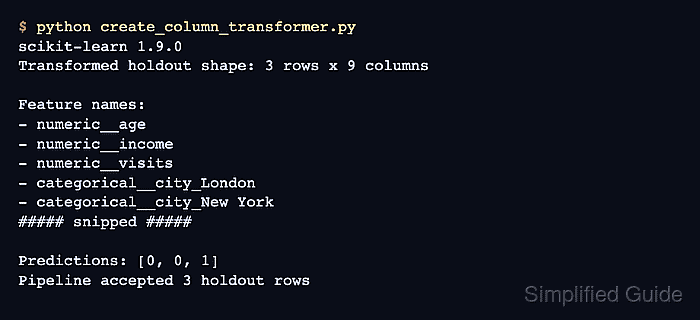
Each transformer entry pairs a name, an estimator, and a DataFrame column list. The entry names become prefixes in get_feature_names_out(), which makes the combined feature space traceable after fitting.
The categorical encoder uses handle_unknown="ignore" so a holdout value absent from the training rows produces zeros for that feature instead of stopping the transform. remainder="drop" excludes any column that is not assigned to a branch.
Steps to create a scikit-learn ColumnTransformer:
- Create column_transformer.py with the mixed training data, holdout rows, and column selectors.
- column_transformer.py
import pandas as pd
from sklearn.compose import ColumnTransformer
from sklearn.impute import SimpleImputer
from sklearn.pipeline import Pipeline
from sklearn.preprocessing import OneHotEncoder, StandardScaler


train = pd.DataFrame(
    {
        "age": [22, 35, None, 48],
        "fare": [120, 340, 210, None],
        "city": ["London", "Paris", "London", "Berlin"],
        "plan": ["basic", "premium", "premium", "basic"],
    }
)
holdout = pd.DataFrame(
    {
        "age": [31, 50],
        "fare": [180, None],
        "city": ["Rome", "London"],
        "plan": ["premium", "basic"],
    }
)
numeric_features = ["age", "fare"]
categorical_features = ["city", "plan"]
- Add the numeric imputation and scaling pipeline below the column selectors.
numeric_pipeline = Pipeline(
    steps=[
        ("imputer", SimpleImputer(strategy="median")),
        ("scaler", StandardScaler()),
    ]
)
- Add the categorical imputation and encoding pipeline below the numeric pipeline.
categorical_pipeline = Pipeline(
    steps=[
        ("imputer", SimpleImputer(strategy="most_frequent")),
        ("encoder", OneHotEncoder(handle_unknown="ignore", sparse_output=False)),
    ]
)
- Assemble the ColumnTransformer below the two preprocessing pipelines.
preprocessor = ColumnTransformer(
    transformers=[
        ("numeric", numeric_pipeline, numeric_features),
        ("categorical", categorical_pipeline, categorical_features),
    ],
    remainder="drop",
)
Each transformer receives only its selected columns. The two results are concatenated in the order of the transformers list.
- Append the fitting, transformation, and feature-reporting block below the ColumnTransformer definition.
transformed_train = preprocessor.fit_transform(train)
transformed_holdout = preprocessor.transform(holdout)
feature_names = preprocessor.get_feature_names_out()
city_positions = [
    index for index, name in enumerate(feature_names) if "__city_" in name
]

print("Feature names:")
for name in feature_names:
    print(f"- {name}")
print(f"Training shape: {transformed_train.shape}")
print(f"Holdout shape: {transformed_holdout.shape}")
print(
    "Rome city encoding:",
    transformed_holdout[0, city_positions].tolist(),
)
- Verify the completed ColumnTransformer feature space by running column_transformer.py.
$ python column_transformer.py
Feature names:
- numeric__age
- numeric__fare
- categorical__city_Berlin
- categorical__city_London
- categorical__city_Paris
- categorical__plan_basic
- categorical__plan_premium
Training shape: (4, 7)
Holdout shape: (2, 7)
Rome city encoding: [0.0, 0.0, 0.0]

Mohd Shakir Zakaria is a cloud architect with deep roots in software development and open-source advocacy. Certified in AWS, Red Hat, VMware, ITIL, and Linux, he specializes in designing and managing robust cloud and on-premises infrastructures.


